
Question
Common fields disappear or "ghost out" when combining different forms into one file.
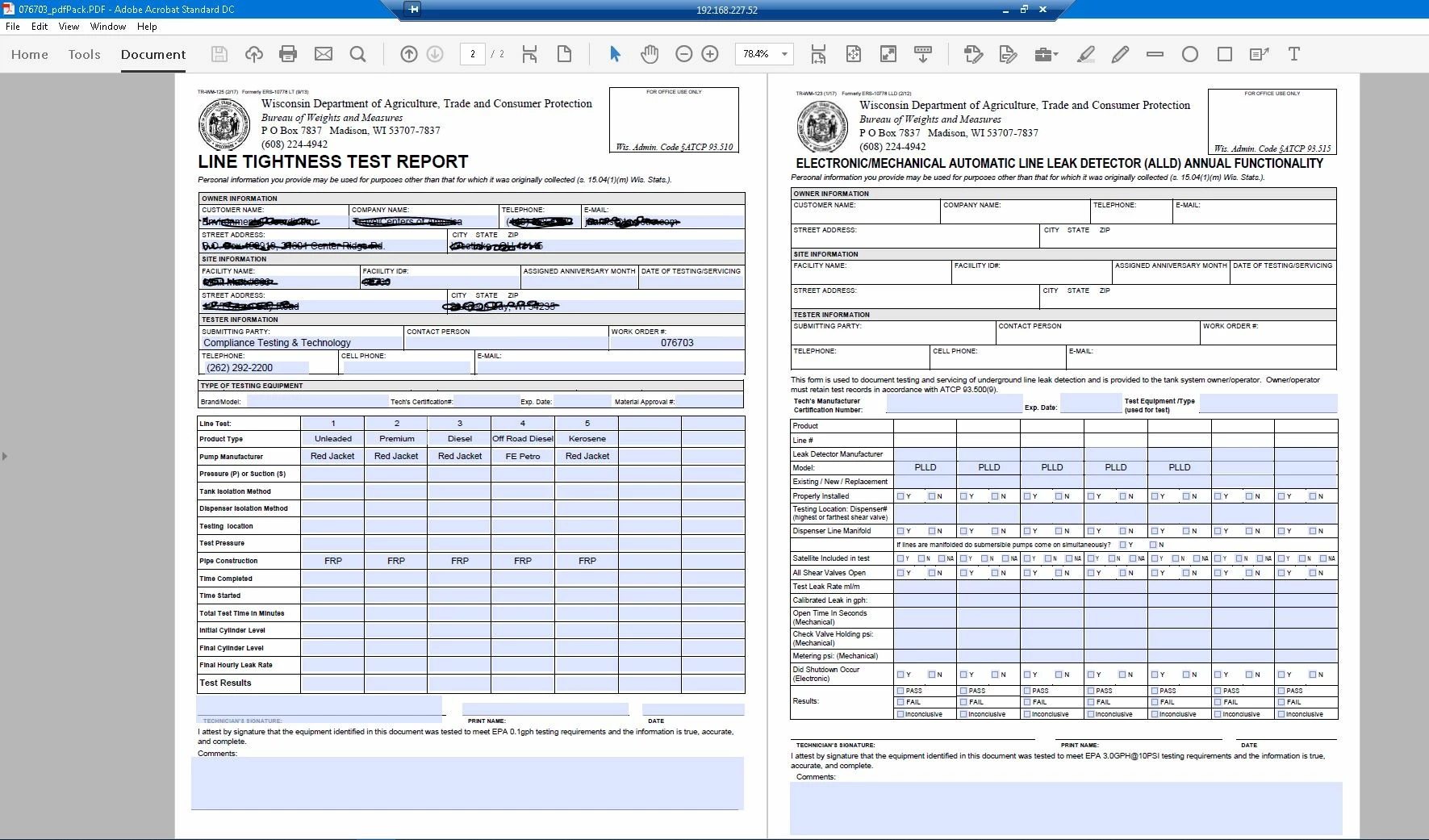 When multiple files are combined into a single document, common fields disappear from the added pages. The fields are still there (because a "ghosted out" field box will appear if you hover over it in the edit form mode...and they show up if we use some other type of pdf viewer) but they disappear when we use our typical Adobe program to open/view the file...rendering the file as pretty much useless for what we're trying to accomplish. For example, in the attached screen shot, all the fields in the top section of of the first page, should also be appearing in the top section of the second page...but they don't. Is there a way to fix this short of downloading some other type of pdf reader that works?
 AdChoices