Participant
April 24, 2025
Question

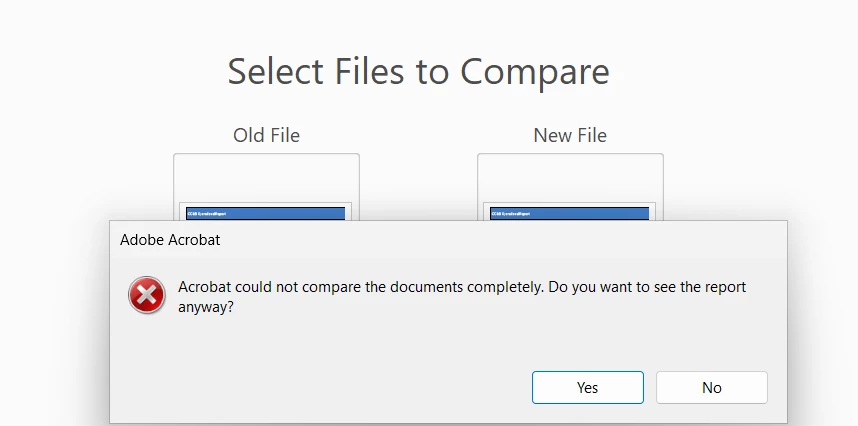
Compare Funtionality is not working.

  • April 24, 2025
  • 1 reply
  • 445 views

When ever i am trying to compare two pdf files it shows error. Tried with many pdf files, its not working at all. Some times its getting hanged too. 


1 reply

Participant
April 24, 2025

The files clearly has differences. 


Community Manager
April 25, 2025

Hi @lipika_2179, 


Sorry for the troubled experience. 
If the files you were trying to compare were scanned, this is expected behavior. Since I don't have access to the files, it is very hard to suggest anything particular why this has happened.  


How to Use 'Compare Files' Effectively in Acrobat


1. Prepare a Clean Source File

  • Ensure both documents are flattened PDFs (avoid layers or embedded forms/scripts if possible).

  • Remove annotations or comments if not relevant to your comparison.

2. Use the Right Comparison Settings

Open Tools > Compare Files, then:

  • Choose the correct document order — “Old” (original) vs “New” (modified).

  • Click “Settings” and select:

    • Text only (faster, best for content edits)

    • Appearance (includes layout/formatting changes)


3. Use Page Ranges (Optional)

  • If documents are large but only parts have changed, you can limit the search to specific pages to improve performance and accuracy.

4. Enable Side-by-Side View

  • This gives a clear visual of what changed where.

  • Acrobat highlights:

    • Text changes (inserted, deleted)

    • Formatting

    • Moved text blocks


~Tariq

Participant
April 29, 2025

I tried flatten the pdf files but still getting same error. This error is constant for all kind of pdf file. 

Tried everthing, but really this compare doesnt work.
