


Component Files opened from a Portfolio show as blank when opened in Acrobat.
Several users in my office are having the same issue in Acrobat as this user question here: Component Files opened from a Portfolio show as blank when opened. Closing and reopening the same file shows the document properly. | Community HOWEVER, for us, closing and reopening the file does not properly show the file and instead shows the same blank page. Below are example screenshots.
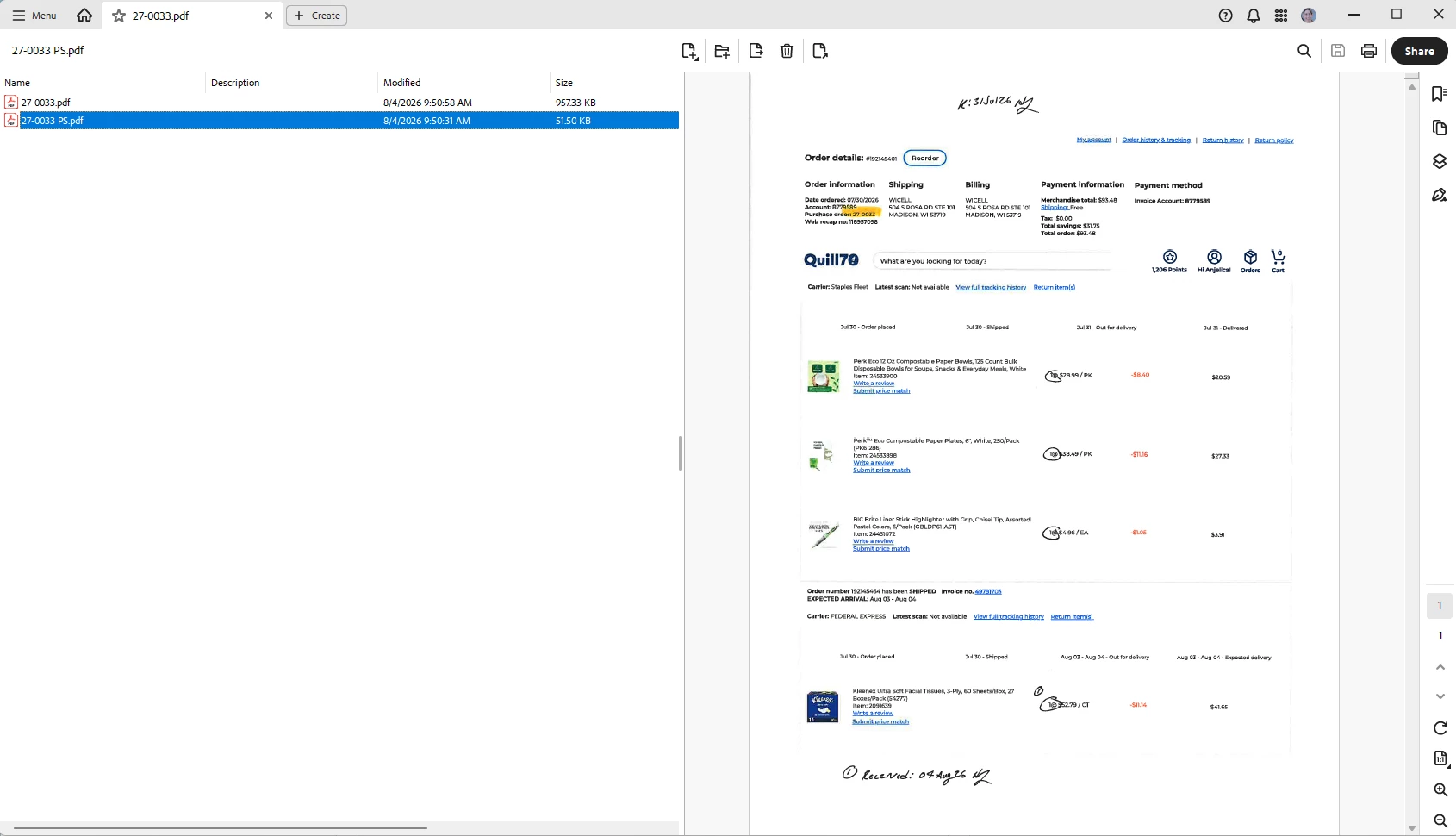
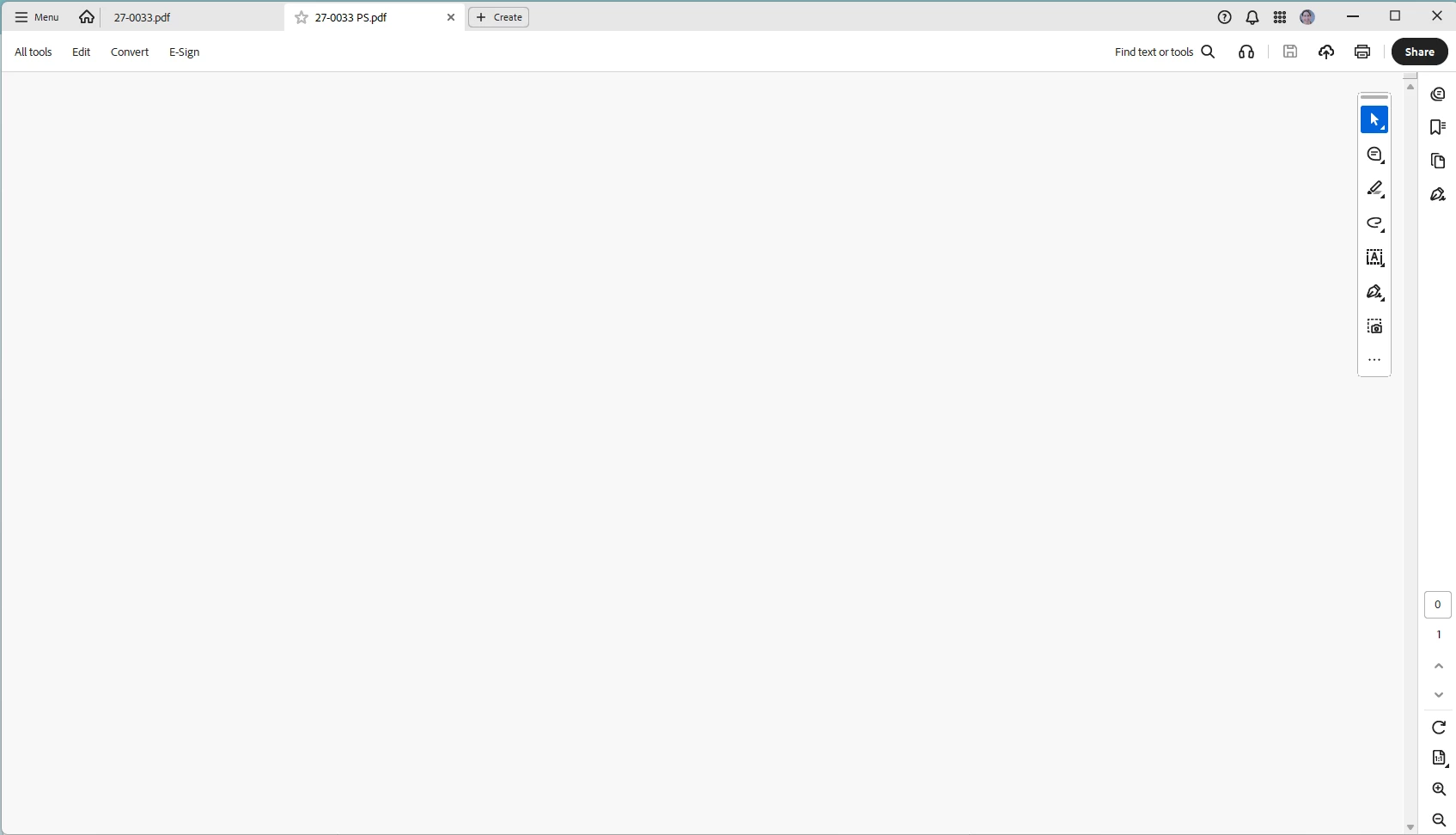
We found that deselecting the “Open documents as new tabs in the same window” option under Preferences > General fixed the issue, however, this is not a practical solution for us as it prevents us from opening multiple PDF files as tabs in the same window of Acrobat. Re-selecting that preference caused the PDF Portfolio issue to come back.
I first encountered the problem roughly 2 weeks ago. The Acrobat application is up to date and being run on Windows 11 Enterprise operating system.

 AdChoices