conditional date
I've looked for several days and have seen a variety of ways my problem has been done in Adobe Javascript, but none have worked for me.
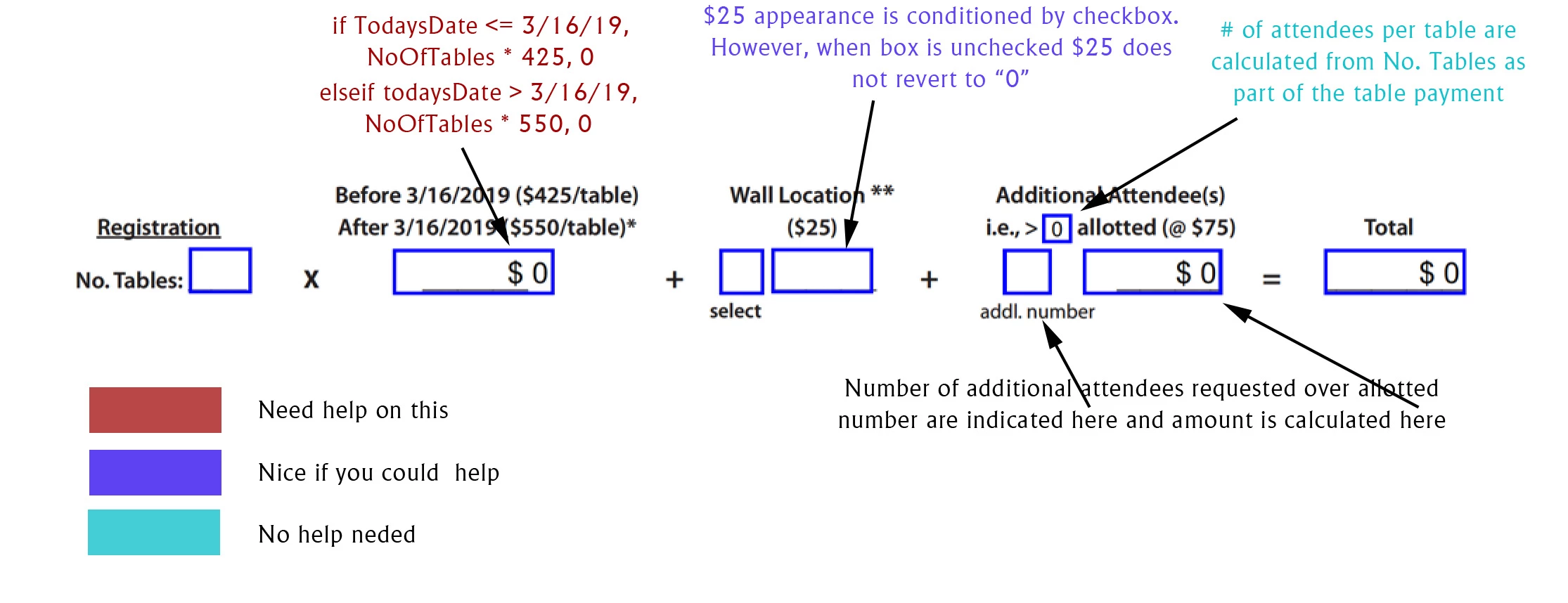
The Problem: On an exhibitor application form for a meeting I am holding, the exhibitor enters NumberOfTables requested. The text box (AmountDue), will reflect the number of tables times the per table fee. The per table fees depends on whether Today's Date, i.e., the date the customer enters the NumberOfTables amount, falls on or before the regular registration cutoff date 3/16/19 (@ $425/table) or after the cutoff date (@ $550/table).
This seems like a straightforward matter, but it has eluded me. I gather that I can declare "var TodaysDate = new Date()", for the given date when the NumberOfTables field is entered, and "var DeadlineDate = new Date('2019,03,16')" for providing the date to compare to. But then I run into trouble in terms of whether I should declare "var DeadlineDate =new Date(2019/03/16) as I've seen in some answers, or even "var DeadlineDate = new Date(2019/03/16)" as I've also seen. Then I really lose it when creating my "if...then statement" I've learned several programming languages in the past (a while ago) but am stumped by Adobe Javascript.
Thanks for any help you can give.
~~Rich
 AdChoices