
Configuring Canon MFP and WIA driver to auto feed docs to PDF with Acrobat CC
Hello,
I am the owner of a Pixma MX472 multi-function printer. I'm attempting to use the auto-document feeder to scan a multiple page document into a PDF through the latest version of Adobe Acrobat Pro CC. The issues i'm having are with the Canon WIA driver installed on my Win10 X64 OS desktop. I'm running the printer through the USB not wireless.
When I'm in Acrobat and select scan document through scanner. I'm given a new popup window that asks me to select the installed scanner. The only available listed in my Canon MX472 WIA driver.
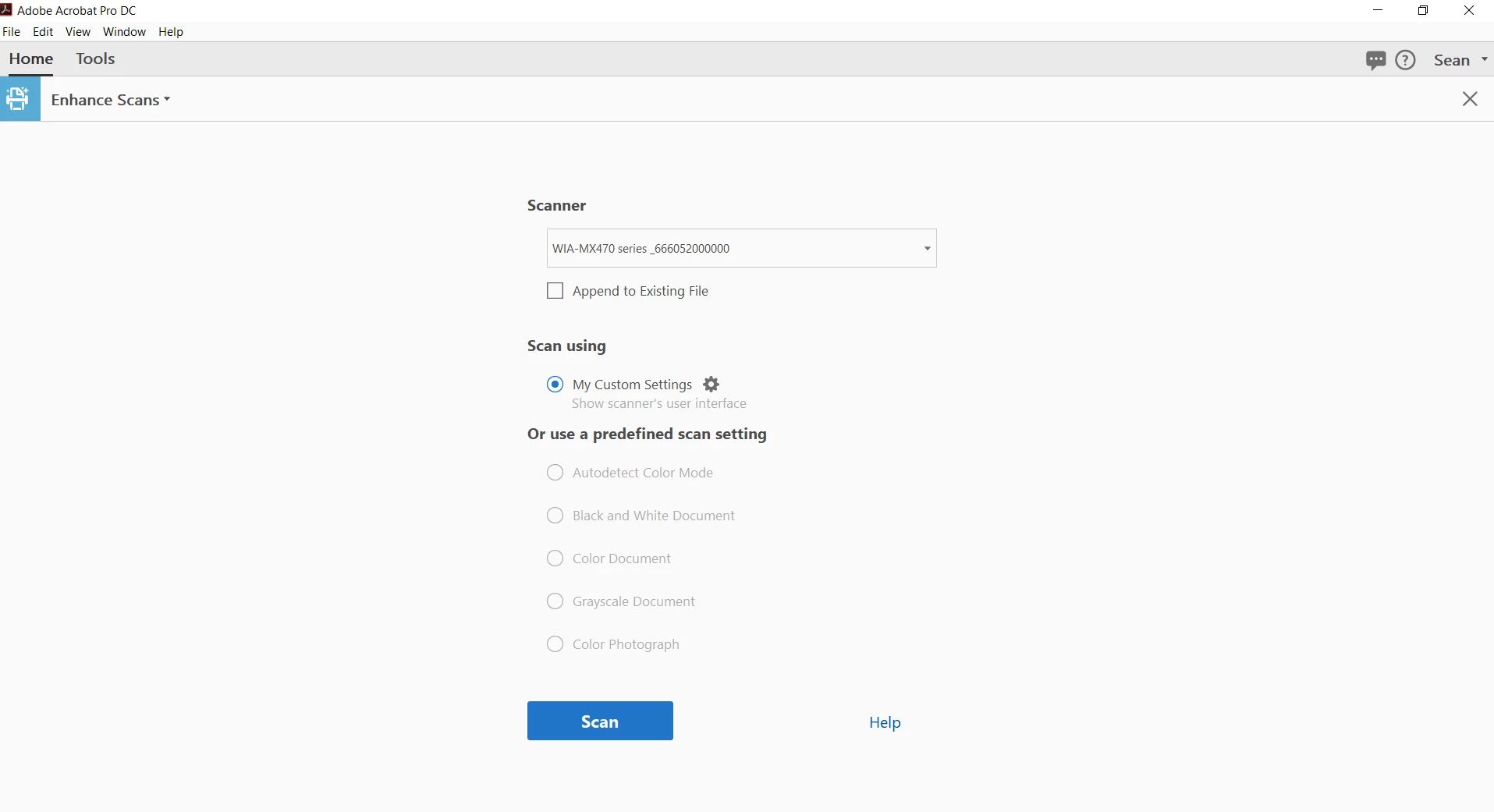
Once I select it Adobe informs me that due to driver restrictions it can no longer allow me to create or customize any scanning profiles within the software. So I can't tell it to scan grey scale, B&W, or customize a profile from within Acrobat, or specify the page size to be scanned. It only allows me to select "My custom settings". While in that section. Color mode, Resolution, and paper size and locked. I can only play with quality and output functions.
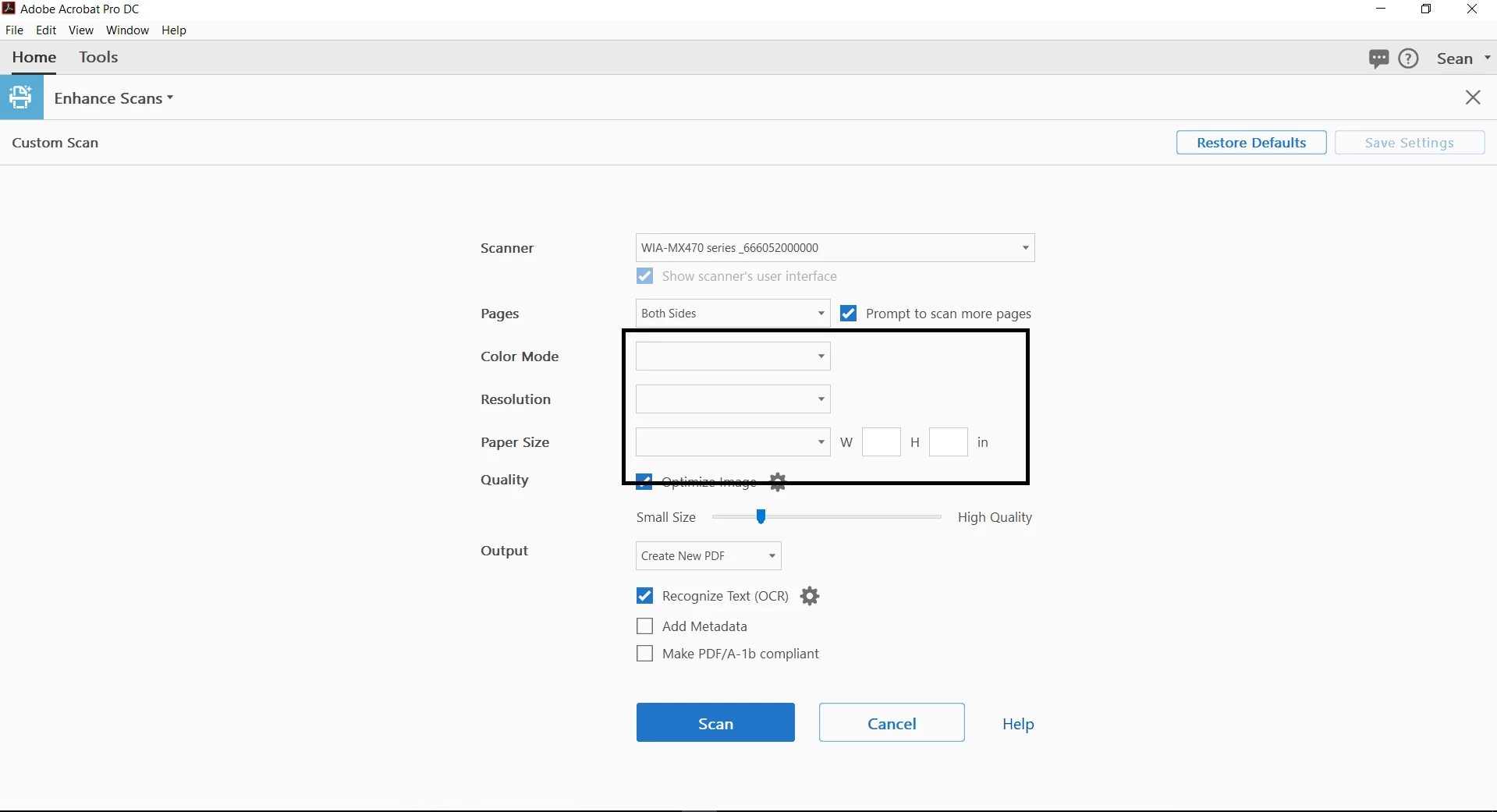
When I hit scan it then proceeds to just open the WIA driver control panel. While there the only options i'm given are to scan in color and adjust the DPI range. It also always defaults the page size to legal instead of letter for some reason and I'm always forced to select the drop-down menu at the bottom of the window to select the letter size for my scan.
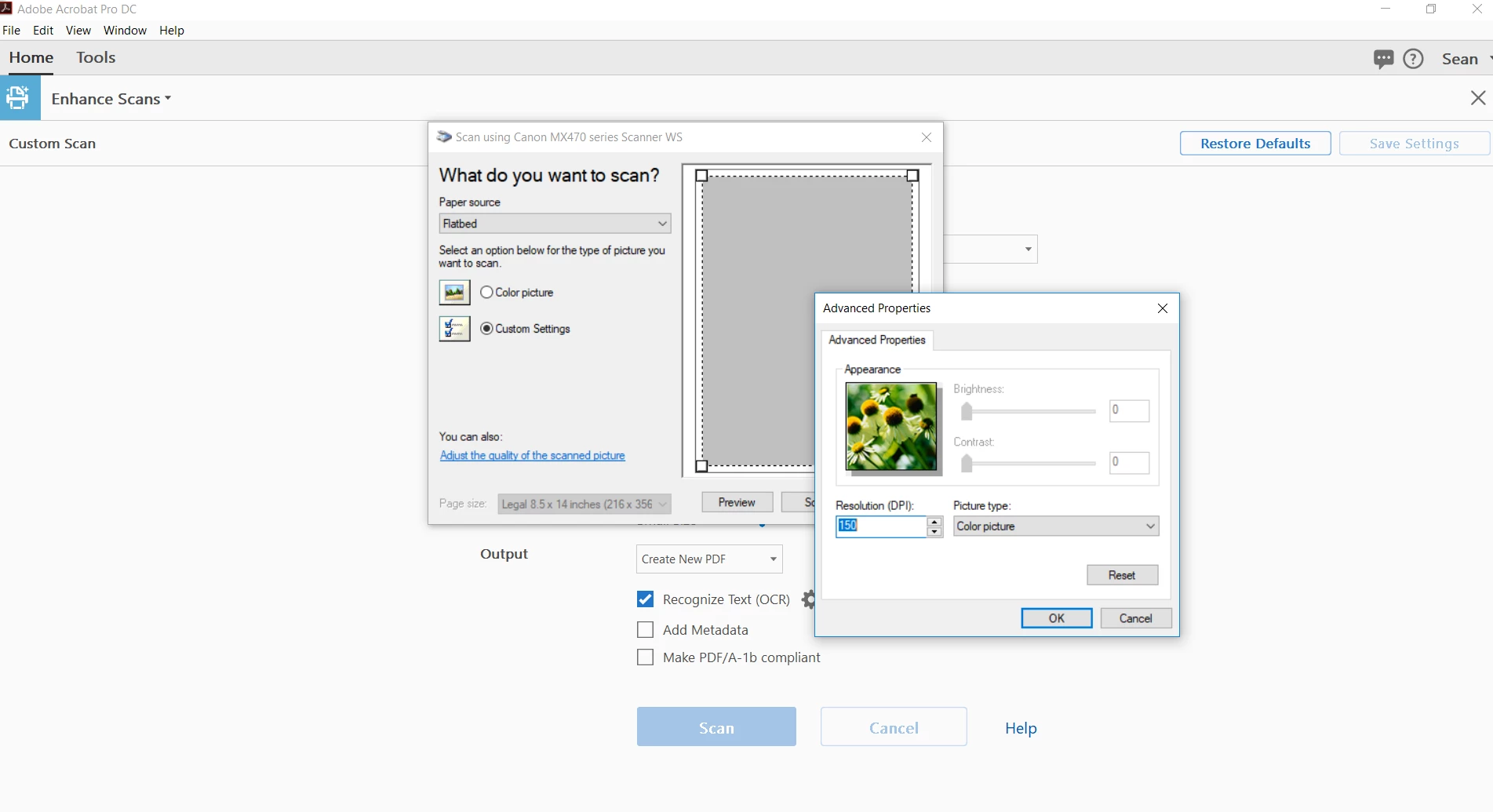
Are there any easy workarounds to the limitations i'm experiencing with the Canon driver?
I just moved from an old ACER scanner that was using a TWAIN driver which allowed me to access most of the scanner profile options Acrobat had to offer. With the Canon WIA driver everything is greyed out and limited. Thanks
 AdChoices