

Question
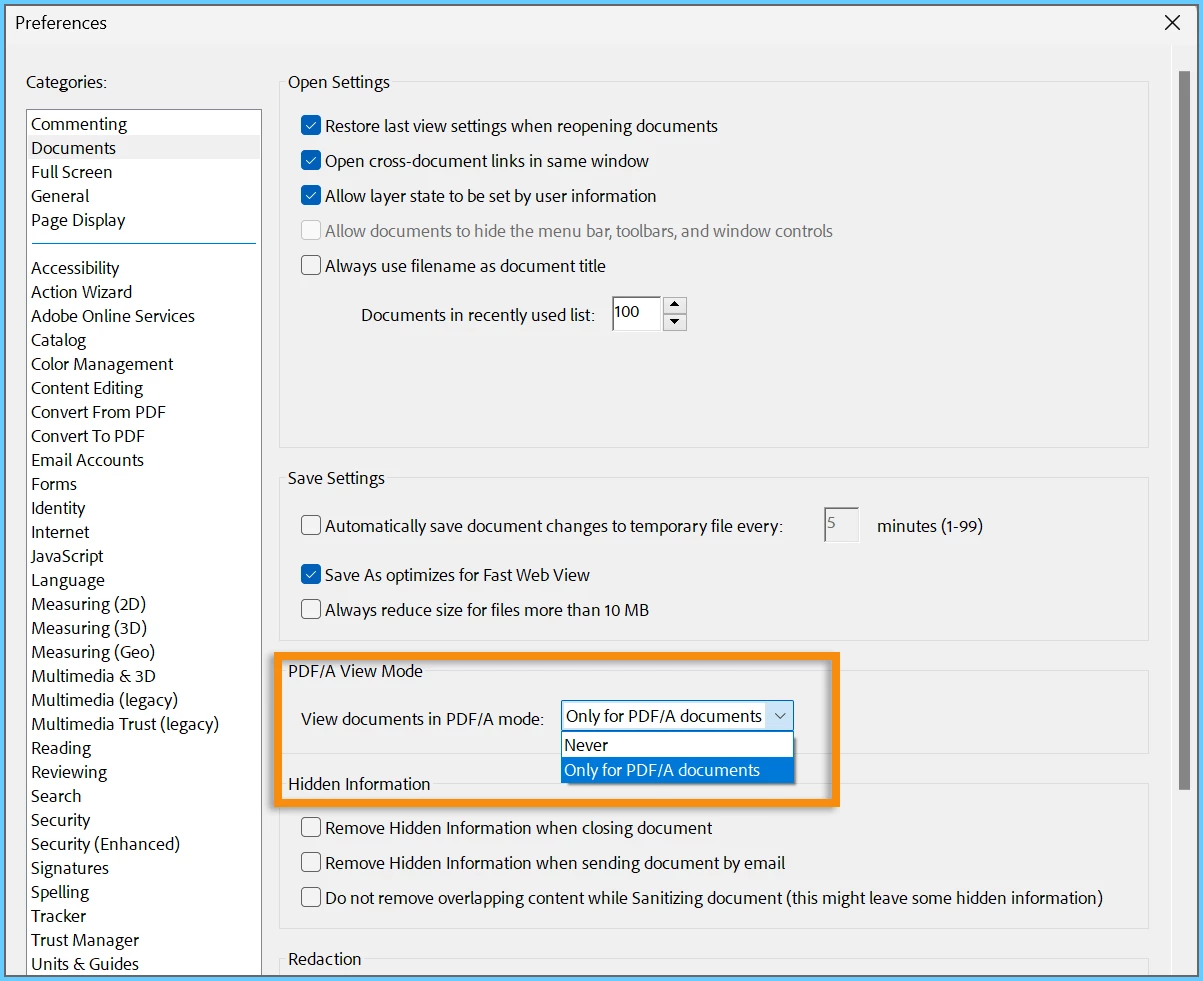
Configuring PDF/A View Mode Preferences in Adobe Acrobat.
Configuring PDF/A View Mode Preferences in Adobe Acrobat.
Introduction:
Acrobat's Preference for viewing documents in PDF/A mode can be controlled through a registry key to ensure consistent settings across multiple machines.
Operating System: Windows
Software: Acrobat
Here are the steps to control PDF/A View mode preference via the iPDFAPolicy registry key:
- Navigate to the following Registry Path: [HKEY_CURRENT_USER\Software\Adobe\(product name)\(version) \AVDisplay\]
- Locate the DWORD value named iPDFAPolicy
- Possible values for this key are: 0 (Never), 1 (Blank), and 2 (Only for PDF/A documents)
- Export the AVDisplay registry key and deploy this Preference on other machines.
Have you found this answer helpful? If so, Join the conversation with us and share your thoughts. Your feedback is valuable to us, and we are always listening.


 AdChoices