

Zaid Al Hilali
Community Expert
Community Expert
February 17, 2023
Question

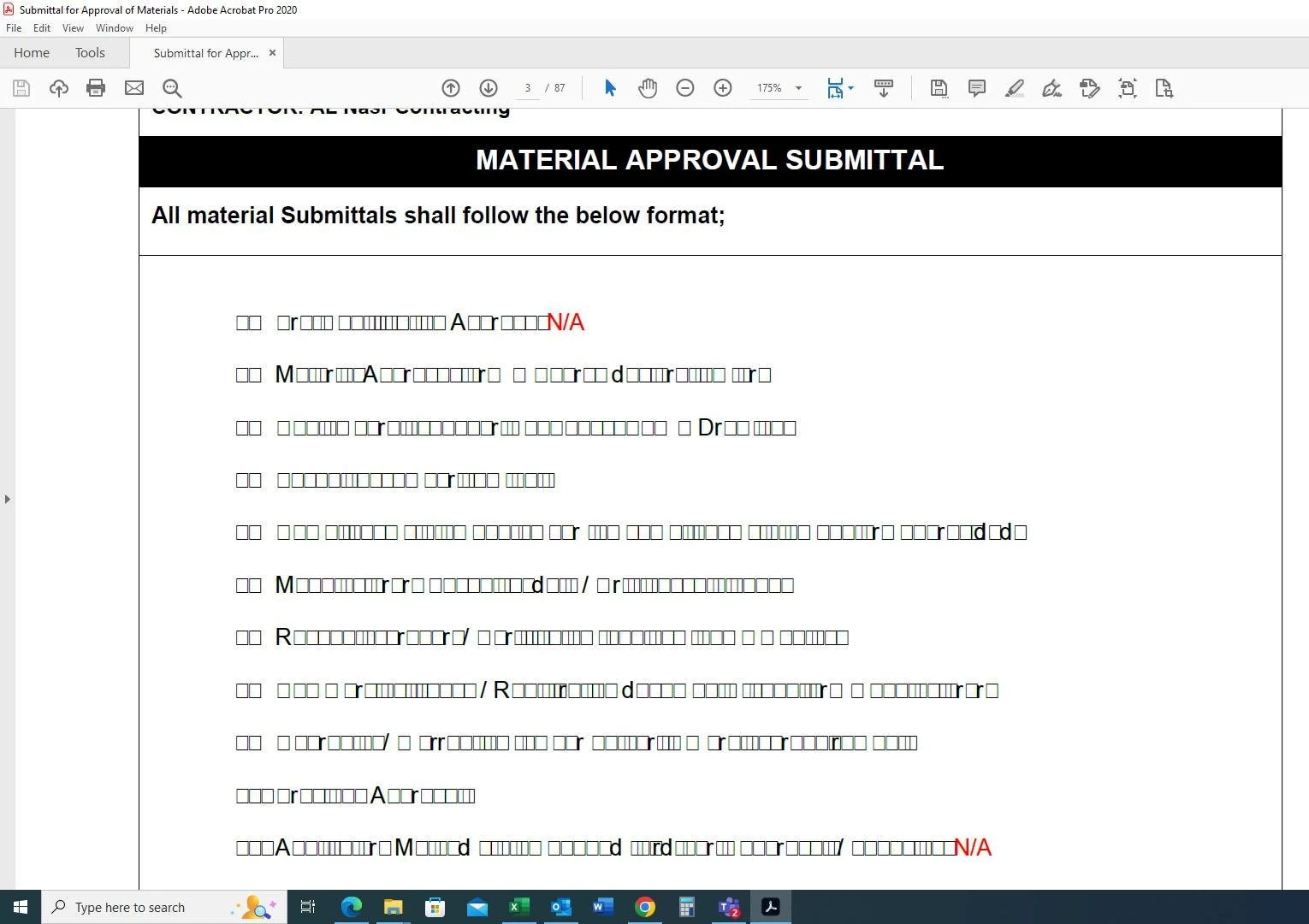
Content scrambled on Acrobat

  • February 17, 2023
  • 3 replies
  • 2517 views

I'm posting this case on behalf of my client.

The attached PDF shows at client's Windows machine with most content scrambled on Acrobat Pro (see screenshot)
The same PDF displayed well on another non-Adobe application (see below)
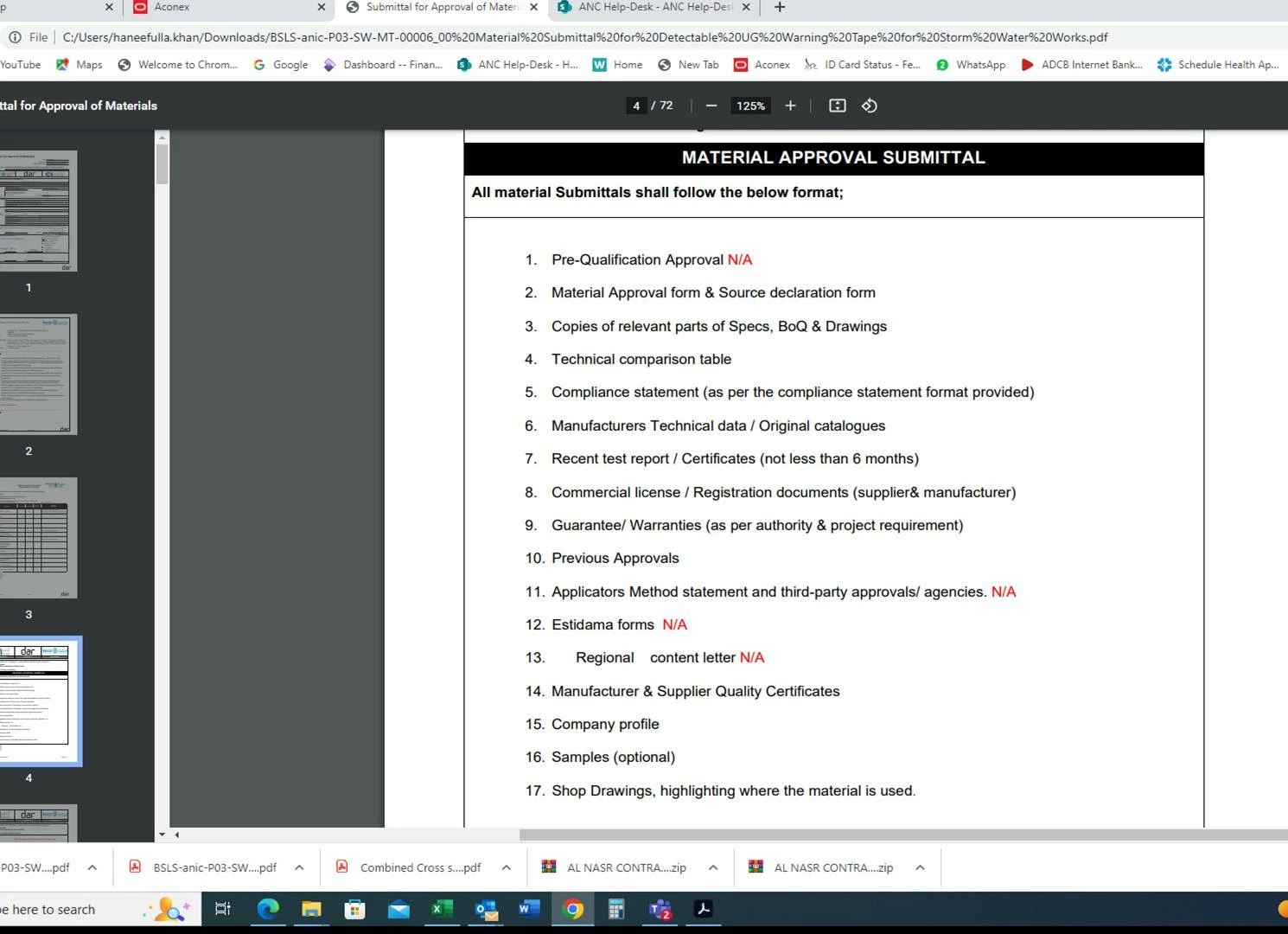
 

At first, I explained to the client that it was a Font issue and that the PDF may not have been appropriately generated. I asked for the PDF, I opened it on my Mac, and everything displaced properly on my machine. I just can't figure out the issue.

I deleted other pages and kept one page out of the lot as you can see in the attached PDF. Sample PDF 

This topic has been closed for replies.

3 replies

try67
Community Expert
Community Expert
February 17, 2023

The file is not shared properly.

Zaid Al Hilali
Community Expert
Community Expert
February 17, 2023

Thanks, @try67 

Try now please… Sample PDF

try67
Community Expert
Community Expert
February 17, 2023

The file appears fine to me in both Reader DC and Acrobat XI.

Legend
February 17, 2023

Adobe have not removed type 1 support from PDF files - they should still show correctly. (Because there are billions of PDFs already made with type 1 support, and because they are still being made every day).

Zaid Al Hilali
Community Expert
Community Expert
February 17, 2023
quote

Adobe have not removed type 1 support from PDF files - they should still show correctly. 

By @Test Screen Name

I thought so too. As the PDF displayed properly on my machine. 

Zaid Al Hilali
Community Expert
Community Expert
February 17, 2023

The original PDF was 55 pages, I extracted above attached page for our testing only. The strange thing, is I shared same page with my client, he says it opened and displayed perfectly now on his Acrobat. So I wonder if some Type 1 fonts used on some pages other than the page I shared above may caused this issue.


The question is, does Acrobat support Type 1 fonts properly on Windows? I'm asking because as you maybe aware that some Adobe products such as InDesign stopped supporting Type1 fonts.