
Inspiring
May 31, 2021
Answered

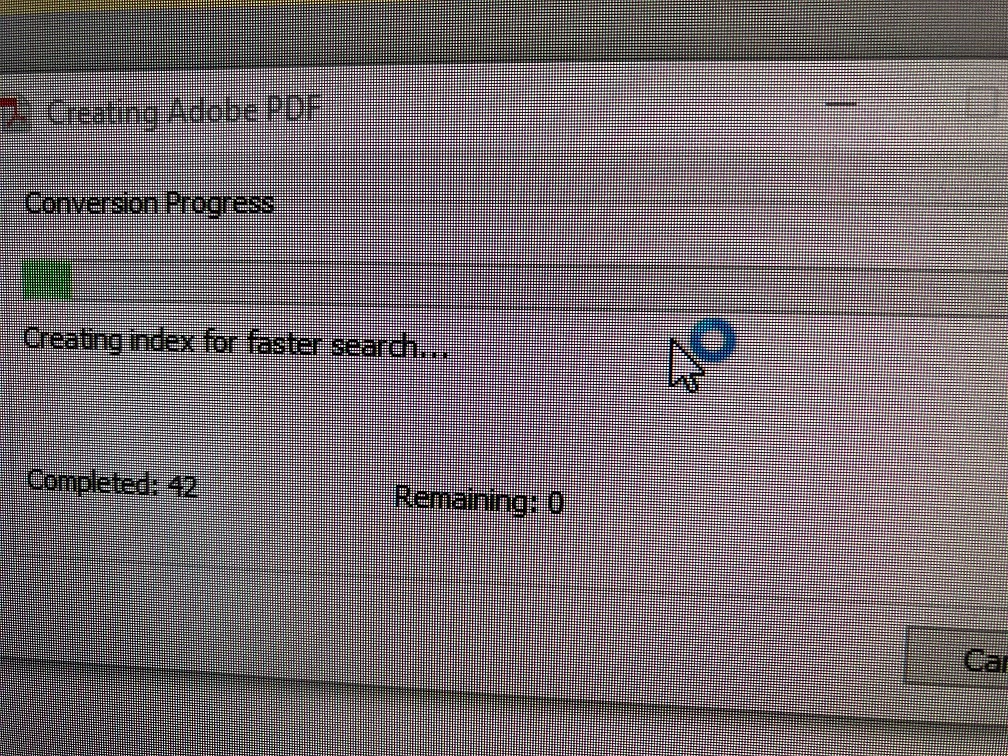
Conversion Progress in outlook Failing

  • May 31, 2021
  • 2 replies
  • 3433 views

I have Adobe Acrobat Pro (all updates are current).  I also use Outlook via Office365 (all updates are current). After I select emails to "Convert to Adobe PDF" ***It creates the PDF just fine.***  But my system freezes with the pop up box that says "Creating Adobe PDF".  It wont cancel or close.  The Conversion Progress box remains open until I close OUTLOOK.  When I reopen, the Adobe add-in is disabled becasue it caused an issue with OUTLOOK.  Is there a way to disable the indexing portion?
Correct answer MarkSan

After I posted this, I found another conversation that had my answer.  I was able to remove the INDEXING option by clicking on the ACROBAT tab then clicking on "Change Conversion Settings" and un-checking "EMBED INDEX" box.  It now works fine and doesn't cause a pop box to freeze on my screen. 

2 replies

Participating Frequently
August 26, 2022

Tips to Fix Outlook Outlook Error

  1. Assure your internet connection
  2. Verify Outlook email account settings
  3. Delete Suspected Message from Mailbox
  4. Review firewall settings and disable email scanning with an Anti-Virus program
  5. Repair your Outlook or Outlook Express
  6. Ensure that your email profile works correctly
  7. Start Outlook in safe mode


Regards,

Peter

MarkSanAuthorCorrect answer
Inspiring
May 31, 2021

After I posted this, I found another conversation that had my answer.  I was able to remove the INDEXING option by clicking on the ACROBAT tab then clicking on "Change Conversion Settings" and un-checking "EMBED INDEX" box.  It now works fine and doesn't cause a pop box to freeze on my screen.