

Participant
November 5, 2025
Answered

Convert colors changes pdf shapes!?

  • November 5, 2025
  • 3 replies
  • 119 views

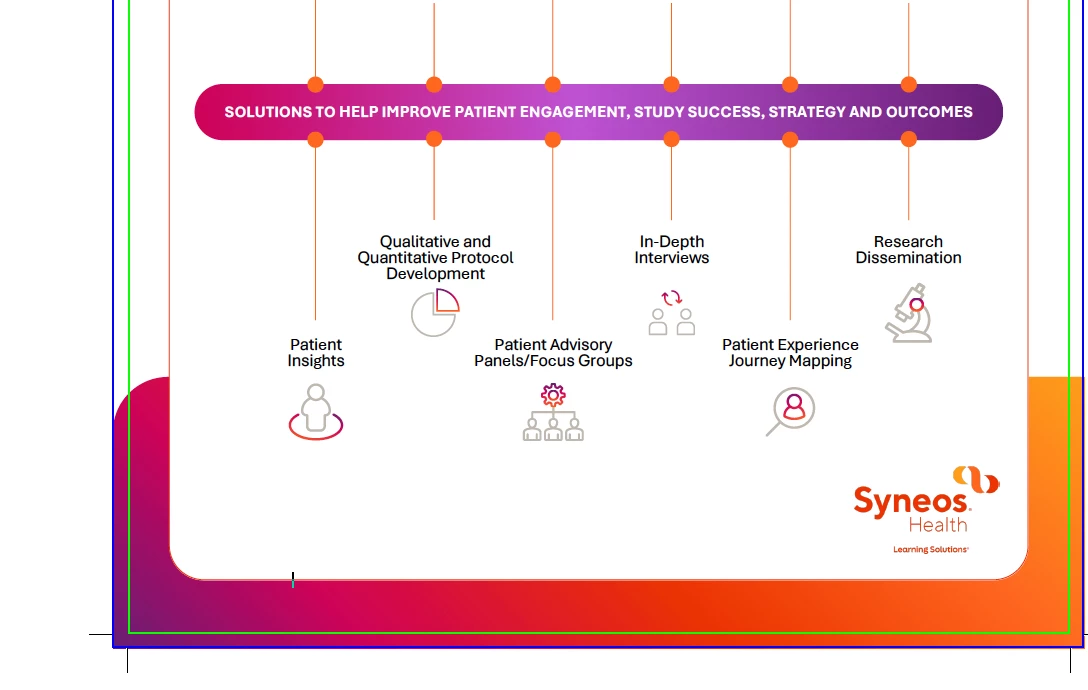
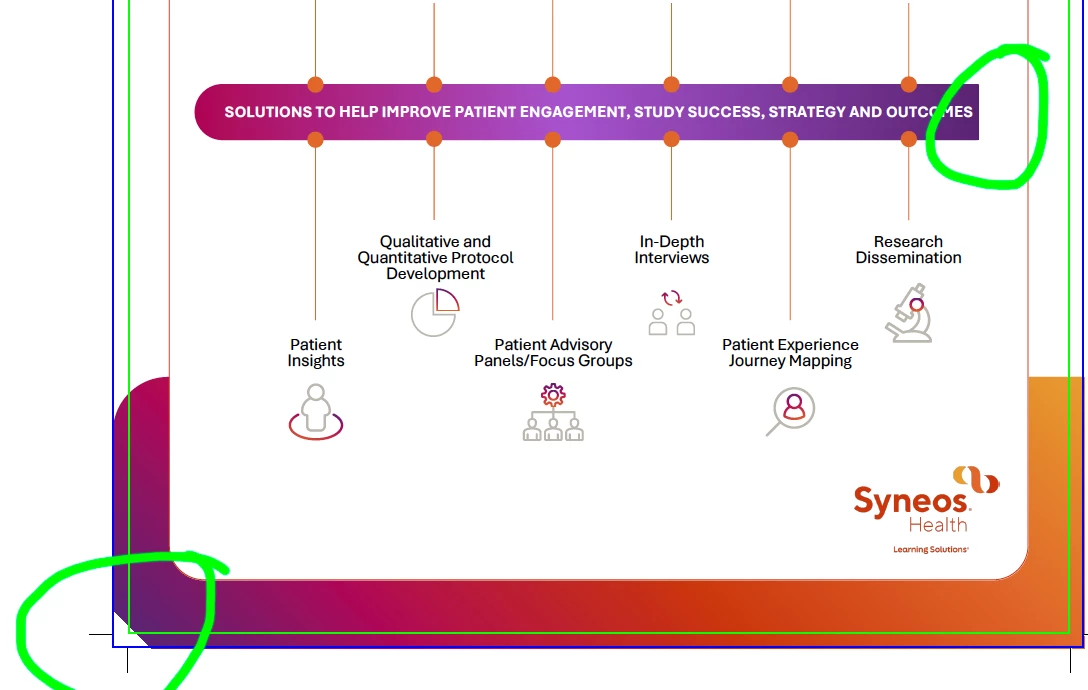
See below before and after; upon doing a Convert colors (from sRGB to anything else), Acrobat cuts up some of the page elements.... insights or resolution, Adobe? Not good.

Correct answer danielle_0542
quote

See below before and after; upon doing a Convert colors (from sRGB to anything else), Acrobat cuts up some of the page elements.... insights or resolution, Adobe? Not good. EZPassNJ


By @RyanMMSH

The problem of Acrobat "cutting up" page elements during a Convert Colors operation is typically caused by a failure in the Transparency Flattener when handling complex vector or overlapping objects. To resolve this, you must manually flatten the transparency of the PDF before running the color conversion. Use the Preflight tool (Tools $\rightarrow$ Print Production $\rightarrow$ Preflight), find a Fixup profile (often under PDF Fixups) to "Flatten Transparency," run it on a copy of the file, save, and then run your Convert Colors operation on the newly flattened version.

3 replies

Participant
November 6, 2025

i m using Pfd on chicken salad chick menu site to show nutrition details but some pdf display not properly can any one guide me

danielle_0542Correct answer
Participant
November 6, 2025
quote

See below before and after; upon doing a Convert colors (from sRGB to anything else), Acrobat cuts up some of the page elements.... insights or resolution, Adobe? Not good. EZPassNJ


By @RyanMMSH

The problem of Acrobat "cutting up" page elements during a Convert Colors operation is typically caused by a failure in the Transparency Flattener when handling complex vector or overlapping objects. To resolve this, you must manually flatten the transparency of the PDF before running the color conversion. Use the Preflight tool (Tools $\rightarrow$ Print Production $\rightarrow$ Preflight), find a Fixup profile (often under PDF Fixups) to "Flatten Transparency," run it on a copy of the file, save, and then run your Convert Colors operation on the newly flattened version.

RyanMMSHAuthor
Participant
November 6, 2025

Makes sense, thanks Danielle; I'll get back in and try that today and report back.

Luke Jennings3
Community Expert
Community Expert
November 6, 2025

Can you upload a sample pdf, before converting the color, so we can take a look?