


Participant
January 6, 2022
Question

Convert DWG to PDF

  • January 6, 2022
  • 1 reply
  • 716 views

Hi,


I am attempting to convert a DWG file to PDF using acrobat pro DC.
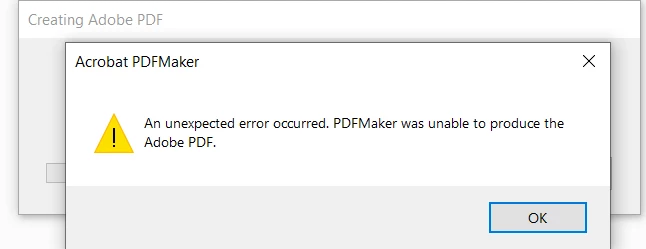


I have already tried the following:


https://helpx.adobe.com/acrobat/kb/disable-popup-autocad-to-pdf.html


https://helpx.adobe.com/acrobat/kb/add-pdf-printer-manually.html


I guess my question is do I need autocad to do this?


Thanks,


Hanif


This topic has been closed for replies.

1 reply

Amal.
Community Manager
Community Manager
January 6, 2022

Hi Hanif


Hope you are doing well and sorry to hear that.


- Would you mind elaborating the steps you are doing to create the PDF from the file?


- What is the version of the Adobe Acrobat DC you are using? To check the version go to Help > About Acrobat and make sure you have the recent version 21.07.20099 installed. Go to Help > Check for updates and reboot the computer once.


- Is this the issue with a particular file or with all the files that you try to convert to PDF? Please try with a different file and file type and see how it goes.


Also, please try to create the PDF from the Acrobat file menu > create > PDF from file and check if that works for you.


Regards

Amal