
Convert PDF file to PDF V1.6 or V1.7 => in Acrobat Reader => by JavaScript
Respectable Adobe Acrobat Universe, thanks for your always professional and precise answer. This last indication kindly offered by you will be in my collection of solutions.
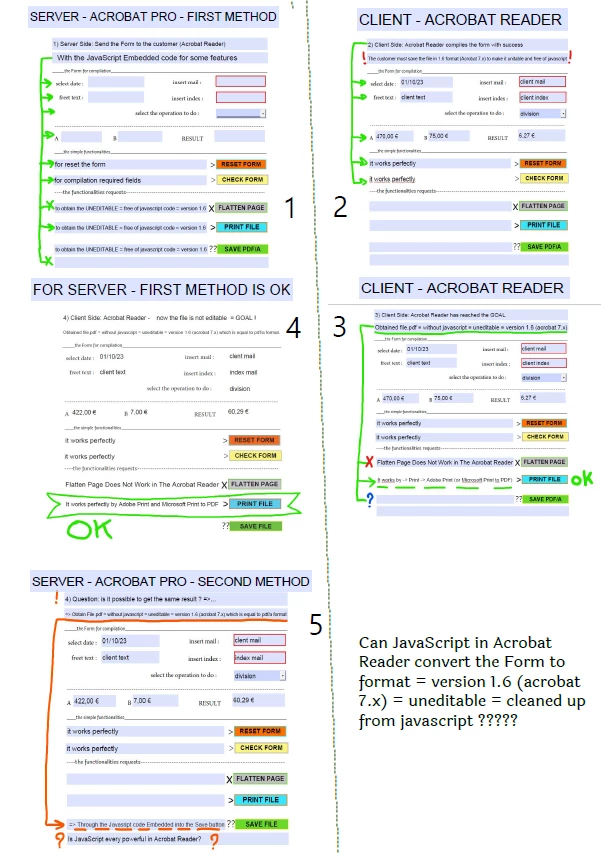
The only small problem is: that I should apply this solution to my client, and my customer -> has Acrobat Reader. To be more precise - there are 120 customers in the company, which have Acrobat Reader, and only I have the Acrobar Pro (it is the company policy - on this I can't do anything). I tried the solution -1: Create the Form in Acrobat Pro (OK) -> Send the form to the customer with Acrobat Reader (OK) = in this I had the success. I am looking for the solution-2: to create the function [a JavaScript code, or, an setting, or, other], which allows the customer Acrobat Reader to save (convert) the clean form from JavaScript (for company security policy) = And here I am doing my search ..., by the moment it's a failure.
For me, it will be sufficient to know if this function is achievable or cannot be achieved (this is probably the limit of acrobat reader and I am asking for the impossible).
Thanks again and my respect.


 AdChoices