


Participant
September 24, 2019
Answered

Convert to PDF installed font are not found

  • September 24, 2019
  • 4 replies
  • 8531 views

I have installed the fonts for my company under Windows/Fonts:
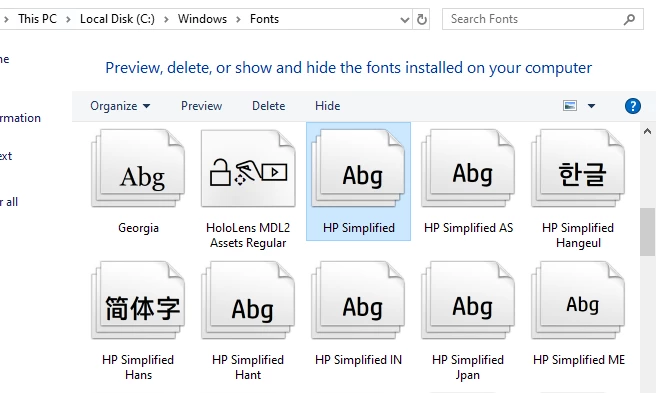
But that fonts are not appering under Fonts in the Settings for "Convert To PDF":
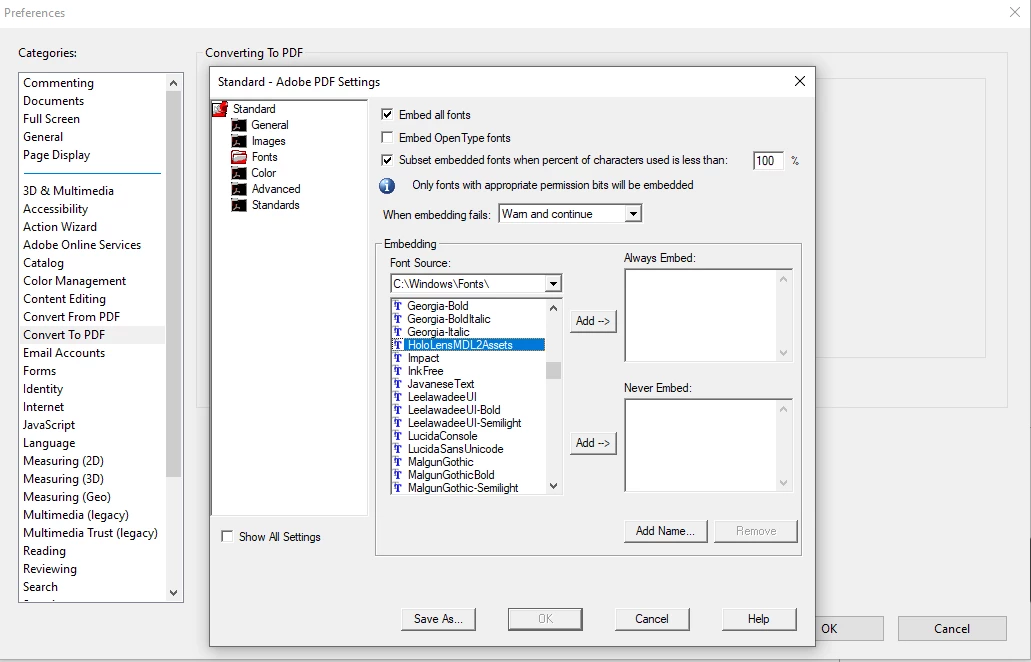
I need that Adobe uses those fonts when converting but its not working for the Version Adobe Acrobat Pro DC, on version XI works perfectelly.


Correct answer Andreas31574567aglb

Hi, for anyone facing the same issue: For me the solution was to install the fonts in the correct C:\Windows\Fonts directory. Windows placed my manually installed fonts in some Word Roaming directory for my Windows user account but not for all users into the default Windows fonts directory. After I fixed this by uninstalling the fonts and installing them directly into the Windows fonts directory everything worked as expected.

Hope this helps.

4 replies

Participant
February 23, 2025

its not clear from your question what program you are using to create your documents with. I just had this same issue when creating pdf from word, I realized if I install the font while the word document is open, even though it shows up in word, it won't be embedded in the pdf, so i save and close the word document first, then i reopen and save as pdf...


hope this is usefull.

Andreas31574567aglbCorrect answer
Participant
August 9, 2023

Hi, for anyone facing the same issue: For me the solution was to install the fonts in the correct C:\Windows\Fonts directory. Windows placed my manually installed fonts in some Word Roaming directory for my Windows user account but not for all users into the default Windows fonts directory. After I fixed this by uninstalling the fonts and installing them directly into the Windows fonts directory everything worked as expected.

Hope this helps.

Karl Heinz  Kremer
Community Expert
Community Expert
August 9, 2023

Thanks for the update. Don't you just hate it when your operating system is d doing stuff behind your back that makes things work in one application, but not others? Your answer might indeed help others in a similar situation. 

Legend
September 24, 2019

Why, indeed, do you care if it's in the list, since you have EMBED ALL FONTS selected which should make the list irrelevant.

DamarisAuthor
Participant
September 24, 2019
Because when converting the fo file to PDF using Adobe PDF configuration, is not founding the font, so it render it with Times New Roman font.
Karl Heinz  Kremer
Community Expert
Community Expert
September 24, 2019
This dialog has nothing to do with that behavior - it’s only used to determine if a font should be embedded or not. What application are you using to create the original document? And how are you converting to PDF?
Karl Heinz  Kremer
Community Expert
Community Expert
September 24, 2019

Can you use these fonts in any other application? Can you use them when adding (or editing) text in a PDF file using Acrobat's edit tool? 

DamarisAuthor
Participant
September 24, 2019
Yes, I can edit the PDF and the Fonts are there.
Karl Heinz  Kremer
Community Expert
Community Expert
September 24, 2019
You've already set "Embed all fonts", so it should not matter if the font is in the list or not (unless you want to never embed it). When you say that using this font does not work, what exactly do you see?