
Participant
December 13, 2019
Question

converting excel files to pdf drops images

  • December 13, 2019
  • 2 replies
  • 1196 views

I've been writing my reports for a year or so without problems so this one has me baffled

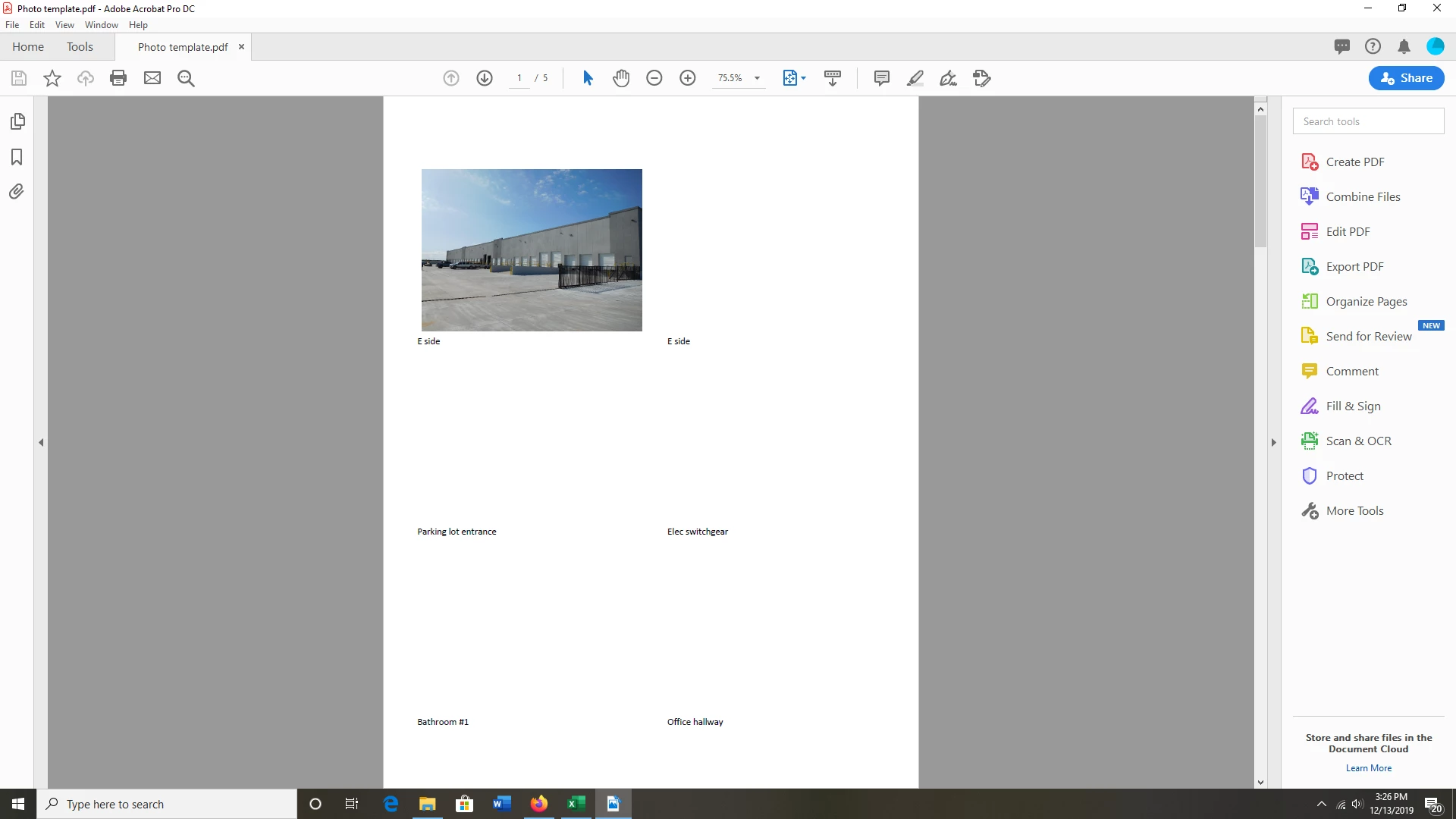
I post 6 pictures on each sheet with text underneath. When I click on Save as Adobe PDF it convets all the sheets I've highlighted except it only displays 1 picyure per sheet. All of the text appears just as it should.

When I click Save As and tell excel to save it as PDF it works fine. Not sure what changed in Acrobat.

All of this is in Wins 10 and office 365.

Any suggestions are welcome
This topic has been closed for replies.

2 replies

Participant
December 14, 2019

having exact issue as this. From doing some of my own tests, it seems only one picture will now show up per page if you have multiple images. I have used a template that I used for years.  typically with 3 pictures on it. Only one now shows up for even the older files. But if you delete the one that shows up, one of the other pictures will show up. 


Participant
December 14, 2019

Upon further testing, I started up a computer that hasn't seen the internet since april of this year with an older update of acrobat DC and the same issues are not present. 


Legend
December 14, 2019

I’ve read other reports of this happening, not with an Acrobat update, but with the latest Microsoft Office update. Worth checking in an Office forum. 

Dave__M
Community Expert
Community Expert
December 14, 2019

If you have Acrobat Pro installed, you should use the PDF Maker (the Acrobat ribbon in Excel) to make the conversion to PDF.  Saving as PDF from a Microsoft app isn't nearly as reliable as routing the cinversion process through the Adobe software via the Acrobat ribbon.


I hope this is helpful.

My best,

Dave