
Copy Calculation Formula Down Using Adjacent Cells
Hi,
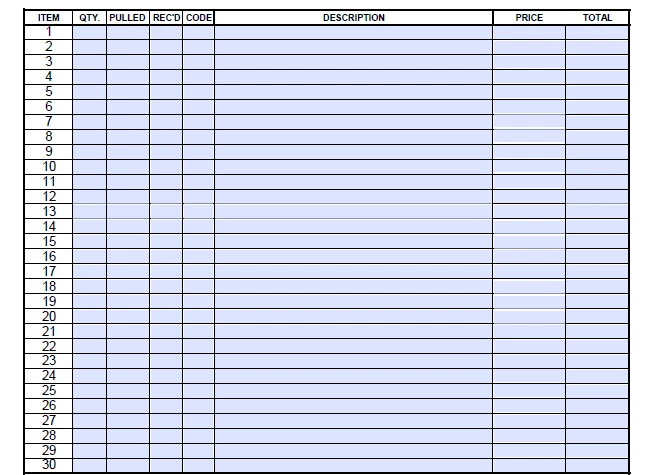
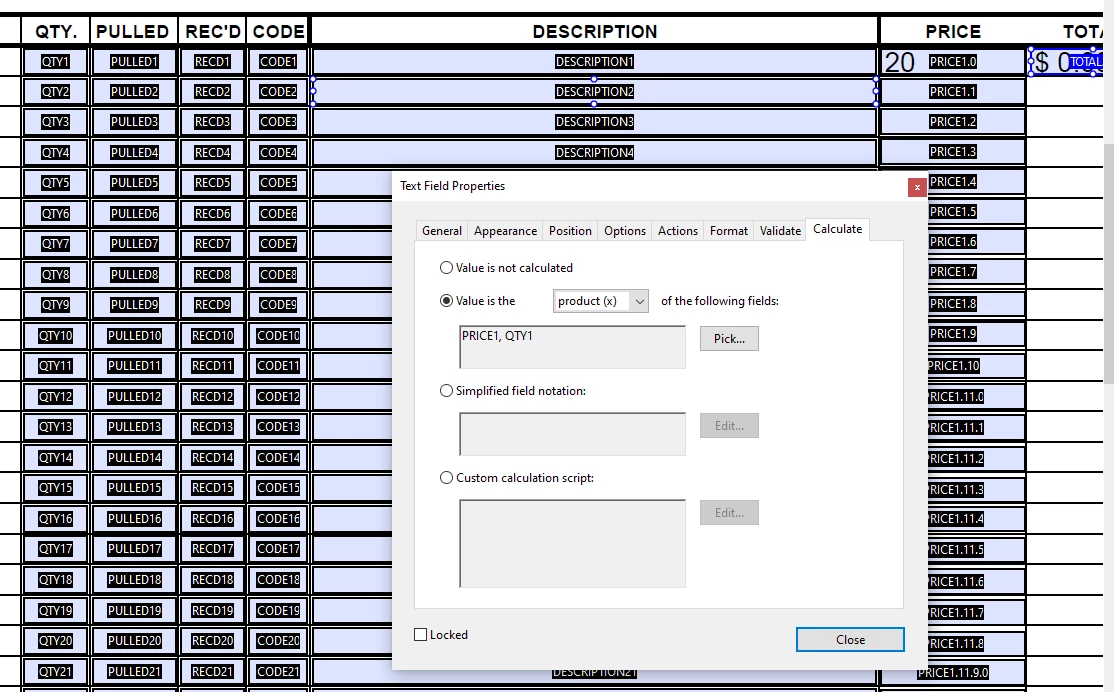
I am trying to create a simple calculation for a price list/invoice type template. I have two issues- first, simply setting the first "TOTAL" field to multiply PRICE*QTY is not working- here is what I'm inputting in the 2nd screenshot below. In addition, I am assuming there is a faster way to auto-populate the same "TOTAL" column down, using QTY1 and PRICE1, QTY2 and PRICE2, etc where I wouldn't need to go into all 30 "TOTAL" fields to set the calculation manually for each- how would I do that? I unfortunately haven't found any answers relating to this specific problem here or on Youtube etc, but I'm assuming it is a common question. Is this possible, and how can I go about this so I don't waste hours of my life inputting calculations?
In addition, I do have the Excel spreadsheet this form was based on which includes the correct calculations. if anyone knows if there is a direct way to auto-populate the form fields while still including the calculations right in excel, please let me know. I'm not sure why I haven't found any answers to any of these questions online already, and I appreciate any help with this! The only way I have found to make the form right in Excel is to add each field manually...
Thanks so much in advance!
 AdChoices