Inspiring
July 2, 2024
Question

copy paste is distorted and blurry

  • July 2, 2024
  • 2 replies
  • 1449 views

Hello,

Actually I am trying to make a collage from a PDF file (musical score) to another PDF file.

Steps to reproduce from a musical score in landscape mode :

1) in a musical score in landscape mode, in normal mode (not edit), copy a part of the score :
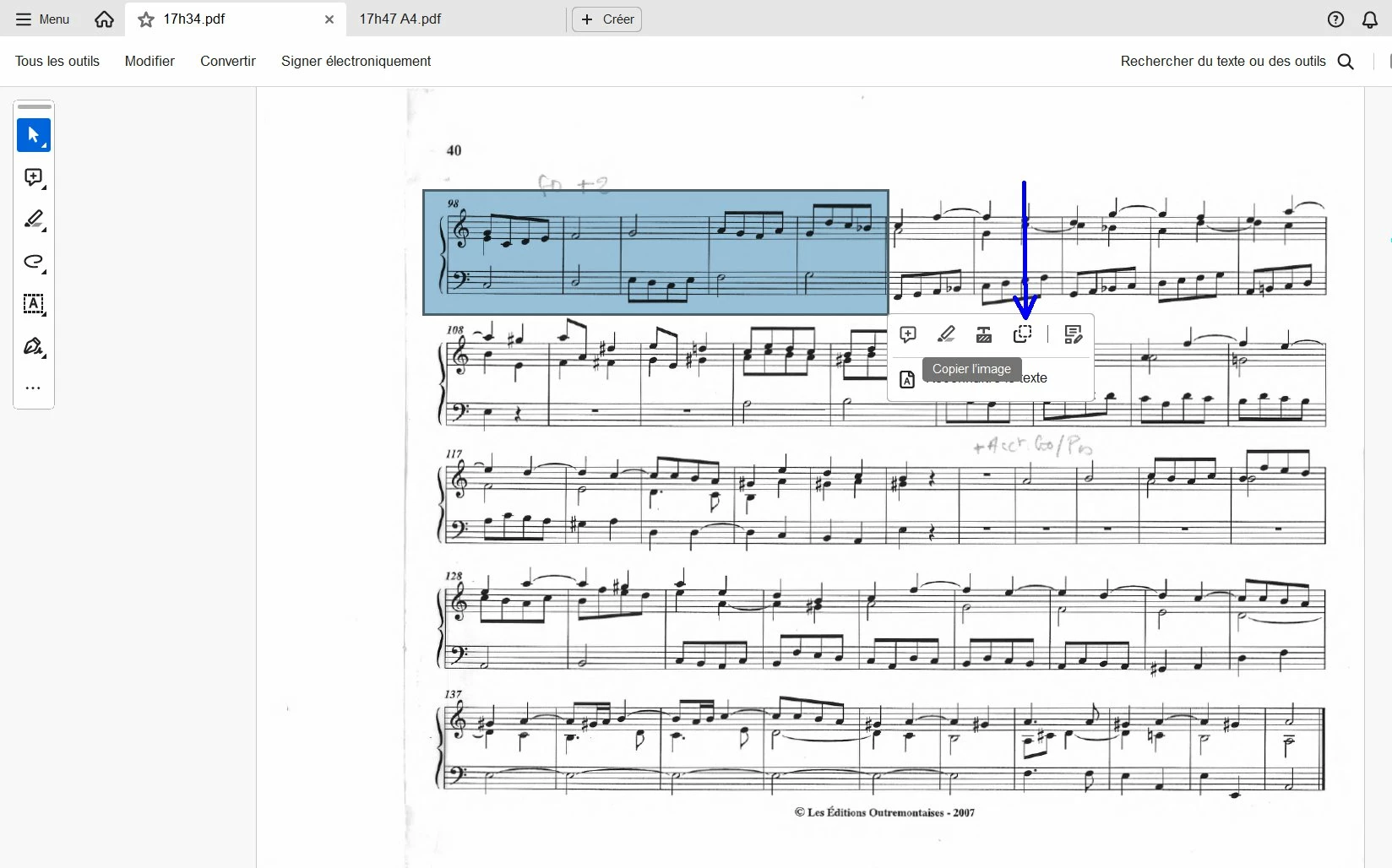
 

2) and paste it inside a new PDF file (in edit mode) :
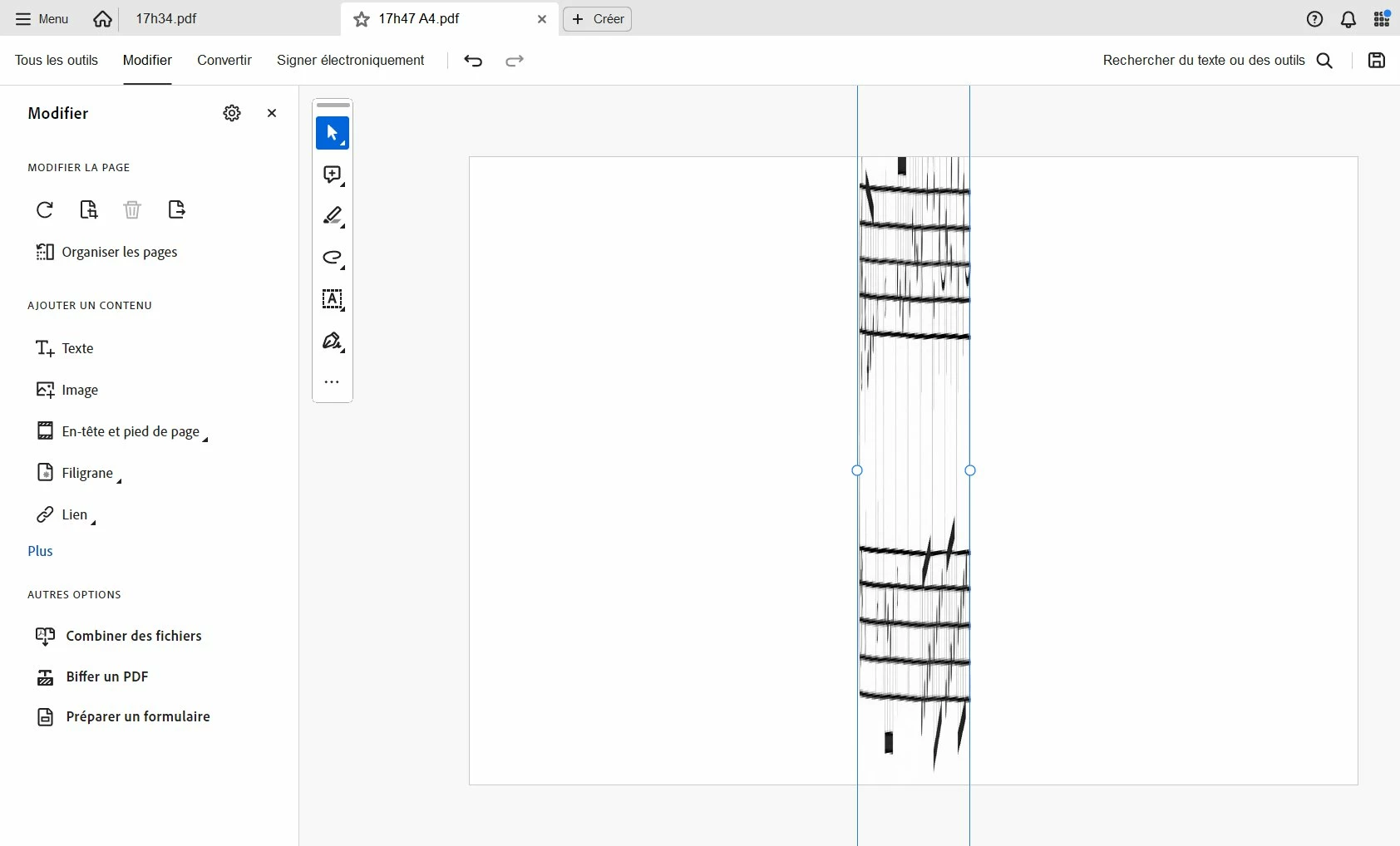
 

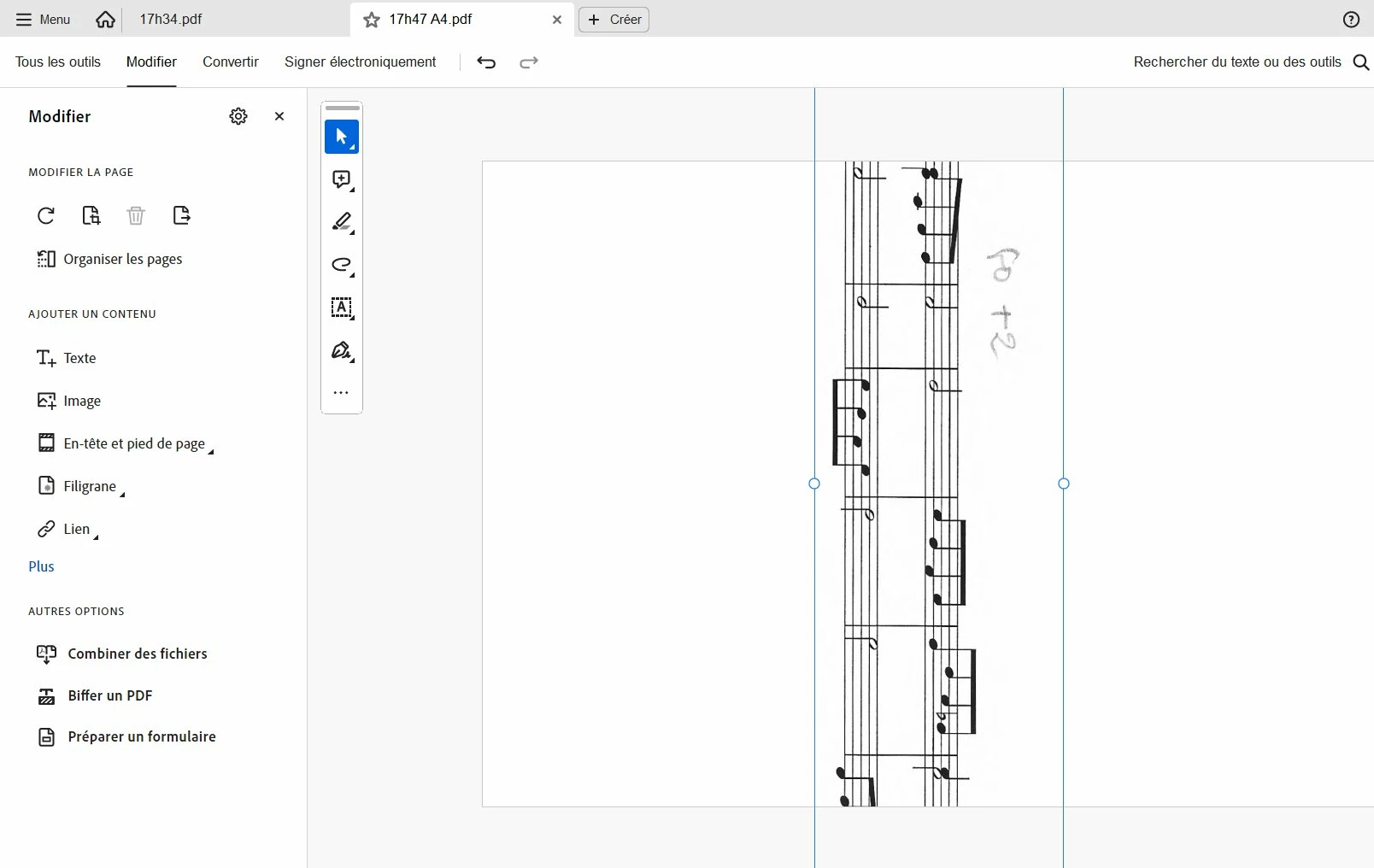
As you can see, the result is distorted. And if I resize this paste part, the result is blurry :
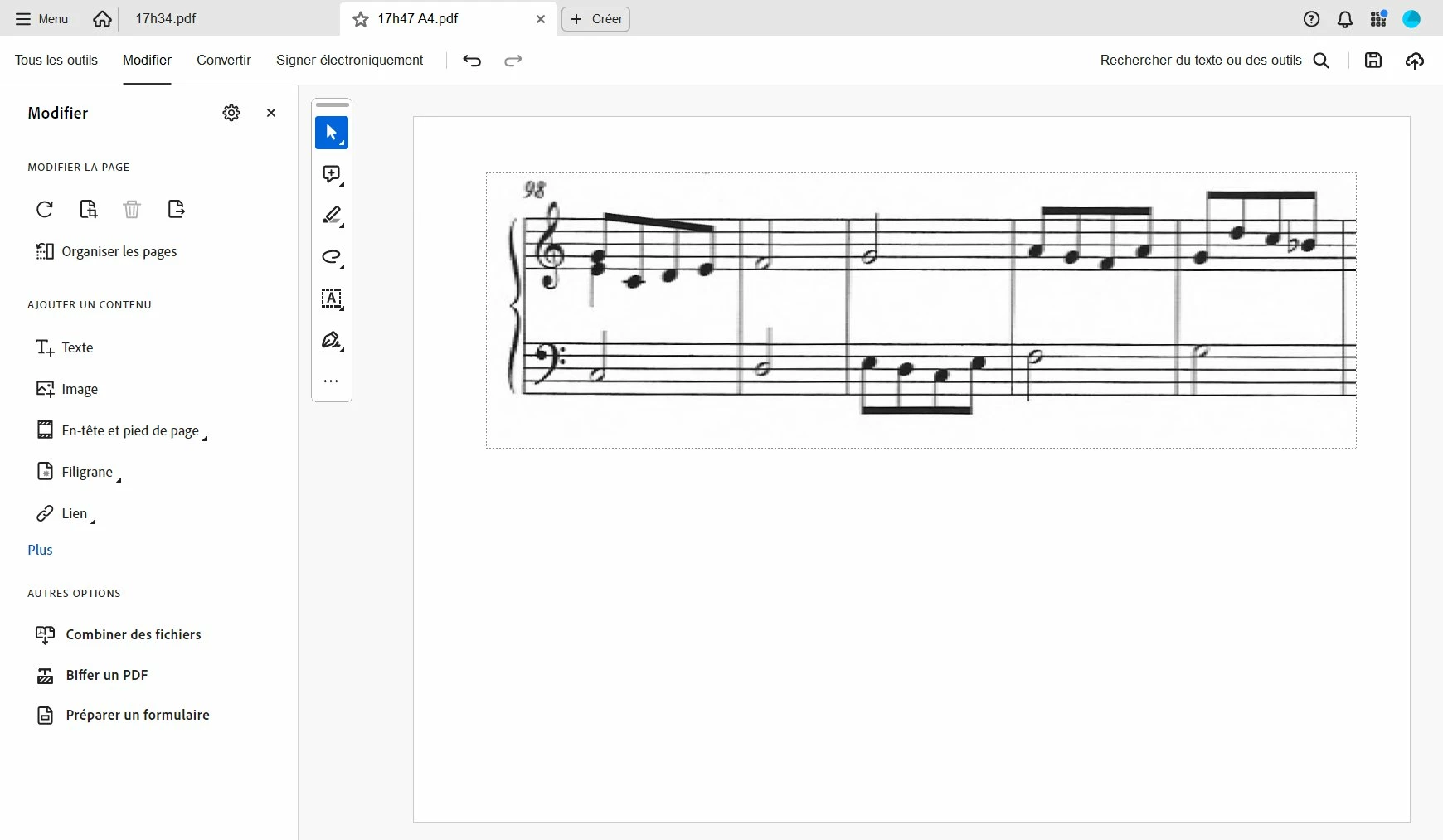
 

Now, if I go back to the score and change the page rotation from landscape to portrait and do the same (selection of a part of the score + copy) :
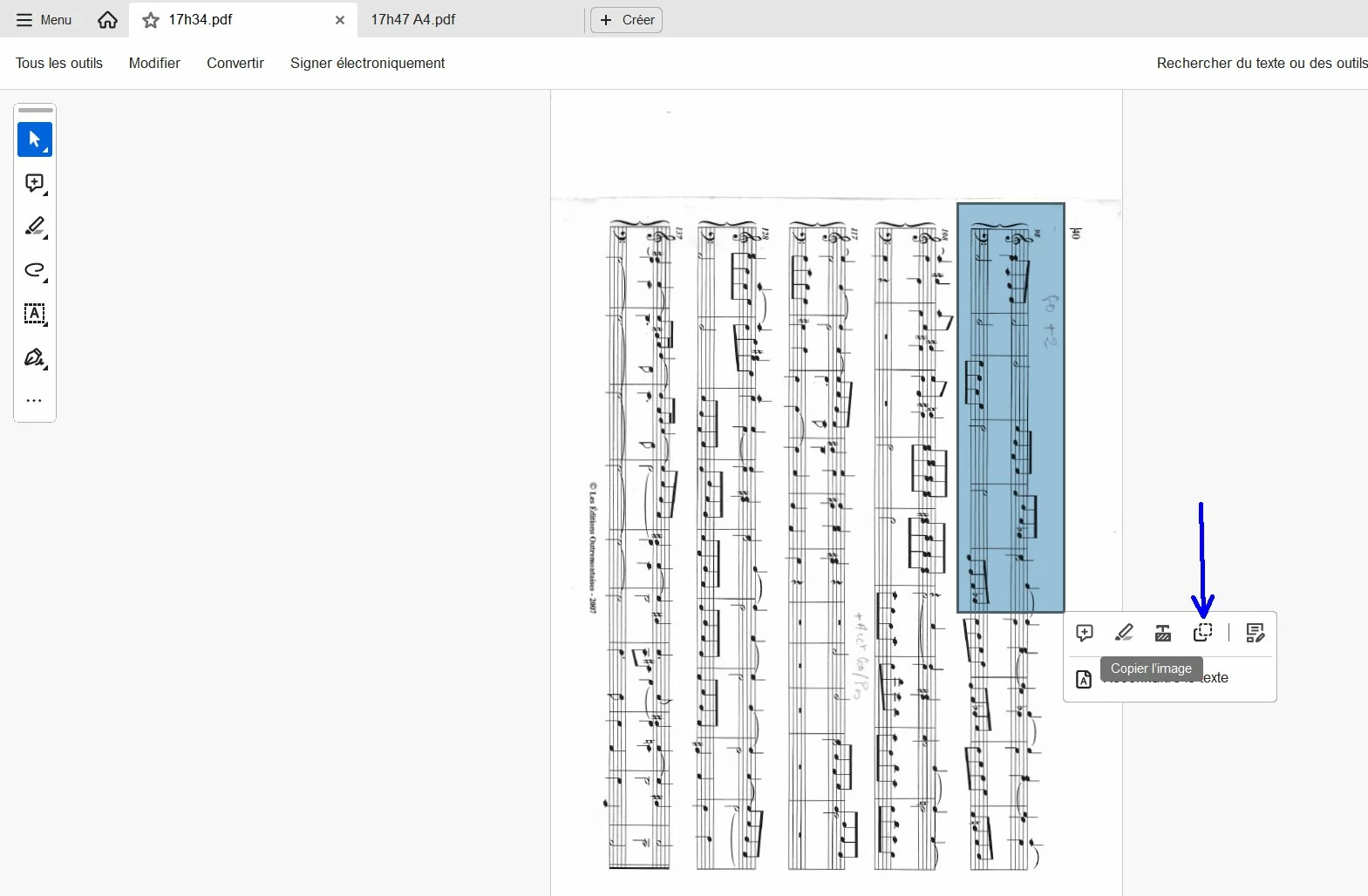
 

and if I paste it to the other PDF, here is the result :

1) in landscape mode :
 

and the result in portrait mode :
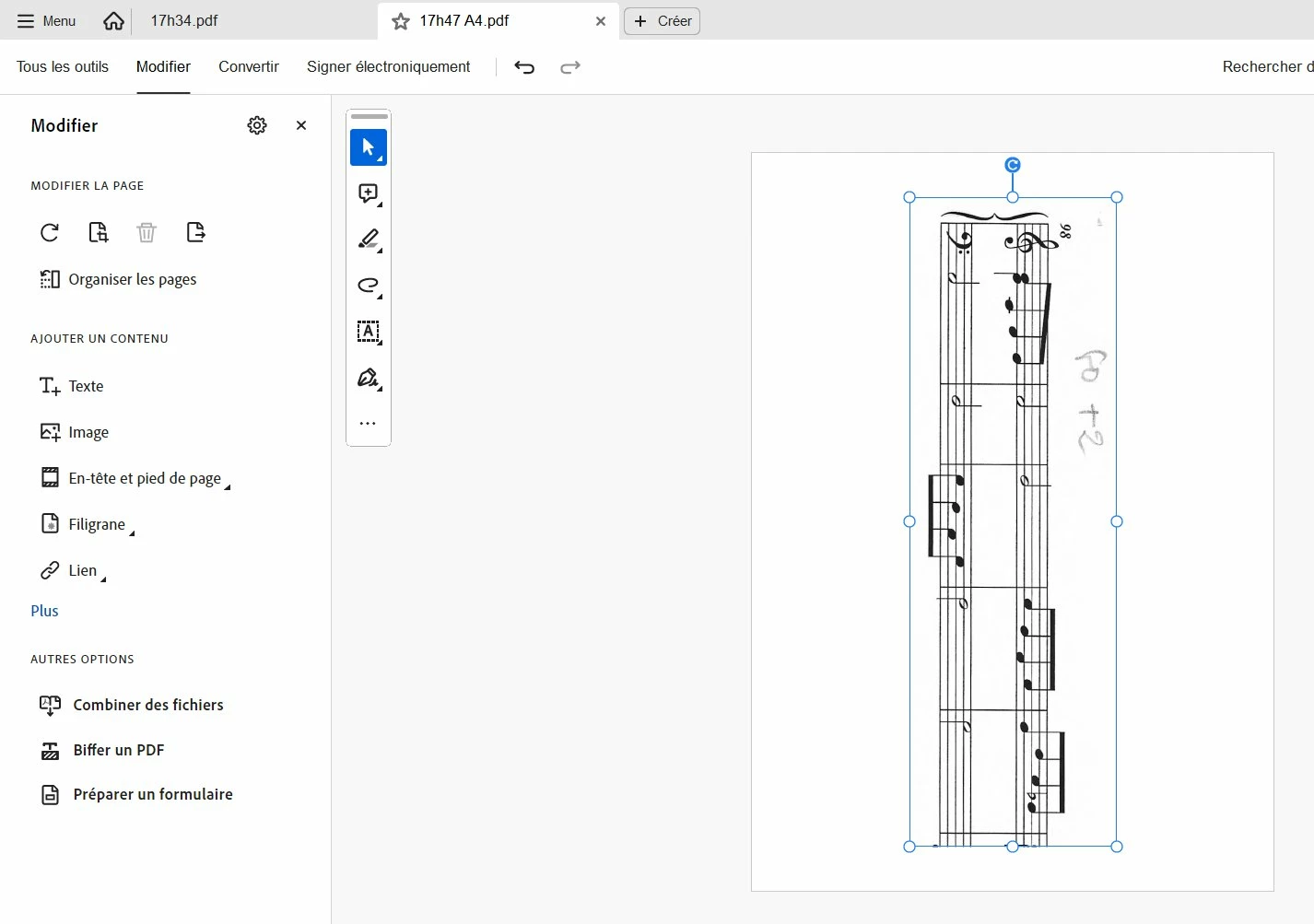
 

As you can see it is perfect (no distorsion, no blurry).


So, the problem is here only when I begin from a PDF in landscape mode (if the begining PDF is in portrait mode, there is no problem). Why ? Is it a bug ?

This topic has been closed for replies.

2 replies

Inspiring
July 12, 2024

Hi Amal,

Finally, I have succeeded to download the Adobe acrobat diagnostic tool, and I have just sent you a private message with the log ID given by this adobe acrobat diagnostic tool.

Amal.
Community Manager
Community Manager
July 19, 2024

Hi @pierret18811376 


I have sent you the private message, please check.


~Amal

Amal.
Community Manager
Community Manager
July 11, 2024

Hi there,


I hope you are doing well. I'm sorry to hear about the issues you're facing.


Is this problem occurring with a specific PDF file or with all PDFs? Please try opening a different PDF file to check.


Could you let me know the version of your operating system and Adobe Acrobat DC? To find out the version, go to Help > About Acrobat. Ensure you have the latest version (24.02.2089x) installed. You can update by going to Help > Check for Updates, and then reboot your computer.


If you're using Windows, try repairing the installation from the Help menu to see if that resolves the issue.


Additionally, you might want to reset the Acrobat preferences. Instructions on how to do this can be found here.


Let us know how it goes.


~Amal

Inspiring
July 11, 2024

Hi Amal,

I have this problem on all PDFs.


My acrobat version is : 2024.002.20895

My Windows version is : Windows 10   22H2


I have tried to reset Acrobat preferences and repair Windows, but it did not solve my problem.


Amal.
Community Manager
Community Manager
July 12, 2024

Hi there


Hope you are doing well.


Would you mind collecting the Adobe CC logs https://helpx.adobe.com/creative-cloud/kb/cc-log-collector.html , Procmon logs (Win Only) https://www.adobe.com/devnet-docs/acrobatetk/tools/Labs/acromonitor.html and share them via any cloud storage. Just upload the log file to the cloud and generate the link and share that link with us for further investigation.

Regards
Amal