

Jimmity Jamst
Inspiring
August 5, 2021
Answered

Copy Table from One PDF to Another

  • August 5, 2021
  • 2 replies
  • 9531 views

Hi all,

I've spent some time creating a table and adding some text headers in a PDF with Acrobat Pro DC. I want to copy the finished table to another PDF that I'm editing.

The table looks like this in the original PDF:
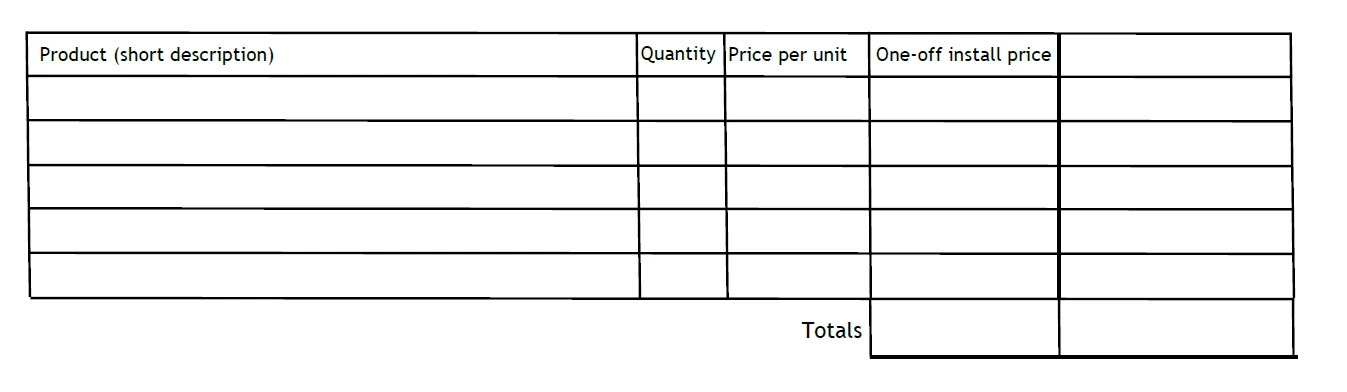
But if I select the area, then copy and paste to the second PDF, all I get is this...

Any thoughts on what the issue is here / how I get the entire contents to copy? It was quite painstaking to create the table in the first place, so I'd prefer not to have to start from scratch.


Thank you

This topic has been closed for replies.
Correct answer Test Screen Name

You could make this again in Word in a few minutes, and convert to PDF. I'd recommend that. Acrobat was never meant to actually make this stuff...

2 replies

Test Screen NameCorrect answer
Legend
August 5, 2021

You could make this again in Word in a few minutes, and convert to PDF. I'd recommend that. Acrobat was never meant to actually make this stuff...

Jimmity Jamst
Inspiring
August 5, 2021

Thanks. My issue is that I have a 'nearly' complete PDF and I just need to insert this table. The table has been handed to me in a Word Doc. So the issue is I just need to somehow insert the table from the word doc, rather than create a new PDF from it. Again though, I take the point that Acrobat is not really meant to do what I'm trying to make it do.

try67
Community Expert
Community Expert
August 5, 2021

You really should not be doing this kind of thing in a PDF file. It was not meant to be edited in such an extended way.

However, if you use the Edit Text & Images tool you should be able to select the entire table and copy it to another file.

Jimmity Jamst
Inspiring
August 5, 2021

Thanks, but that is exactly what I'm doing :(. I'll take your point though that I probably shouldn't be doing this kind of thing.