Correcting for Over-Rotation of pages after "Recognize Text"?
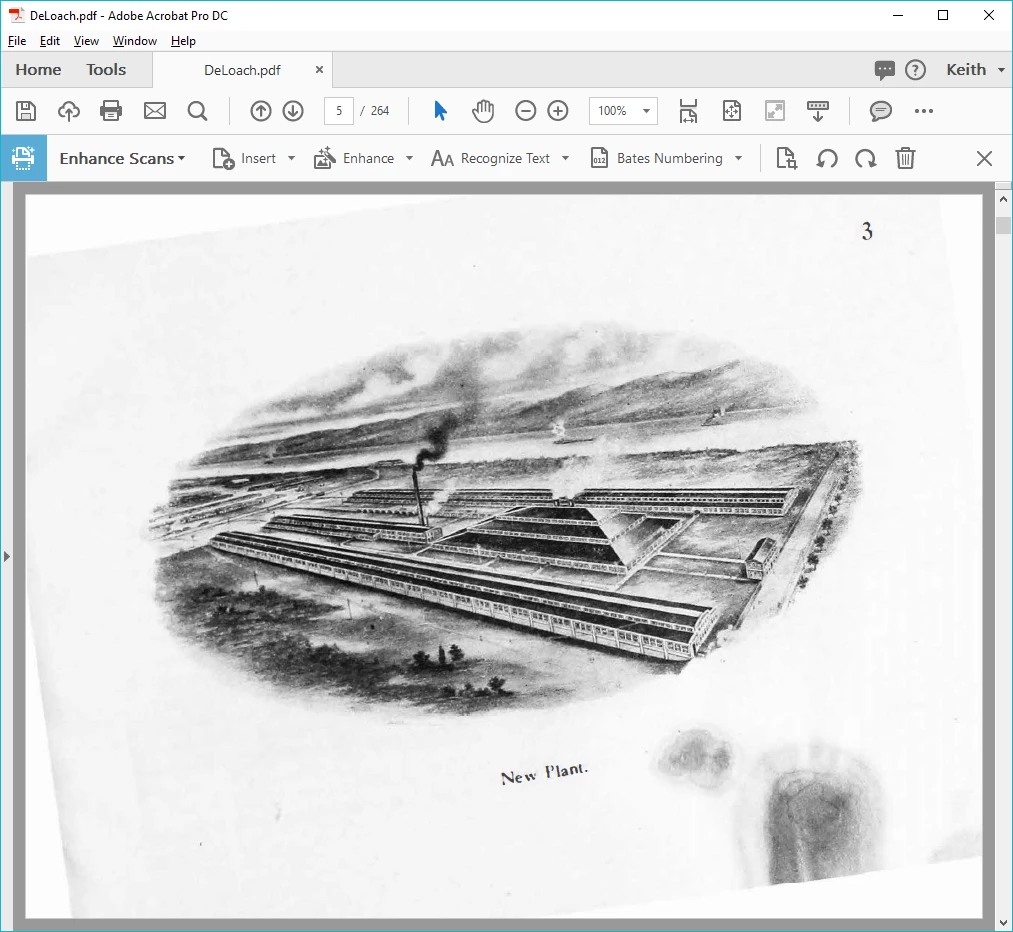
I am working with a lot of scanned documents in Acrobat DC Pro. When I run the "Recognize Text" function, it usually does a great job of rotating pages to straighten them up if the scanned original is slightly off. However, I continue to run into a few individual pages where Acrobat gets the rotation badly wrong. This usually happens on pages with a lot of graphics or if there is text that is running at an angle for some reason. The end results is a very bad looking page. My problem is that I have not been able to figure out how to go in after the pages have been rotated and de-skewed and correct the rotation of the scanned page in the background. I have no problem rotating 90 degrees at a time, the problem is when I need to correct for smaller angles (sometimes 20 to 45 degrees) to get the page looking proper. Is there a way to correct for these over-rotation situations? A "Free Rotate" function? A way to "undo" the page rotation done during the "Recognize Text" function at the individual page level? While the number of pages that this problem is occurring on is small, it is having a major impact in the quality of our final product.
Below is an example of what I am dealing with:
 AdChoices