Participant
June 17, 2021
Answered

Counting Bookmarks in Acrobat DC?

  • June 17, 2021
  • 1 reply
  • 4272 views

I'm a complete newbie and I would like to count all the (Literally hundreds) of bookmarks in a document, but I can't seem to find the option. Is there a way to do it? I've heard that you can use code to do it but I'm not very well-versed there, can anybody help me out?

This topic has been closed for replies.
Correct answer Mike Bro

Hello,

I copied and modified the code from the link below.

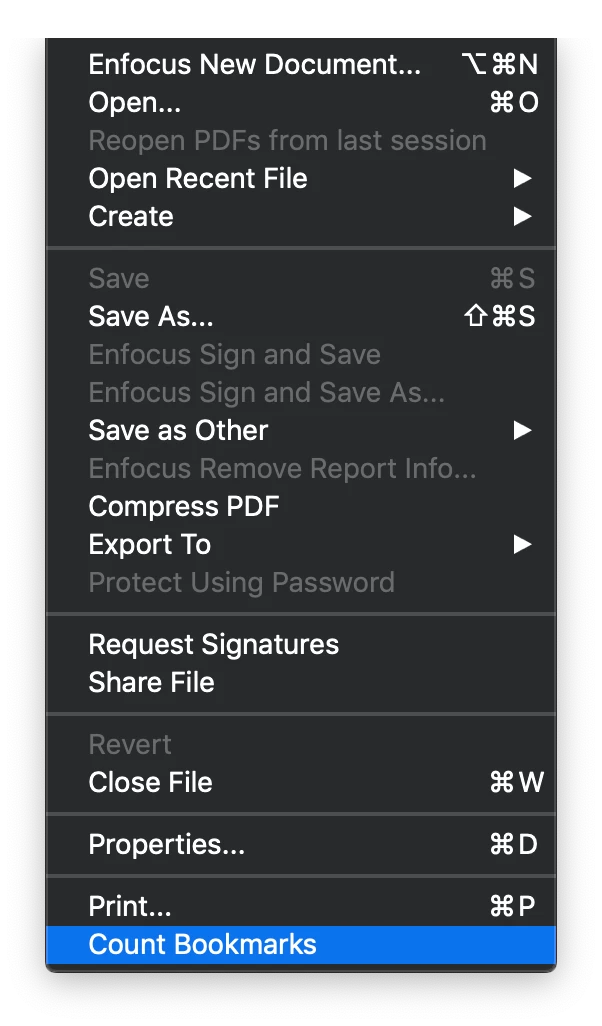
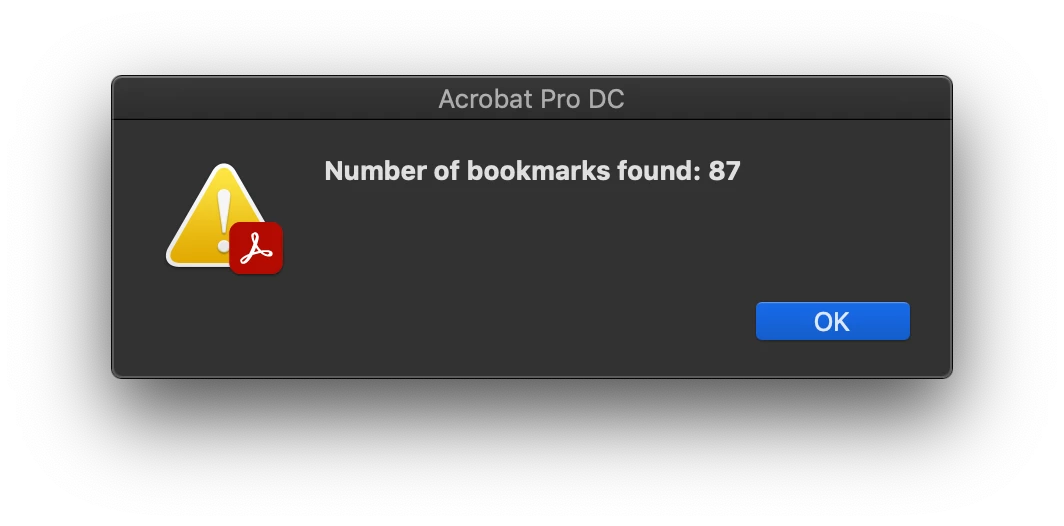
The modified code will add the menu item “Count Bookmarks” to the bottom of the “File” menu, and when executed it will display the number of bookmarks in a alert window.
Copy the code below into the TextEdit app and under the Format menu Make Plain Text and save the a file with the .js extension.

Place the script file Here:

Mac-HD⁩ ▸ ⁨Users⁩ ▸ UserName ▸ ⁨Library⁩ ▸ ⁨Application Support⁩ ▸ ⁨Adobe⁩ ▸ ⁨Acrobat⁩ ▸ ⁨DC⁩ ▸ ⁨JavaScripts⁩.


Similar steps if you happen to be a PC user.


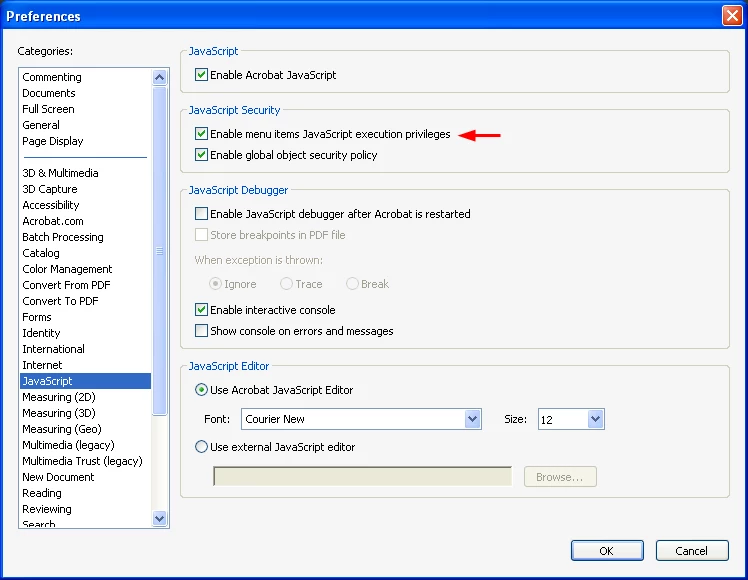
Privileged execution context that is required to make this work in all instances, so you have to go into your JavaScript preferences in Acrobat and check the setting for "Enable menu items JavaScript execution privileges":
 

Once the script file is placed in the Acrobat Javascripts folder and the JavaScript preferences are set, you'll need to quit and restart Acrobat.


http://khkonsulting.com/2009/03/counting-bookmarks/


function CountBookmarks(bkm, nLevel)
{
    var count = 0;
    if (bkm.children != null)
    {
        count = bkm.children.length;
        for (var i = 0; i < bkm.children.length; i++)
        {
             count += CountBookmarks(bkm.children[i], nLevel + 1);
        }
    }

    return count;
}

function DoIt()
{
    var n = CountBookmarks(this.bookmarkRoot, 0);
    app.alert("Number of bookmarks found: " + n);
}

app.addMenuItem({
     cName: "countBookmarks",
     cUser: "Count Bookmarks",
     cParent: "File",
     cExec: "DoIt();",
     cEnable: "event.rc = (event.target != null);"
});


Regards,

Mike

1 reply

Mike BroCorrect answer
Legend
June 18, 2021

Hello,

I copied and modified the code from the link below.

The modified code will add the menu item “Count Bookmarks” to the bottom of the “File” menu, and when executed it will display the number of bookmarks in a alert window.

Copy the code below into the TextEdit app and under the Format menu Make Plain Text and save the a file with the .js extension.

Place the script file Here:

Mac-HD⁩ ▸ ⁨Users⁩ ▸ UserName ▸ ⁨Library⁩ ▸ ⁨Application Support⁩ ▸ ⁨Adobe⁩ ▸ ⁨Acrobat⁩ ▸ ⁨DC⁩ ▸ ⁨JavaScripts⁩.


Similar steps if you happen to be a PC user.


Privileged execution context that is required to make this work in all instances, so you have to go into your JavaScript preferences in Acrobat and check the setting for "Enable menu items JavaScript execution privileges":


Once the script file is placed in the Acrobat Javascripts folder and the JavaScript preferences are set, you'll need to quit and restart Acrobat.


http://khkonsulting.com/2009/03/counting-bookmarks/


function CountBookmarks(bkm, nLevel)
{
    var count = 0;
    if (bkm.children != null)
    {
        count = bkm.children.length;
        for (var i = 0; i < bkm.children.length; i++)
        {
             count += CountBookmarks(bkm.children[i], nLevel + 1);
        }
    }

    return count;
}

function DoIt()
{
    var n = CountBookmarks(this.bookmarkRoot, 0);
    app.alert("Number of bookmarks found: " + n);
}

app.addMenuItem({
     cName: "countBookmarks",
     cUser: "Count Bookmarks",
     cParent: "File",
     cExec: "DoIt();",
     cEnable: "event.rc = (event.target != null);"
});


Regards,

Mike