Answered
Create a button with an icon in script
Hello,
I want to create a button and that button should show a page from another pdf document. I have written a folder level script (so no security issues) and the code that I use is this:
var firstButton = newDoc.addField("Button 1", "button", pageNumber, [50, 67, 180, 247]);
firstButton.buttonImportIcon(this.path, pageNumberOfOrigDoc);
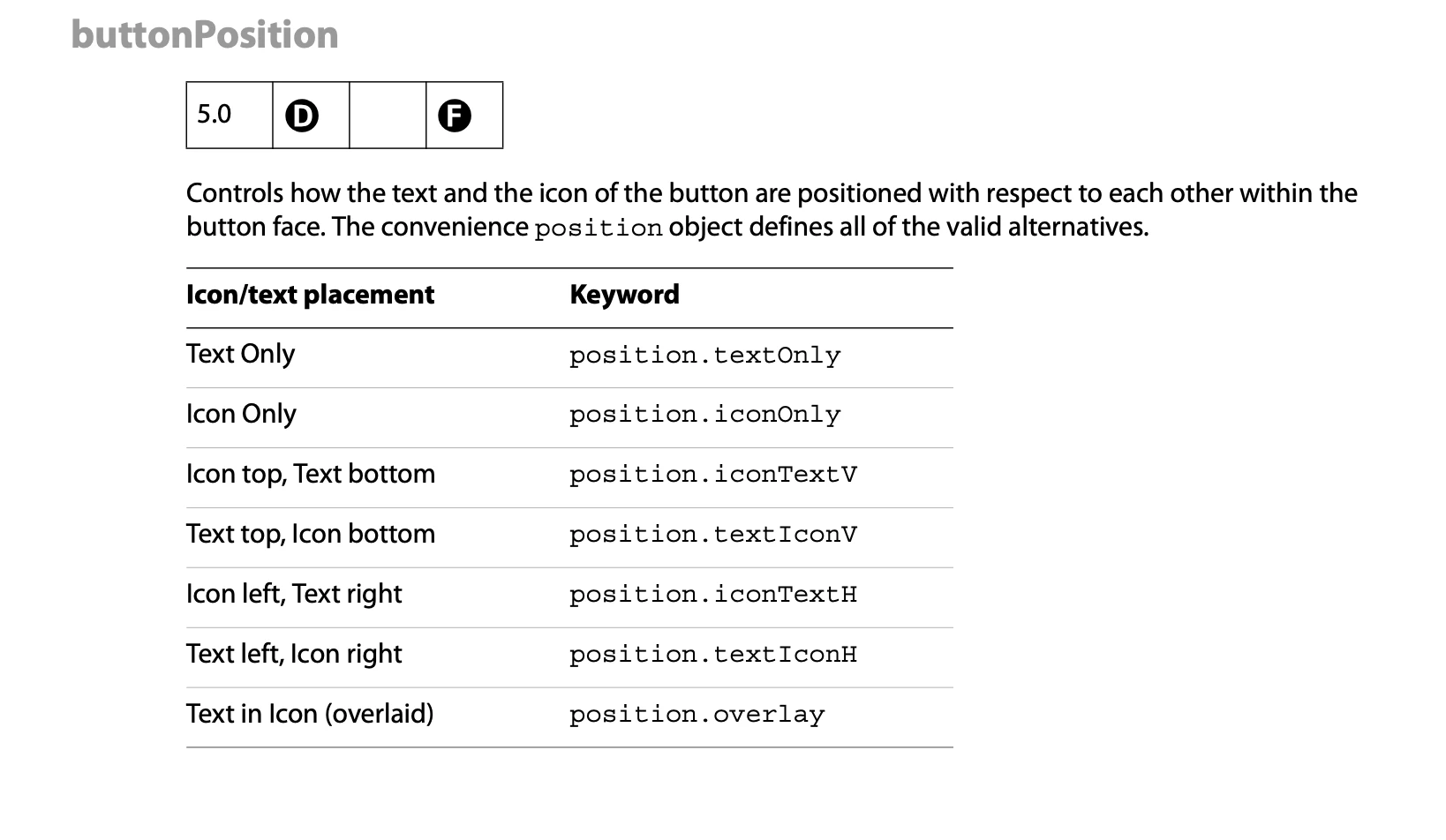
The button is created but the icon does not show. Do I need to set another property or something? In the Acrobat interface I need to set the layout to Icon Only but I can't find a similar property to set in the script for this.
Thank you for taking your time reading this (and maybe helping out).
 AdChoices