Create button to download the PDF that is being viewed in a browser
I've created an interactive PDF with nav buttons and menus and external links. It is being deployed from a server and consequently opens up, initially, in User's browser. Obviously, functionality differs widely, depending on which browser or version is being used.
Obviously, there is no way to manage or control what browser or version a user might have, so User experience and perception of the PDF varies widely. I know that modern browsers typically avail means of allowing User to download the PDF and open using Acrobat Reader. But, many users are not savvy on how to do this or even know that it is an option.
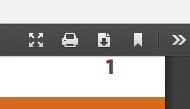
I want to place a conspicuous button in the corner of each page that avails the opportunity to download the PDF as an alternative to viewing in the browser. Basically, I want the same functionality as the downarrow seen in this screenshot from my Chrome browser, but executed from a button I place in the corner, with a big "DOWNLOAD THIS PDF FOR BETTER VIEWING" message.
Is there a way to do this?
 AdChoices