
Question
Create Fillable PDF from Word document
I am running Adobe Acrobat Pro DC on a iMac with Big Sur 11.6.2 and trying to create a fillable PDF from a Microsoft Word document (Version 16.38). This document contains many fillable fields (for the purpose of this conversation, I have only included two sets).
In set I, all borders around column A and B are visible and when I save the files a PDF and the option to Prepare a Form, the Form Fields in column B, are as I expect. In set II, the boarders of column A are removed. When I save the files a PDF and the option to Prepare a Form, the the Form Fields in column B, are missing.
Is there a way around this (I would like all tables to behave link Set I), or to I have to add text boxes for this fields?
Thanks ahead of time...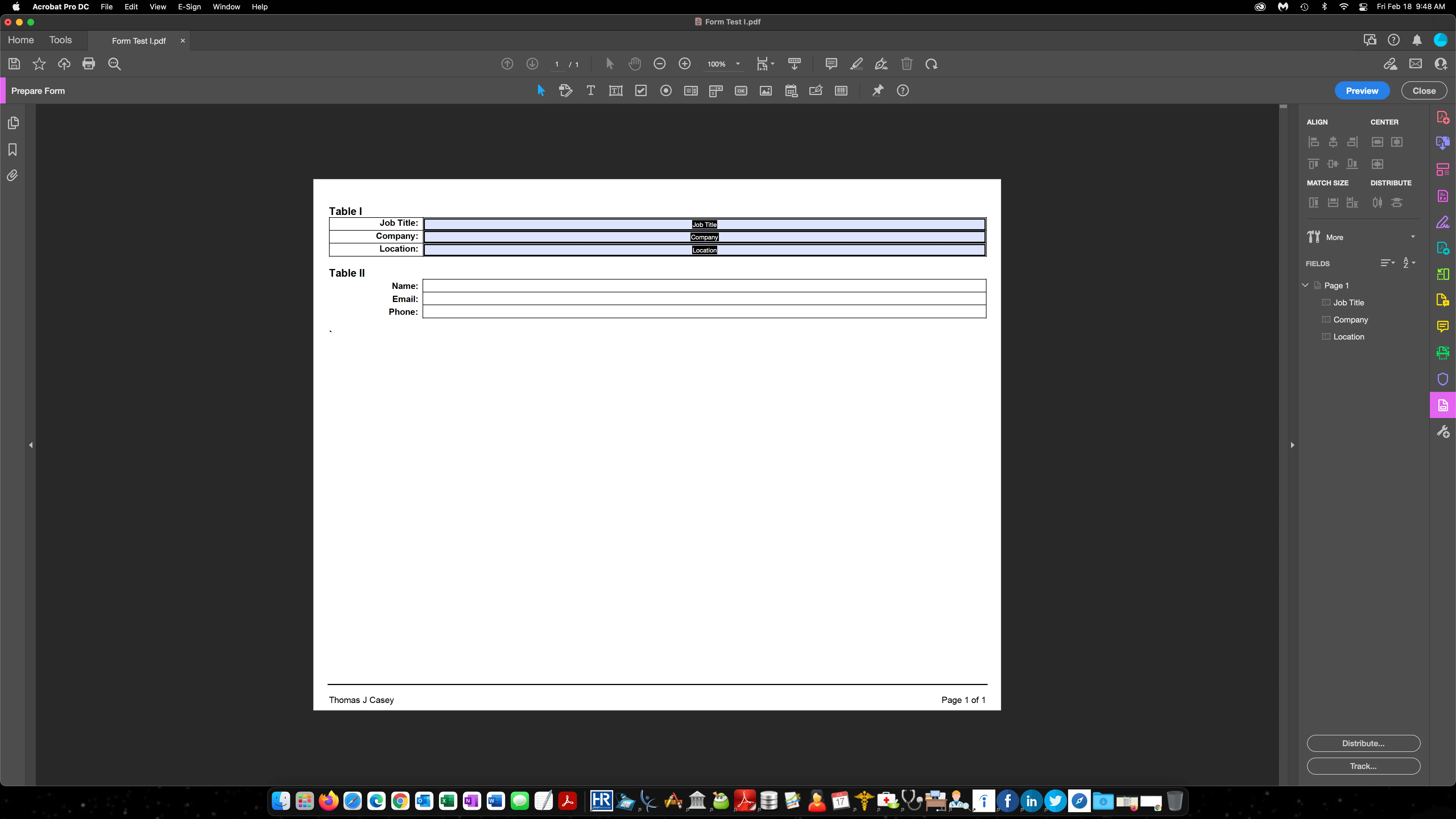


 AdChoices