



Answered
Creating a hyperlink in Acrobat Pro DC
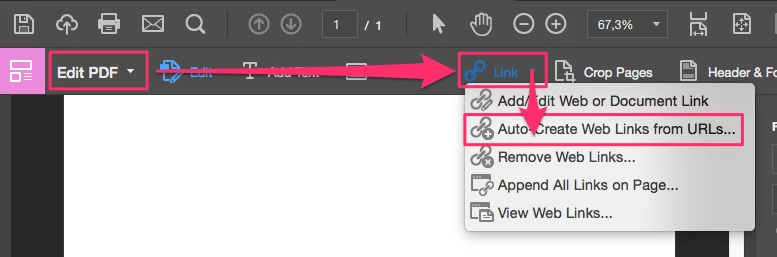
I have a URL in my document and I want to hyperlink it. Using the "link" icon only gives me the option to put a rectangle around it ....
How can I take some of my text and hyperlink it? I can't figure out how to do it using the "link" icon (like all other applications allow you to do).
I found a previous discussion regarding this but the answer points to a support document that must have been updated since because it doesn't address creating links.
Thanks!
Kathy


 AdChoices