Participant
June 9, 2021
Answered

Création de formulaire - impossible de modifier l'orientation d'un champ

  • June 9, 2021
  • 1 reply
  • 951 views

Help! 

J'aimerais pouvoir faire une rotation 90°  d'un champ de formulaire, mais l'option "orientation" est grisée dans les Proprietés communes. 
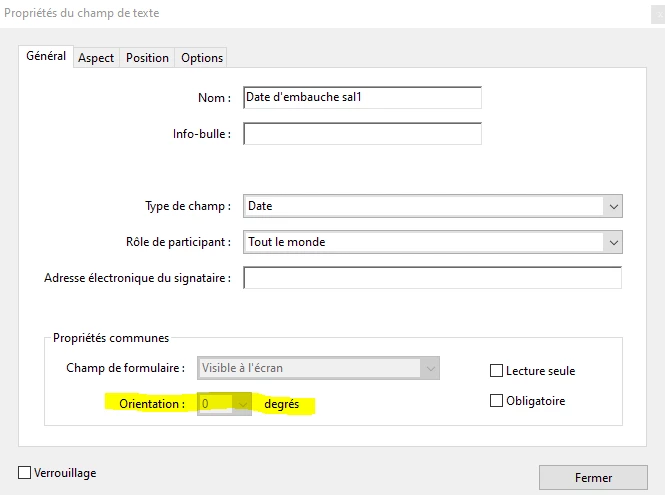
Comment faire? 

Merci d'avance pour votre aide.
This topic has been closed for replies.
Correct answer Amal.

Hi there


Hope you are doing good and sorry for the trouble. As described the option for orientation is greyed out and you are unable to rotate the text field by 90 degrees.


Please try the following steps and see if that works:


1. Open the PDF in Adobe Acrobat Pro DC application

2. Go to Tools > Prepare form

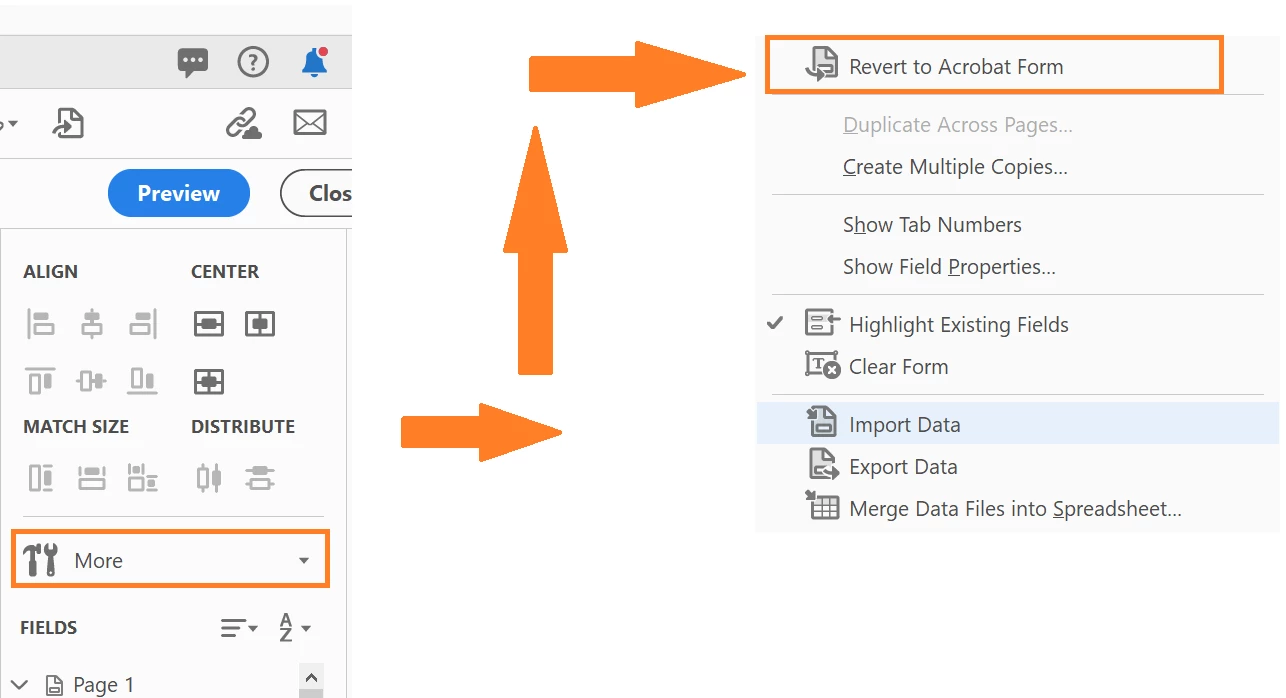
3. In the right hand tool pane click on 'More'

4. Click on 'Revert to Acrobat Form'


Regards

Amal

1 reply

Amal.
Amal.Correct answer
Legend
June 9, 2021

Hi there


Hope you are doing good and sorry for the trouble. As described the option for orientation is greyed out and you are unable to rotate the text field by 90 degrees.


Please try the following steps and see if that works:


1. Open the PDF in Adobe Acrobat Pro DC application

2. Go to Tools > Prepare form

3. In the right hand tool pane click on 'More'

4. Click on 'Revert to Acrobat Form'


Regards

Amal

Participant
June 9, 2021

MERCIIIIIIIIIIIII!!!!! ça marche!!!!


So happy!

try67
Community Expert
Community Expert
June 9, 2021

In the future, do not tick the box that says "This document requires signatures" when creating the form, as it creates an Adobe Sign form, instead of a normal PDF form.