Participant
June 28, 2024
Question

CROP LINE INDICATOR

  • June 28, 2024
  • 1 reply
  • 354 views

Hi Guys

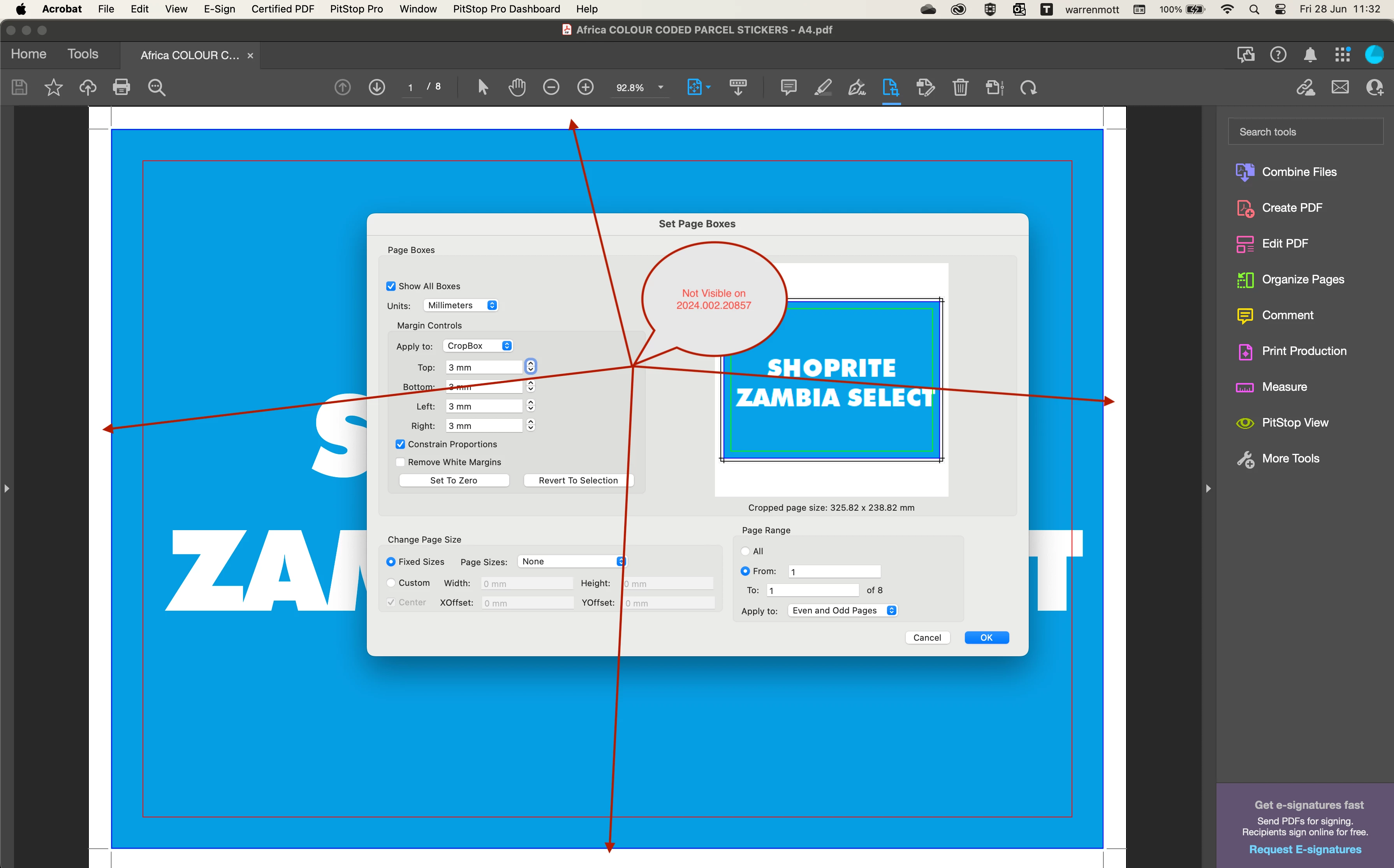
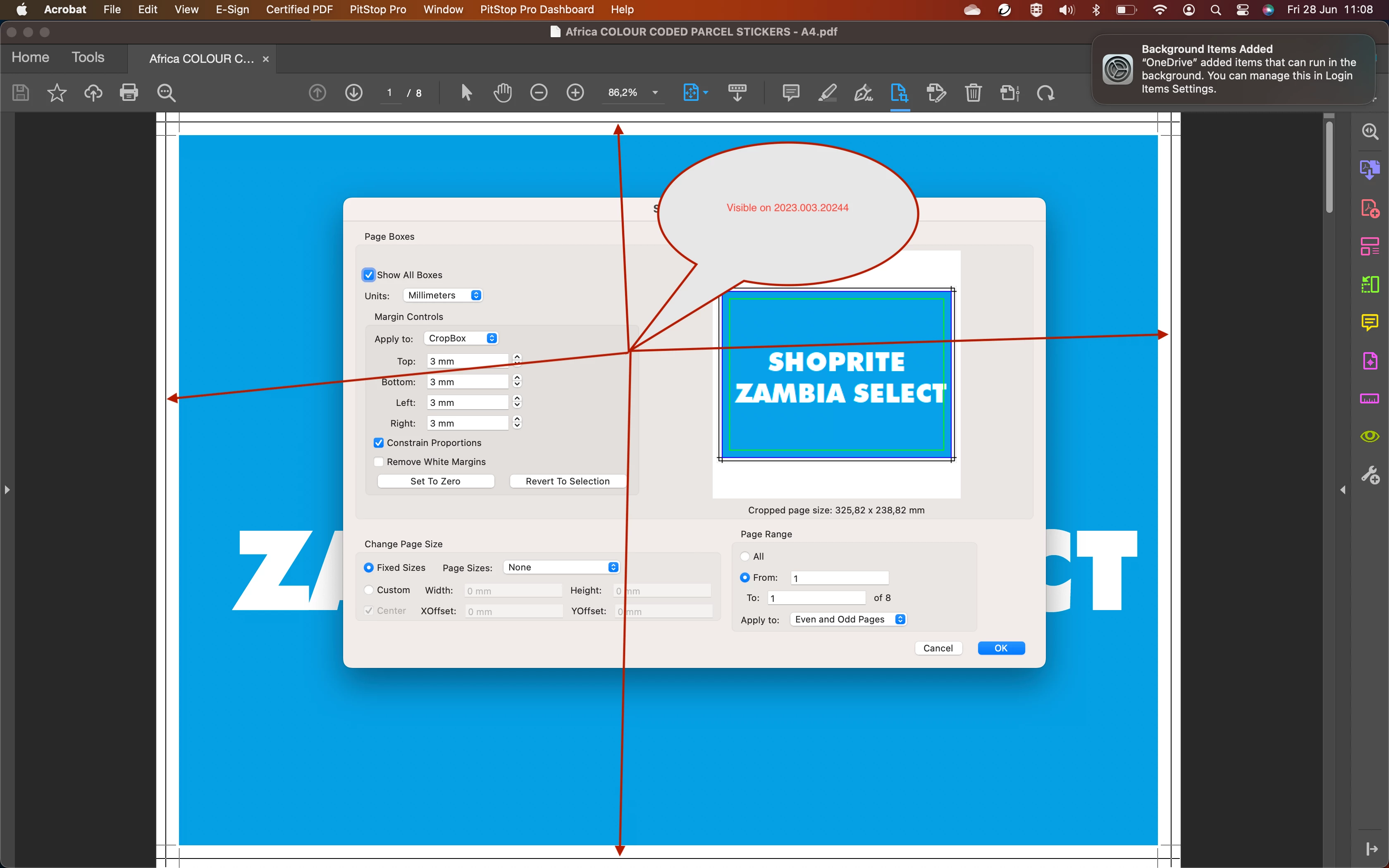
Please can you tell me how to turn this feature on or is this no longer available? Please see annotated screenshots attached.


TIA,

Warren
  

1 reply

Legend
February 13, 2025

Hello, 


Sorry for the delayed response and the troubled experience. 

This Page box setup can be achieved using Crop PDF function, to get more details, please visit: https://adobe.ly/4gIIYAK


Let us know if you have further questions


~Tariq

Participant
February 18, 2025

Hi Tariq

Thank you so much for your feedback, although it was very informative it unfortunately does not resolve my question. I think there must of been a funcion remove in Adobe Acrobat, as per my previous screenshots sent in older versions of Acrobat (2023.003.20244) the crop line indicators we visible on the spread when cropping however in the more recent versions (2024.002.20857) it no longer is or might not be active. Not sure how to articulate this much better across this thread.

Looking forward any feedback.


TIA,
Warren

Legend
July 22, 2025

Hi @Warren38313275006r


I am sorry I missed this. I hope you have already found an answer to this question.

If not, please ensure your copy of Acrobat is updated. To check for any pending updates, launch Acrobat > Help > Check For Updates.


If the problem still persists, try disabling "New Acrobat" for testing purposes. 

Launch Acrobat > View > "Disable new Acrobat." Acrobat will restart. Try your workflow again and let us know. 


It would be helpful if you recorded a video when you find any difference between the workflows in New Acrobat and Classic. Please share the video with us. 


Thank you for your patience, support and feedback. 


Best regards,
Tariq | Adobe Community Team