Answered
Crop marks on a pdf
How do I put crop-marks on a pdf from Photoshop or from within Acrobat? Thank You. A

How do I put crop-marks on a pdf from Photoshop or from within Acrobat? Thank You. A
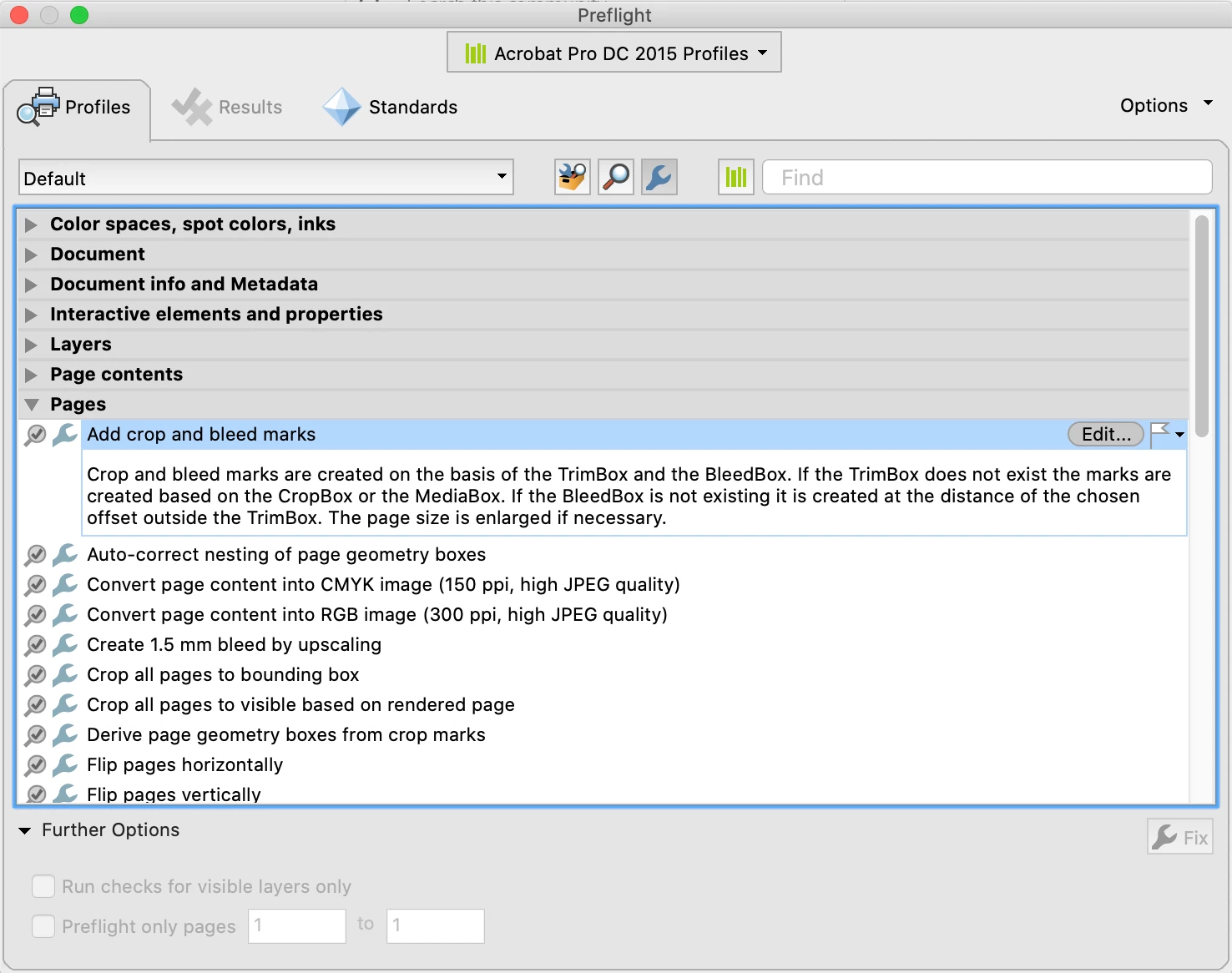
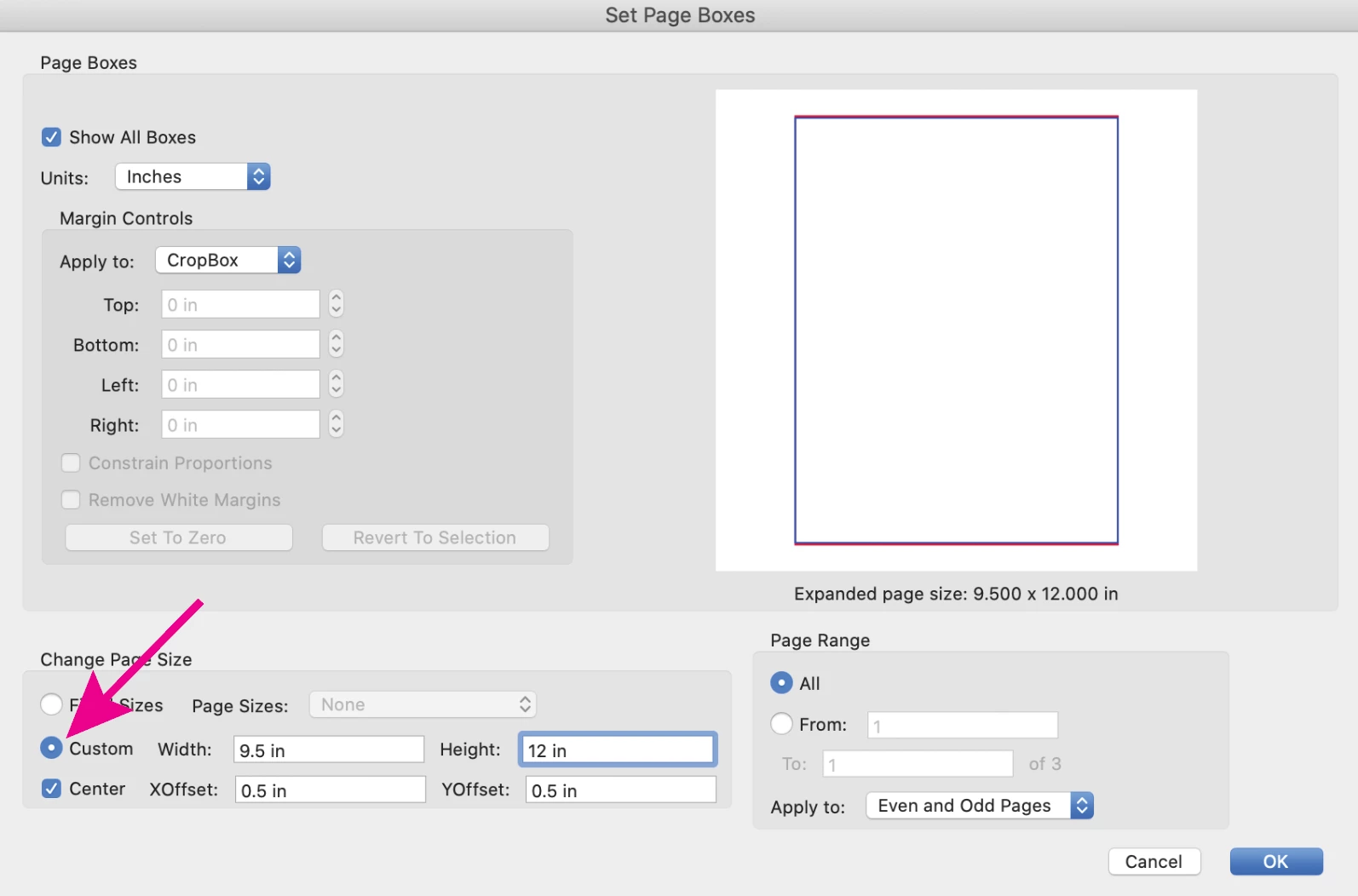
There are several methods. From Acrobat, go to Tools> Print Production> Preflight> Fixups (the blue wrench icon)> Pages>Add crop and bleed marks> click Fix. Or, Tools> Print Production> Add Printer marks*, (you will also need to increase the pdf page size using the Set Page Boxes tool, or you won't see the added marks). Or, place your pdf into an InDesign page and export to a new pdf with marks.
Already have an account? Login
Enter your E-mail address. We'll send you an e-mail with instructions to reset your password.
 AdChoices