

Participant
October 19, 2017
Answered

Cursor too big

  • October 19, 2017
  • 4 replies
  • 3166 views

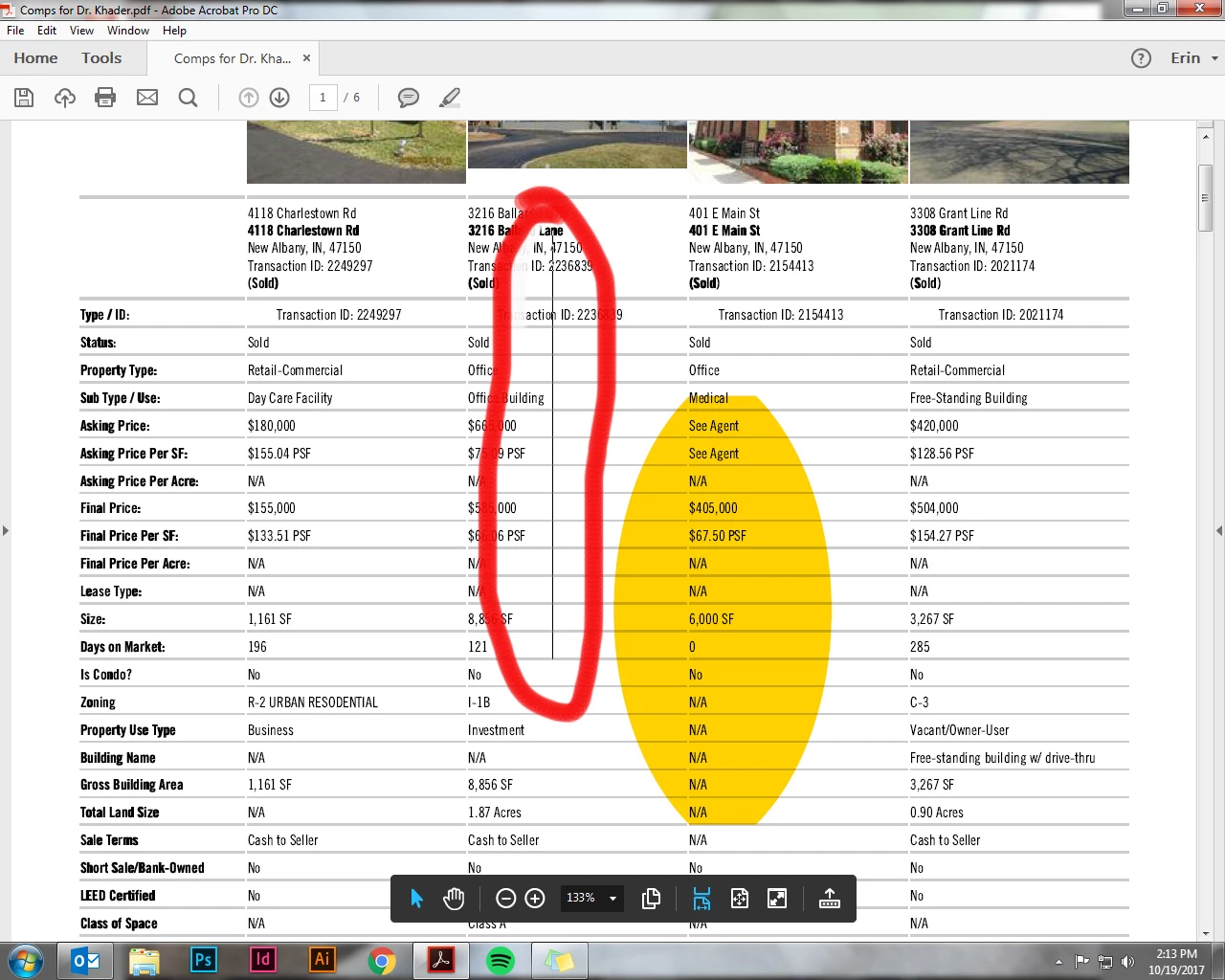
Can anyone tell me why this is happening? Trying to highlight a document but the cusor is HUGE.
Correct answer Amal.

Hi there


We are sorry to hear that the issue still exists. Would you mind sharing the version of the Acrobat App you are using? Go to Help > About Acrobat and make sure its updated to the latest version 24.05.2039X from the help menu > check for updates and reboot the app.

Try to run the OCR on the document as described here (https://adobe.ly/3Q9m8Yq ) and check.


You may also check the correct answers marked in a similar discussion here (https://adobe.ly/42JQRCE )


Let us know how it goes.


4 replies

Participant
February 6, 2025

How is it possible this problem is not yet solved??????  I see this question being asked over and over again and nothing has changed.

I've had enough wasting time trying to figure out how to work around things that ought to be basic functions.

It's easier to just print the document, highlight it with a pen, and then just scan it.

Acrobat is a complete and total mess.  It's clear that Adobe just doesn't give a damn.

Amal.
Community Manager
Amal.Community ManagerCorrect answer
Community Manager
February 6, 2025

Hi there


We are sorry to hear that the issue still exists. Would you mind sharing the version of the Acrobat App you are using? Go to Help > About Acrobat and make sure its updated to the latest version 24.05.2039X from the help menu > check for updates and reboot the app.

Try to run the OCR on the document as described here (https://adobe.ly/3Q9m8Yq ) and check.


You may also check the correct answers marked in a similar discussion here (https://adobe.ly/42JQRCE )


Let us know how it goes.


Participant
March 13, 2018

Having same issue for a month now, please advise. Using windows 7 Pro Acrobat X

Participant
February 23, 2018

Have same problem.  Giant selection cursor .  Using Acrobat XI and Windows 10

Community Manager
December 13, 2017

Hi Erinb,

Sorry for the delay in response.

If you still experiencing this problem, please try updating your application restart your machine and try again.

To check for pending updates, Launch Acrobat/Reader>Help>Check for updates.

Let us know if that helps.

-Tariq Dar

Participant
January 24, 2018

I have taken these steps and the cursor is still large like this... do you have any other recommendations?
