
Known Participant
May 16, 2023
Answered

Custom calculations in an interactive PDF scale/checklist?

  • May 16, 2023
  • 1 reply
  • 3790 views

Hello community!


I am looking to achieve a few custom calculations within a interactive PDF scale/checklist.


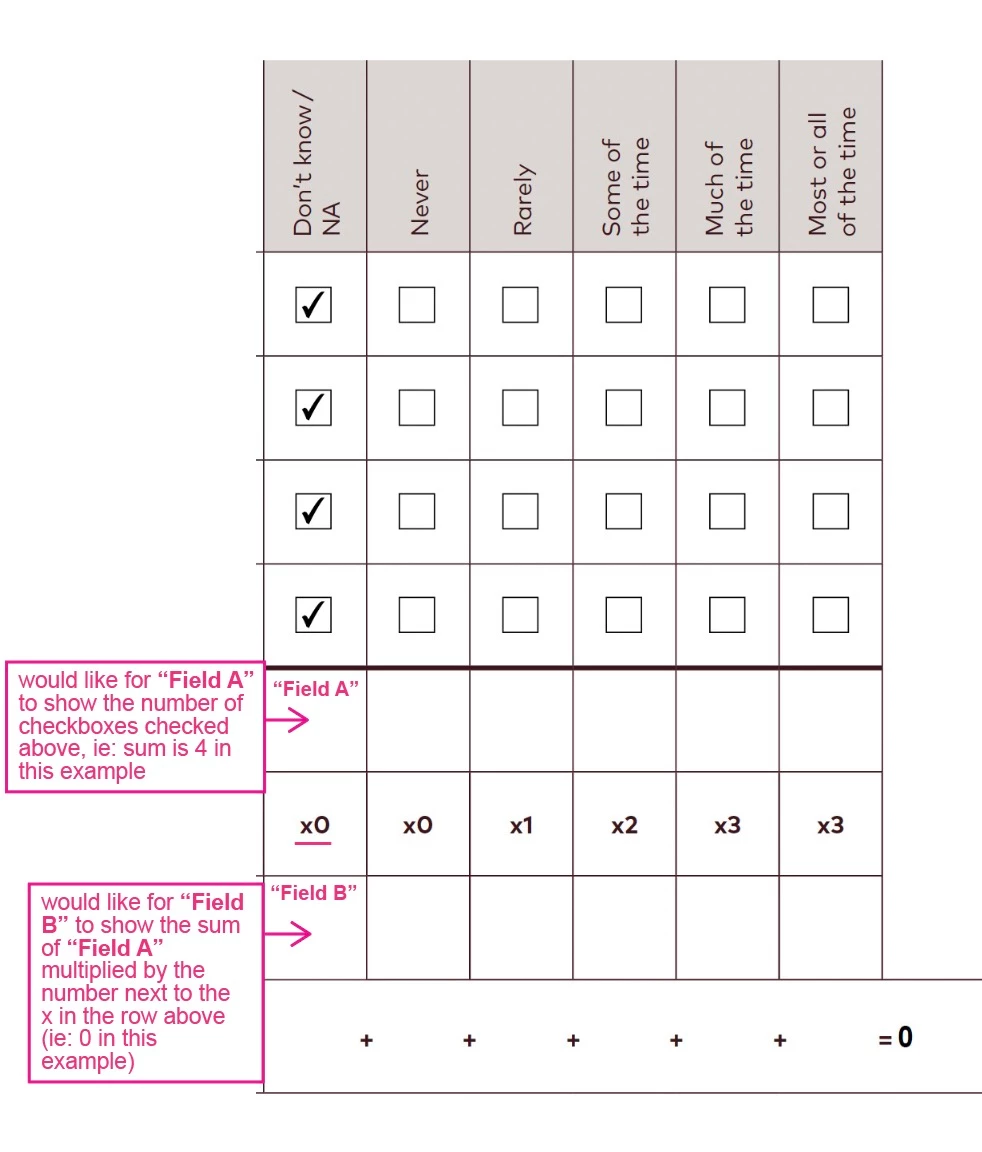
I've attached an annotated image attached to better explain the type of calculations I'm looking to do, but here is a written summary too:


1.) Have a specific field sum the # of checkboxes that have been checked in the same column (ie: if 2 of 4 checkboxes have been checked, the sum field would populate with the number 2)

2.) Have a field show the results of the sum of a different field multiplied by a specific value (ie: Sum of "Field A" x 2 = "Field B")
Any help would be greatly apreciated!


Thank you 🙂


This topic has been closed for replies.
Correct answer Nesa Nurani

Ah! Now I see what I was doing wrong with the checkboxes. I have got that to work!


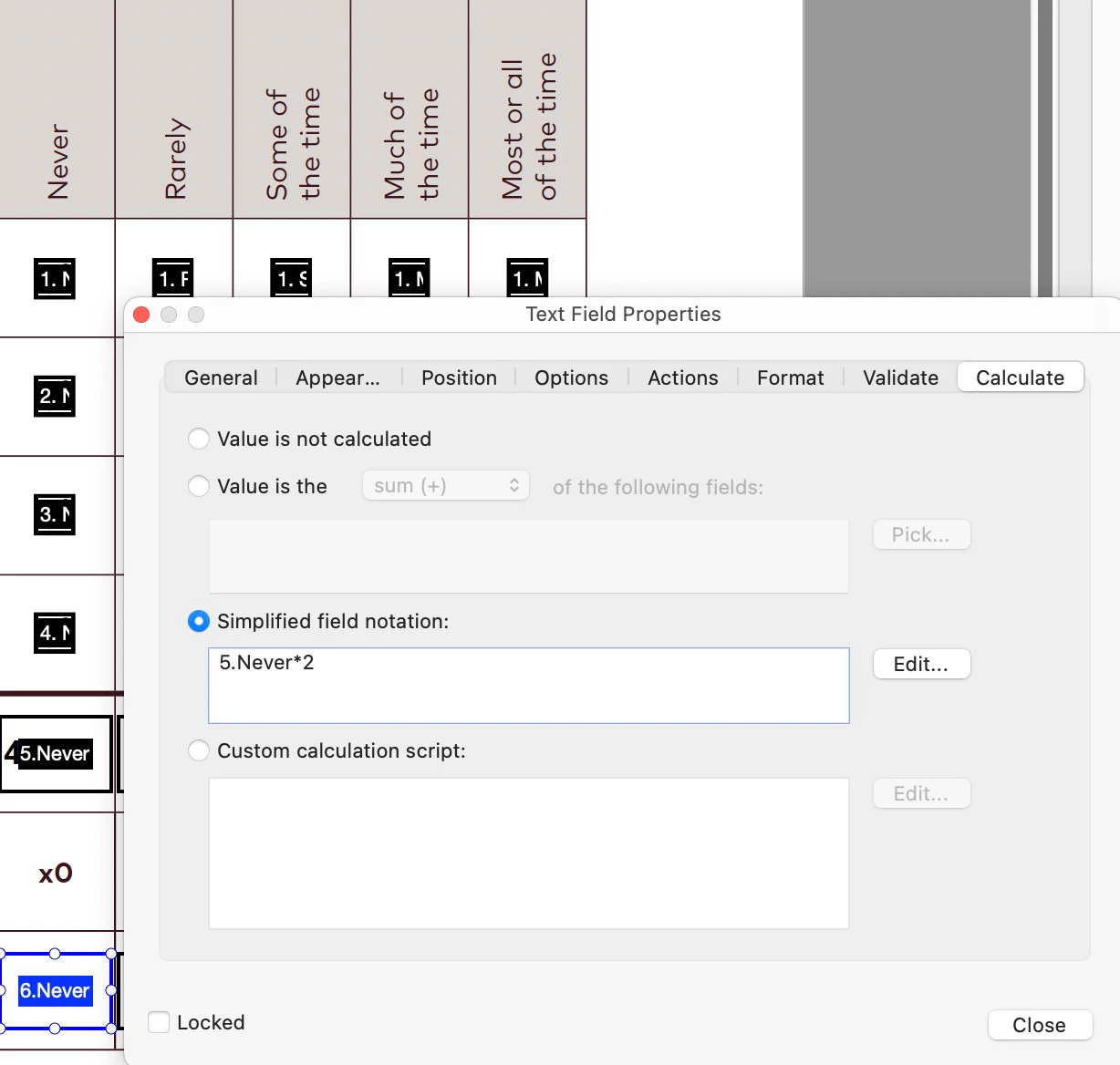
However, now I can't seem to get the highlighted field "6.Never" (in blue) to populate with x2 of the value that will appear in the field above entitled "5.Never" (which currently populates with however many of the checkmarks are selected). Does it look like I've got the calculation right? I've included a screenshot below.


Thank you again for all your expertise here!


Simplified field notation doesn't work well with names with dots, spaces...etc give your field a simpler name like "Never" or use this script under 'Custom calculation script':


var f = Number(this.getField("5.Never").valueAsString);
if(f!=0)
event.value = f*2;
else
event.value = "";


1 reply

Nesa Nurani
Community Expert
Community Expert
May 16, 2023

1. Just give each checkbox an export value of 1 and under 'Calculate' tab select 'Value is the' and pick checkboxes.


2. If the number is entered into the field, you can also use the built-in calculation.

Known Participant
May 16, 2023

Thanks for this! I have a few questions below, they are bolded:


1. Just give each checkbox an export value of 1 and under 'Calculate' tab select 'Value is the' and pick checkboxes.

  • How do I assign an export value to the checkboxes?


2. If the number is entered into the field, you can also use the built-in calculation.

  • Ideally Field B should autopopulate with the info from Field A multiplied by whatever number is present next to the "x" (see underlined area in image). Is this possible?


Nesa Nurani
Community Expert
Community Expert
May 16, 2023

1. Go to checkbox properties and under 'Options' tab you can change export value.

2. Is number next to x also inside field or plain text?