


Custom Digital Signature Appearances - Acrobat Pro 2020
Hello everybody,
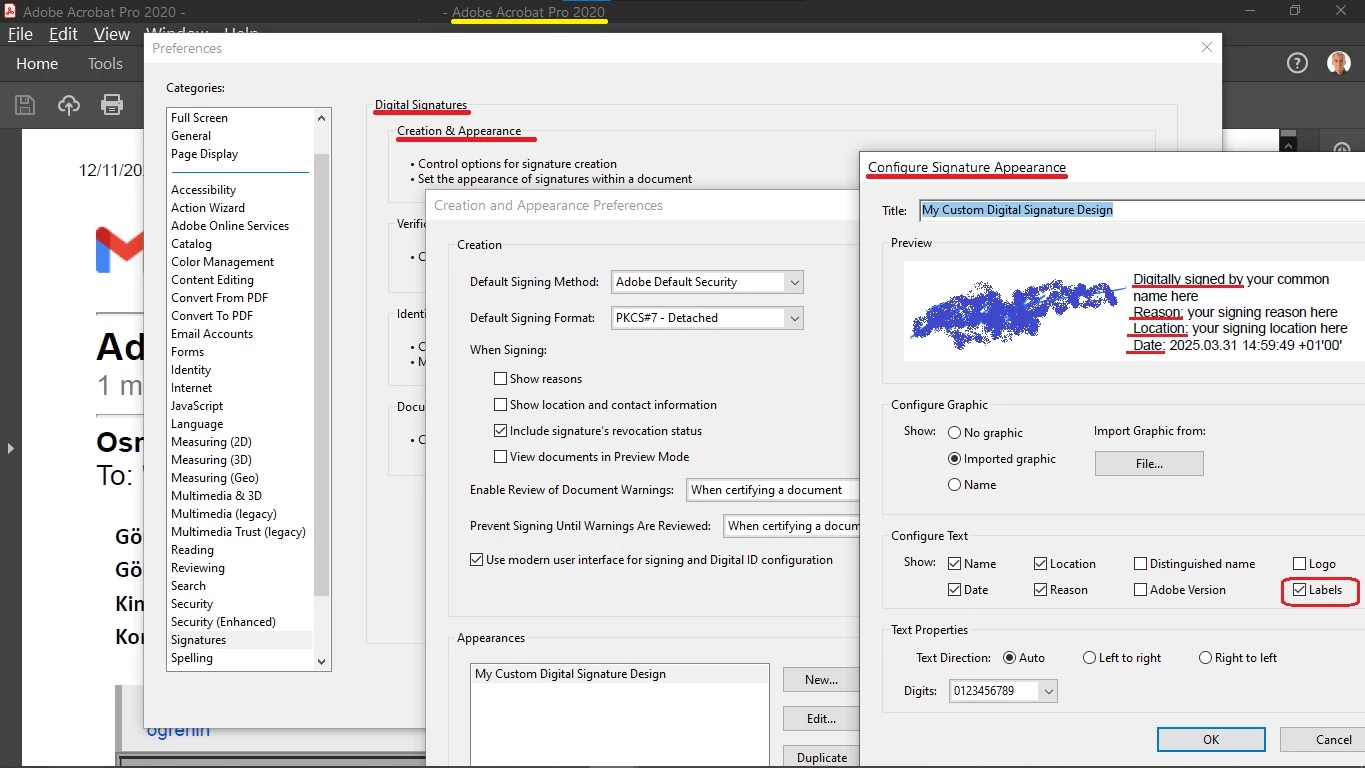
I need to change the field labels that may be included into a "Custom Digital Signature Appearance" in Acrobat Pro 2020.
Here is a help article about it.
https://www.adobe.com/devnet-docs/acrobatetk/tools/DigSigDC/appearances.html
The help article does not mention anything about how to change the field labels.
There is just a tickbox to turn some field labels on or off.
I need to change the texts of the field labels (Digitally signed by:, DN:, Reason:, Location: , etc)
I do not need any text formatting like bold, italic, etc,.
I only need to change the texts.
Just as an example, I need to change the "Digitally Signed by" into "Electronically Signed by".
The help article doesn't describe or even mention how to do that.
In Acrobat Pro 2020;
Can I do it?
How can I do it?
Thank you all and kind regards,
Hakan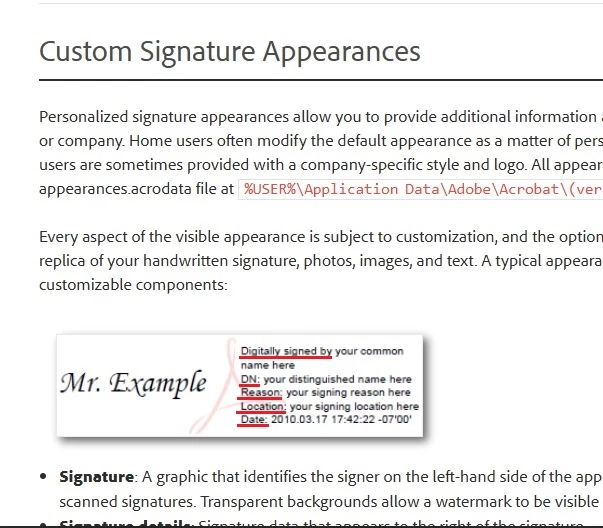
 AdChoices