
Participant
June 15, 2024
Answered

Date conversion

  • June 15, 2024
  • 1 reply
  • 306 views

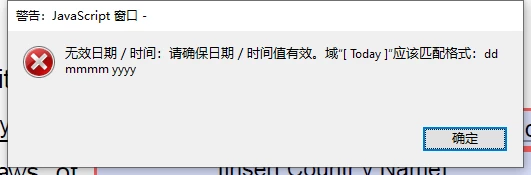
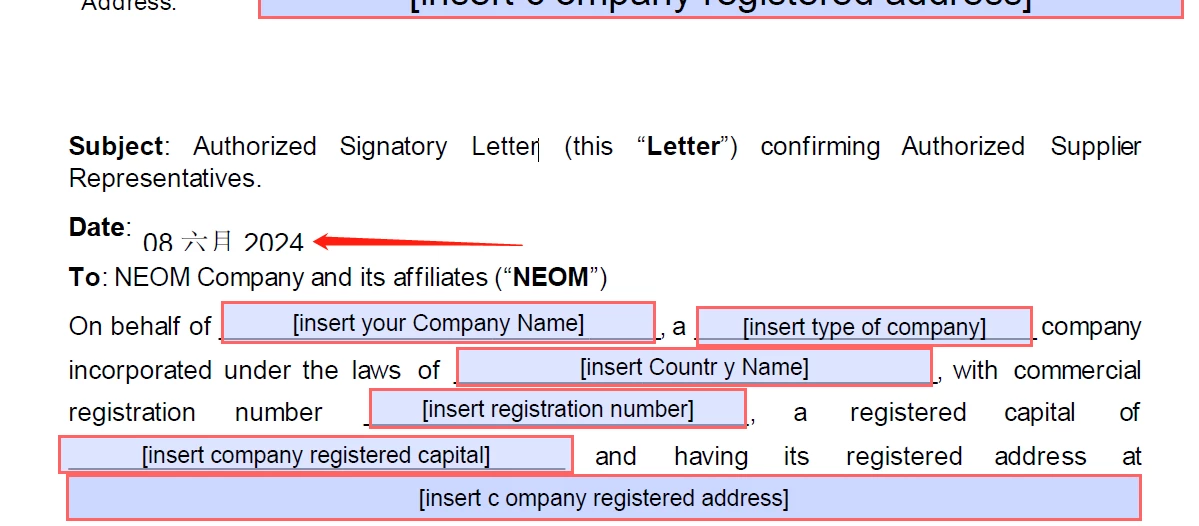
在JavaScript中,我使用var formattedDate = util.printd("mm/dd/yyyy", currentDate);输出日期,但出现错误,指出格式不正确,需要我使用var formattedDate = util.printd("dd mmmm yyyy “, 当前日期);但是即使修改之后,错误仍然无法解决。

console.println("Calculating date for Today field.");
try {
var f = this.getField("Today");
if (f) {
// 获取当前日期
var currentDate = new Date();console.println(currentDate);
// 使用 "dd mmmm yyyy" 格式化日期
var formattedDate = util.printd("mm/dd/yyyy",currentDate);
f.value = formattedDate;
console.println("Date set to: " + f.value);
} else {
console.println("Field 'Today' not found.");
}
} catch (e) {
console.println("Error: " + e.message);
}
//</ACRO_script>
//</AcroForm>


This topic has been closed for replies.
Correct answer PDF Automation Station

You have lots of JavaScript there that seems needless and redundant.  What exactly are you trying to accomplish?  To output the current date in the format of "mm/dd/yyyy" all you have to do is this:

util.printd("mm/dd/yyyy", new Date());

The second input parameter in util.printd is a date object, not a formatted date.

1 reply

Participant
June 15, 2024

In JavaScript, I am using var formattedDate = util.printd("mm/dd/yyyy", currentDate); to output the date, but I am getting an error stating that the format is incorrect and requiring me to use var formattedDate = util.printd("dd mmmm yyyy", currentDate);. However, even after modifying it, the error still cannot be resolved.

PDF Automation Station
Community Expert
Community Expert
June 15, 2024

You have lots of JavaScript there that seems needless and redundant.  What exactly are you trying to accomplish?  To output the current date in the format of "mm/dd/yyyy" all you have to do is this:

util.printd("mm/dd/yyyy", new Date());

The second input parameter in util.printd is a date object, not a formatted date.