
Date field not updating in Adobe Acrobat Online
Hi there,
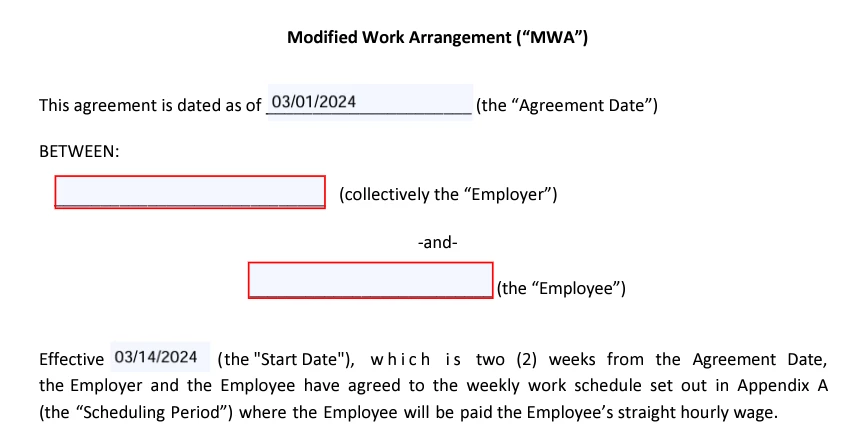
I've recently created a fillable PDF form. This form has two date fields: (1) "Today" field, which autofills today's date, and (2) "Start Date" field, which autofills 2 weeks from today's date.
This form has been published on our Intranet site. After downloading the form to test it, the document opened in Adobe Acrobat Online, and I noticed that the "Today" field updated to the correct date but the "Start Date" field didn't update correctly. I then tried opening the file in my desktop version of Adobe Acrobat and both dates updated correctly.
I'm wondering why the "Start Date" field isn't updating properly in Adobe Acrobat Online, but works fine in the desktop version? Is it possible to fix this date field so that it also updates correctly in the online version?
I've included a screenshot below of how it appears on the online version - the Start Date field should have autofilled to "03/15/2024". Happy to upload a copy of the file too if need be. Thanks!
 AdChoices