

Answered
Date Formatting
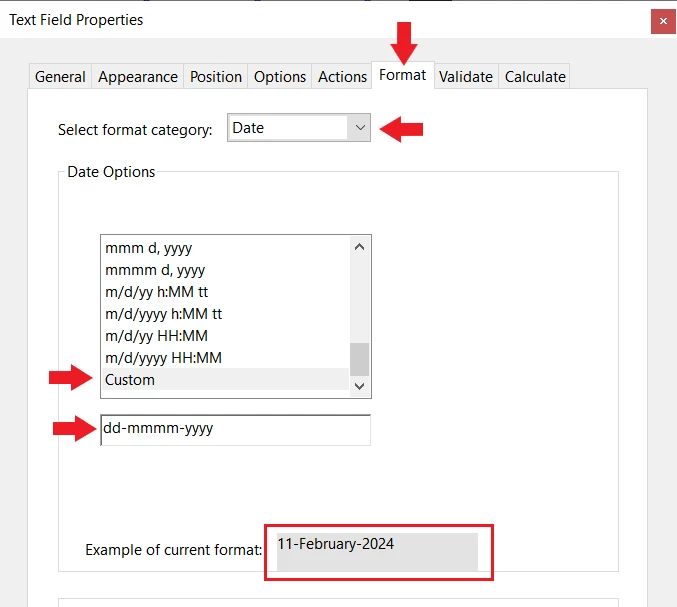
Can I Format the Date Like This 11-February-2024 or 11-Feb-2024 in PDF Fillable Form?
How can I do that? Experts please help
Also when User Enter Data It will auto format like the above

Can I Format the Date Like This 11-February-2024 or 11-Feb-2024 in PDF Fillable Form?
How can I do that? Experts please help
Also when User Enter Data It will auto format like the above
Already have an account? Login
Enter your E-mail address. We'll send you an e-mail with instructions to reset your password.

 AdChoices