purdue_griffin
Participant
July 30, 2024
Answered

Designating the opening page

  • July 30, 2024
  • 5 replies
  • 1597 views

In the PDF file name, can I specify an opening page, other than the first page of the document, e.g., Page 27?

This topic has been closed for replies.
Correct answer Tariq Dar

Hi @purdue_griffin 

If you have Acrobat, you can set that. It is a document-level property. 
To set it, open a file in Acrobat, go to
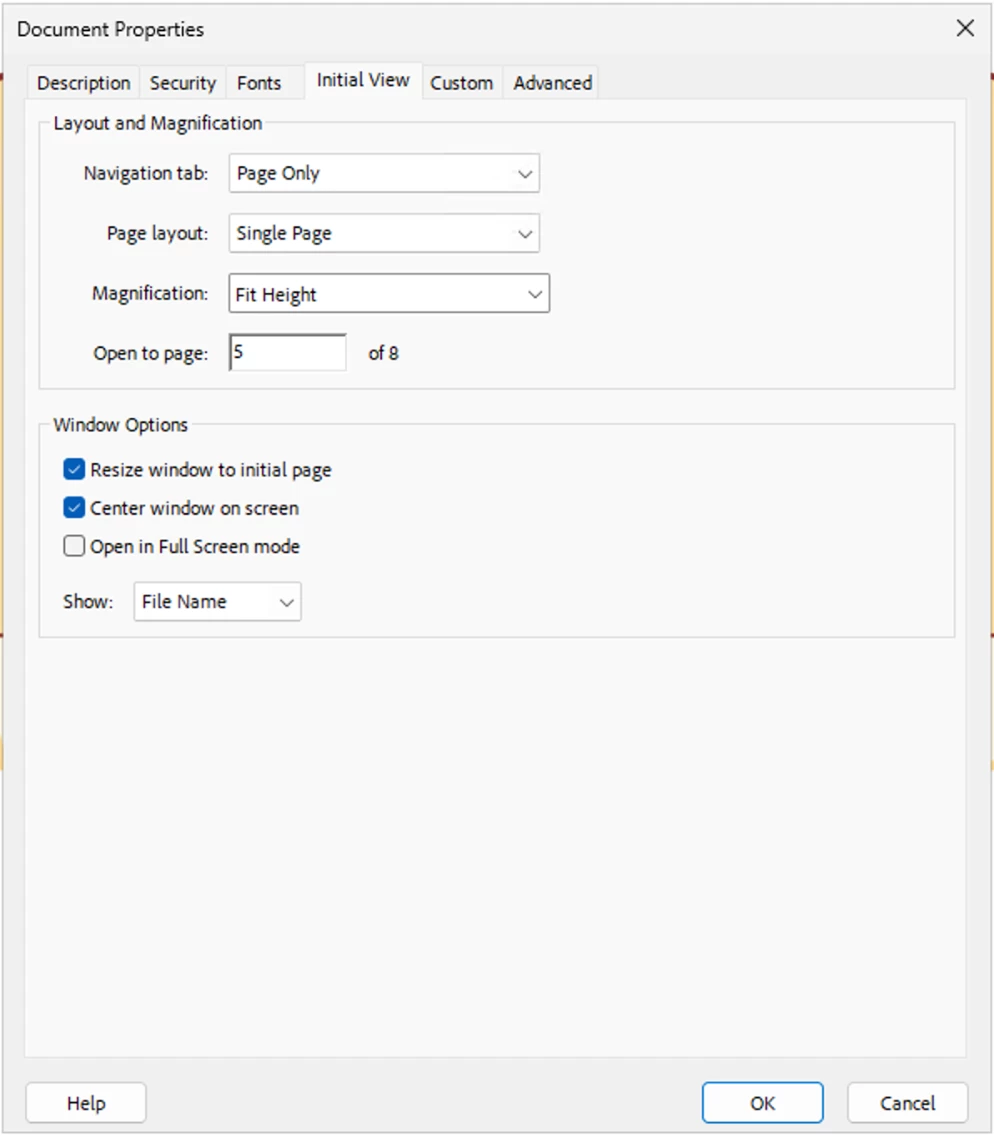
  • File > Document Properties (Classic UI), or click the Hamburger Icon > Document Properties. 
  • From the "Document Properties" window, click on the "Initial View" tab,
  • You can set "Open to Page" and give the page number. 
  • There are other options you can set.


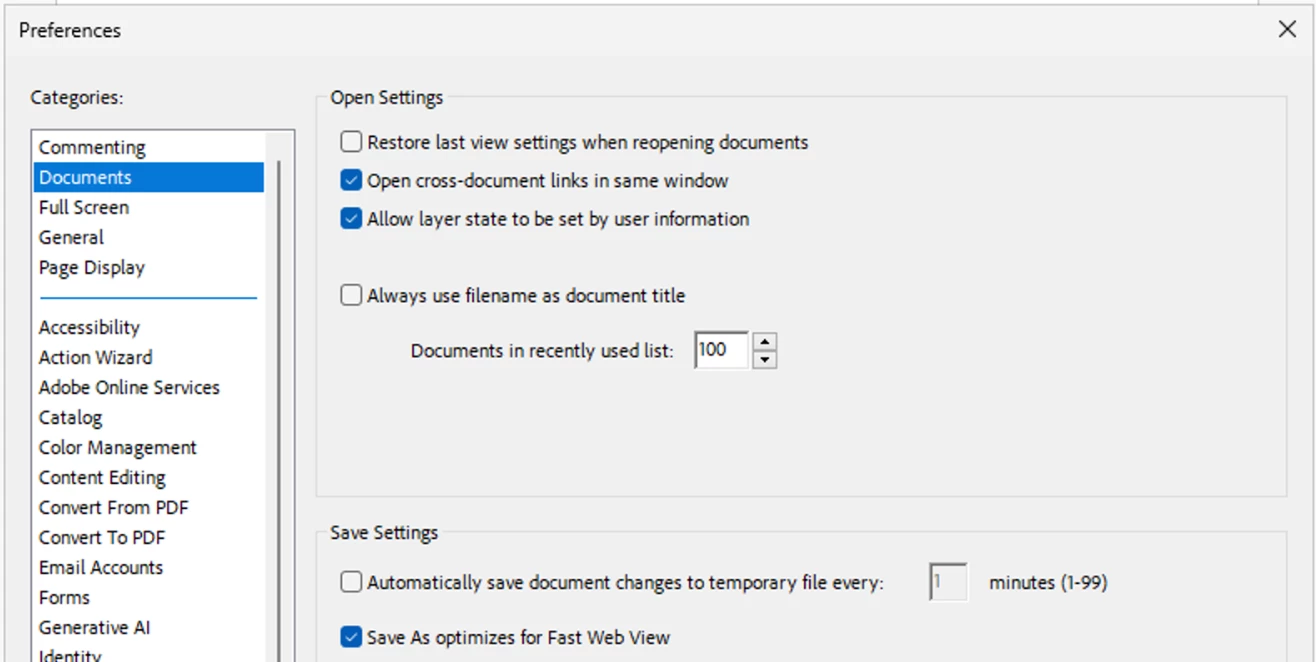
Note: On the first open, you will see the page you set unless the preference: "Restore last view settings when reopening documents" is not checked. 


Let us know if you have further questions.


~Tariq

5 replies

Participant
August 22, 2024

No, you can't specify an opening page in the PDF file name itself. However, you can set a specific page to open first by using a PDF editor like Adobe Acrobat.  Open the PDF in the editor, navigate to the desired page, and then set it as the initial view or opening page in the document properties before saving the file.

 
Tariq DarCorrect answer
Legend
August 22, 2024

Hi @purdue_griffin 

If you have Acrobat, you can set that. It is a document-level property. 
To set it, open a file in Acrobat, go to

  • File > Document Properties (Classic UI), or click the Hamburger Icon > Document Properties. 
  • From the "Document Properties" window, click on the "Initial View" tab,
  • You can set "Open to Page" and give the page number. 
  • There are other options you can set.


Note: On the first open, you will see the page you set unless the preference: "Restore last view settings when reopening documents" is not checked. 


Let us know if you have further questions.


~Tariq

Participant
August 22, 2024

For the opening page, include a clear event title with the date and time prominently displayed. Use a brief description along with a hero image to grab attention. Add a "Register Now" button for easy sign-up, and outline the agenda and key speakers. Finally, provide contact information and social media links for further engagement.

creative explorer
Community Expert
Community Expert
July 30, 2024

@purdue_griffin if you want page 27 to be the first page, if you click on 'Organize PDF,' you can move Page 27 to the first page and re-save the PDF with the re-arranged pages of  the PDF will work now! 

m
Luke Jennings3
Community Expert
Community Expert
July 30, 2024

Are you asking if it's possible to put an image of page 27 in the pdf icon preview, instead of page 1? If yes, than you can do this on a Mac by pasting an image of page 27 from the clipboard into the pdf icon. Do a "get info" on the closed pdf (Command + I), select the existing icon and paste the new image into it. 

try67
Community Expert
Community Expert
July 30, 2024

You can do it if you embed a script in the file that reads the file-name and then jumps to the page number it specifies (if at all).

Bernd Alheit
Community Expert
Community Expert
July 30, 2024

Not possible in the file name.

You can specify this in the properties of the PDF file.