
sereniteai12061547
Participant
December 12, 2022
Question

Device Limit Reached (Acrobat)

  • December 12, 2022
  • 2 replies
  • 2123 views

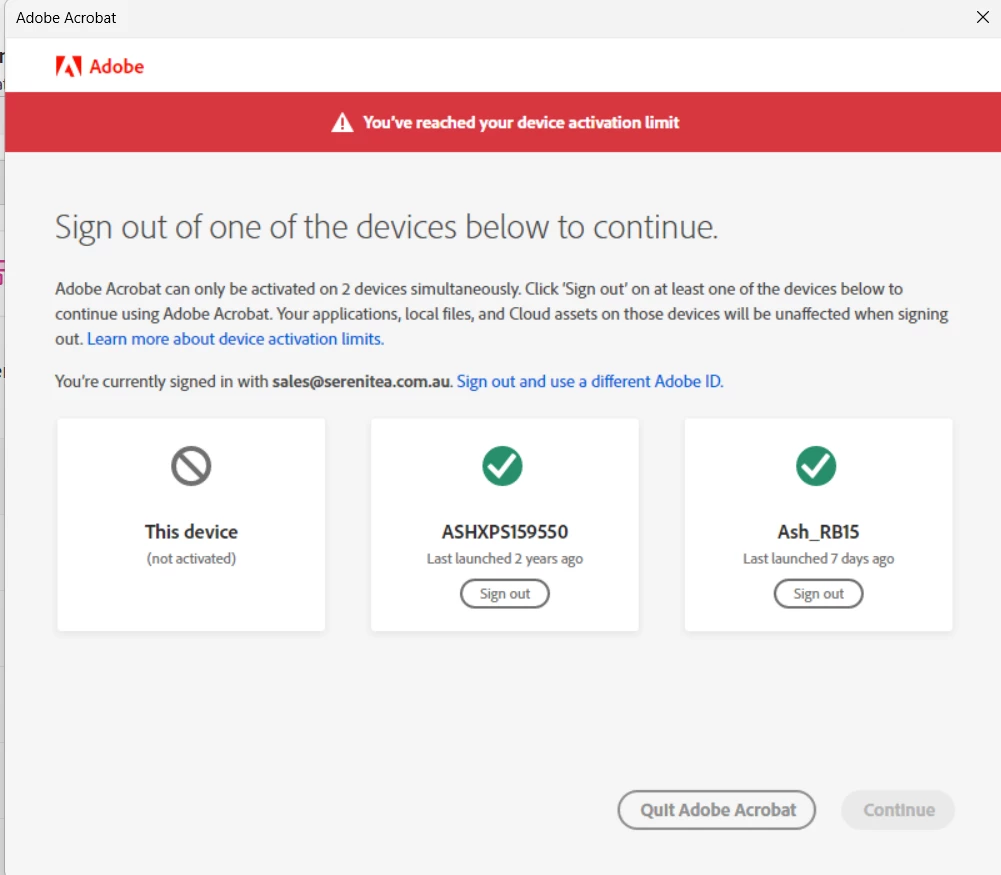
Keep getting this prompt and tried chatting with the adobe rep but didn't get very far.

Signed out of creative cloud and back in. The device on the right (Ash_RB15) is the same device I am using. I keep singing out of it to get the same prompt the next day when I use any adobe app. Quite frustrating and I would hate to do a uninstall and install of all the apps.

Any other solutions? For now I have deactivate the other PC too (the XPS) and see if that helps.


This topic has been closed for replies.

2 replies

Nancy OShea
Community Expert
Community Expert
December 12, 2022

Log-in to your online account to deactivate unused devices.   You may activate on up to 2 devices concurrently.

https://account.adobe.com/plans


Hope that helps.


Nancy O'Shea— Product User & Community Expert
Kanikas
Community Manager
Community Manager
December 12, 2022

Hi there, 

We are here to help you.

Firstly, can you please sign out of both devices and then try?

If that does not help, try the steps shared in this link for help:https://helpx.adobe.com/in/creative-cloud/kb/activation-limit-reached-creative-cloud.html


Do let us know the outcome. 


Regards 

Kanika 


sereniteai12061547
Participant
December 15, 2022

So far it hasn't popped up again but it seems to do so after a week or so. I still think it is an issue as I can't combine 2 pdf files for example as it comes with the error below.


On my account I can see only one device activated. So perhaps deactivating the second device helped. But I really would like to fix the above error somehow.


kglad
Community Expert
Community Expert
December 15, 2022

@sereniteai12061547 


reset the cc desktop app:

make sure it's in the foreground, then press:
Win: Ctrl + Alt + R
Mac: Cmd + Opt + R


if that fails, go to your account and deactivate all devices listed (even if it's just one).  then sign into your cc desktop app with the problematic acrobat.