Participant
October 4, 2022
Answered

Different versions of Adobe Acrobat?

  • October 4, 2022
  • 2 replies
  • 1813 views

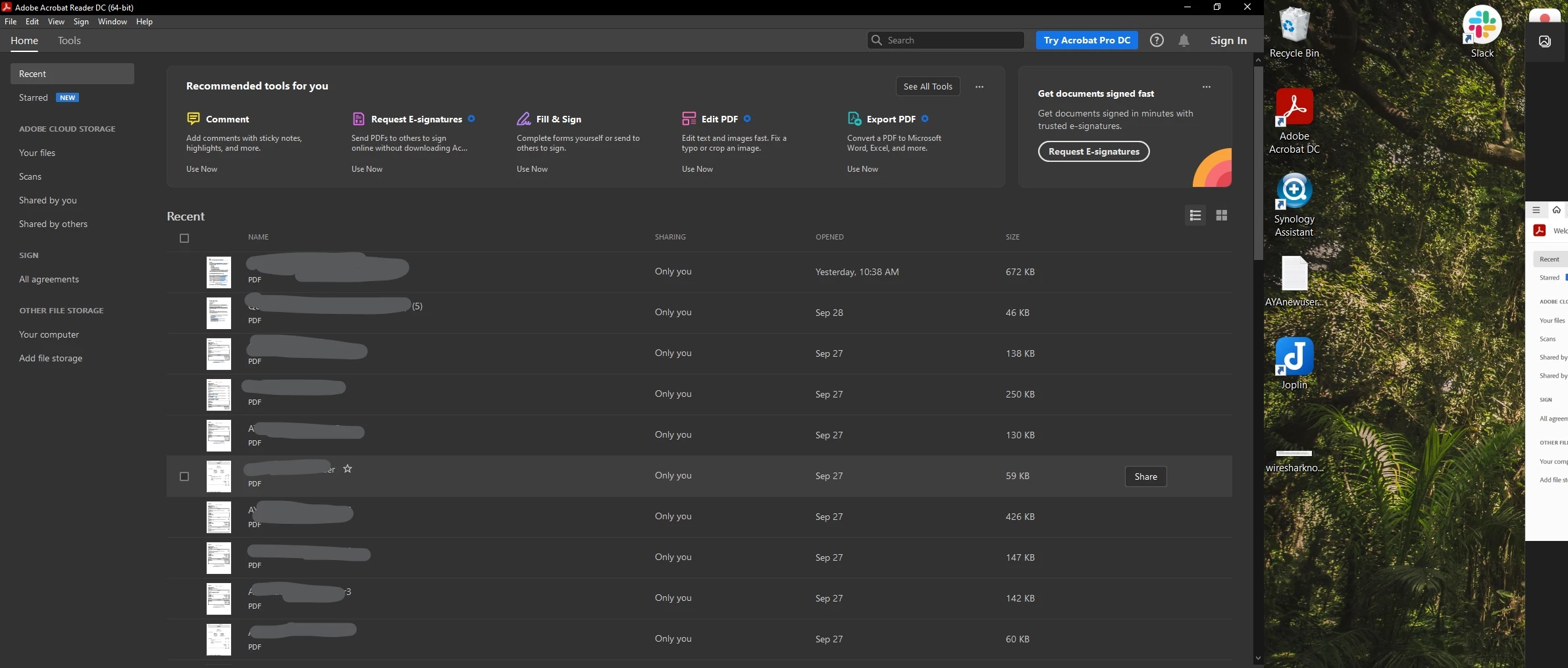
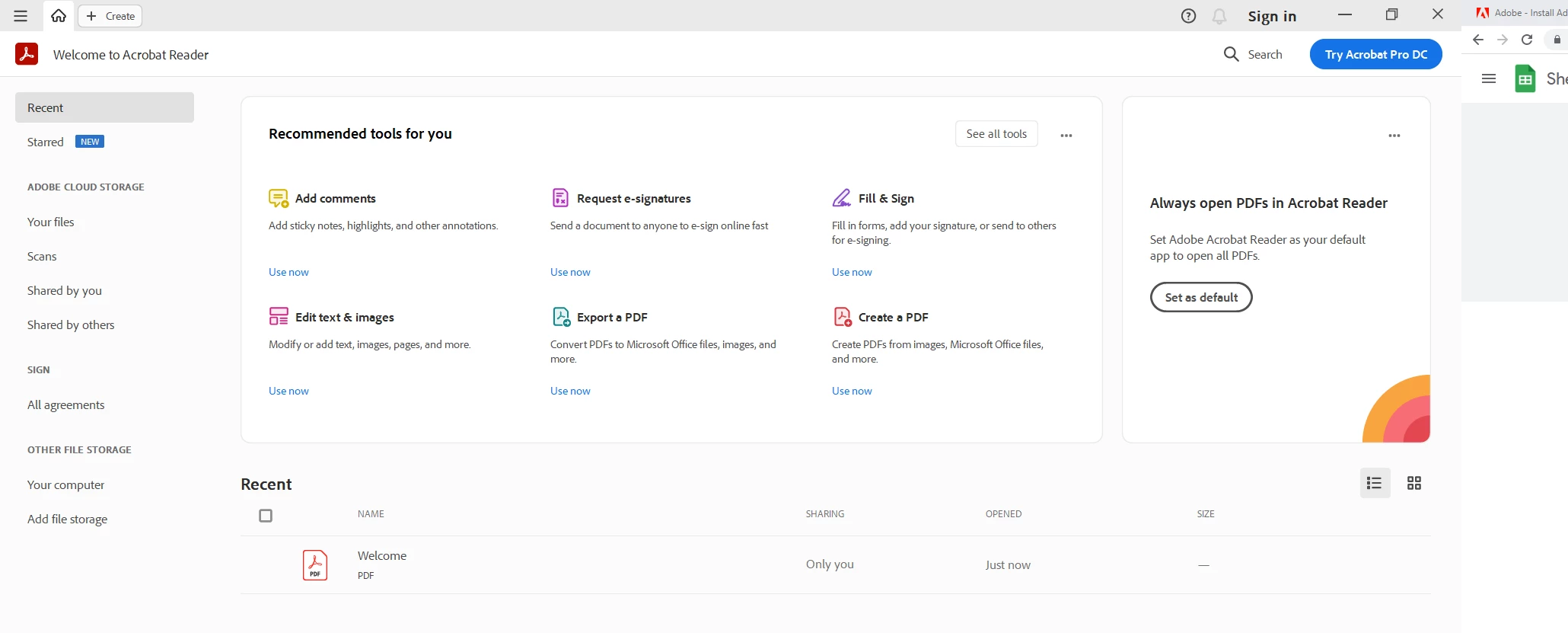
I work at a company where the HR department uses Adobe Pro but all but one computer works just fine. But on one computer the program looks completely different and the tools don't appear on the right panel when a pdf is in view, or the tools plainly don't work. Attached pictures are more detail. Black is one that works, white is one that doesn't.
This topic has been closed for replies.
Correct answer Bernd Alheit

Look here:

2 replies

Bernd Alheit
Community Expert
Community Expert
October 5, 2022

The second picture shows Acrobat Reader with the new interface.

Participant
October 6, 2022

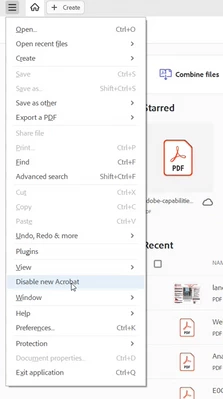
So how do you either get the old inerface back or how to do you get the tools panel to work like the old interface does? Playing around with the new interface a little bit is pretty confusing and seems to be harder to access the tools unlike the older interface was.

Bernd Alheit
Community Expert
Bernd AlheitCommunity ExpertCorrect answer
Community Expert
October 6, 2022

Look here:

try67
Community Expert
Community Expert
October 4, 2022

The second picture of is Adobe Acrobat Reader, which is the free version of Adobe Acrobat. If you have a subscription for the latter then you need to sign it for it to switch from the free version (which is very limited in what it can do) to the full Acrobat.

jane-e
Community Expert
Community Expert
October 5, 2022

@try67 wrote:

The second picture of is Adobe Acrobat Reader,


Both pictures are of Acrobat Reader.


Also, the first says it is 64-bit; the other does not say. The first is macOS; the second is Windows.


@Christopher26433716702l wrote:

I work at a company where the HR department uses Adobe Pro but all but one computer works just fine.


If you have Adobe DC Pro, why are both of these people using the free Reader? 


If you need to install the 64-bit version, here are the links for Reader and Pro:

https://get.adobe.com/reader/

https://helpx.adobe.com/nz/acrobat/kb/download-64-bit-installer.html


Jane


Participant
October 5, 2022

Both are windows and downloaded from the same exact link(https://get.adobe.com/reader/). Second picture is what I get installing reader signed in and signed out from creative cloud, and not from creative cloud. No matter where I get it or how I download it, the second picture is what I get every single time.