
Question
Digital Signature default prompts only to cloud, not to download
I'm an Notary Public and I'm using software (Cyberize) that permits me to perform online notarizations. I've done this successfully before.
I'm suddenly having an issue, which occurs after these steps, all which occur within adobe inside a browser window:
- I add a form field for various parts of the document, including digital signature.
- At the point in the process where I need to actually digitally sign, I'm typically prompted with a pulldown that includes two basic options: (1) Cloud Signatures; (2) Download & Sign with Acrobat.
- Today, for whatever reason, I only see option 1. But since I have my own signing certificate, through IdenTrust, I need to be prompted with option 2, or I can't notarize.
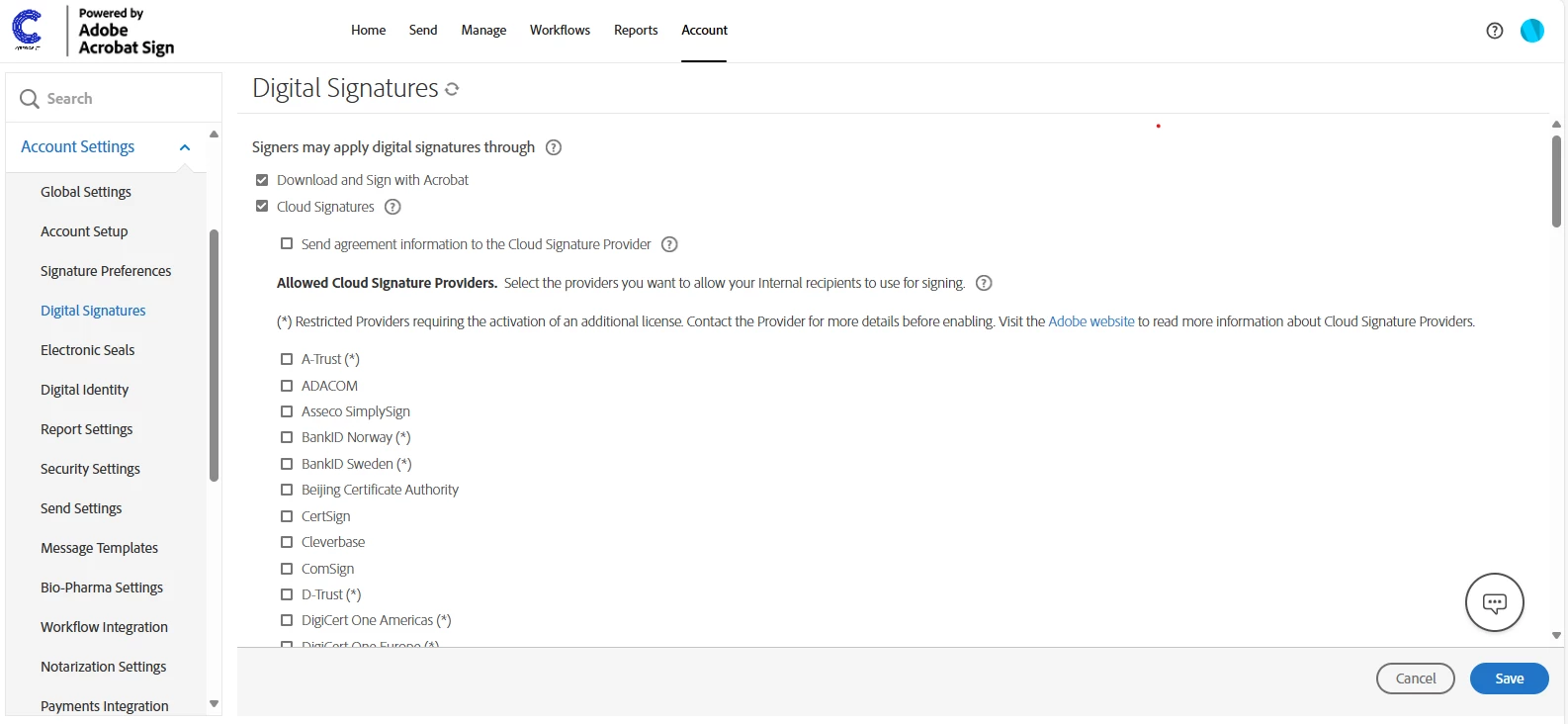
My tech support person at Cyberize walked me through the steps she thinks I need to take to make sure both options are presented, and shared with me the below screenshot. However, I can't get to that screen within my own Adobe account, so I'm not sure. And again, yesterday and all the days before I was presented with both options, so I don't know what changed. But I feel like if I could somehow get to the below preferences page I could probably fix my problem.


 AdChoices