
Digital Signature does not show Properly
I work IT at a company full of engineers who use Acrobat Pro to sign documents. I just replaced a user's PC with a new laptop, and upon getting his Adobe set up, we are encountering an issue.
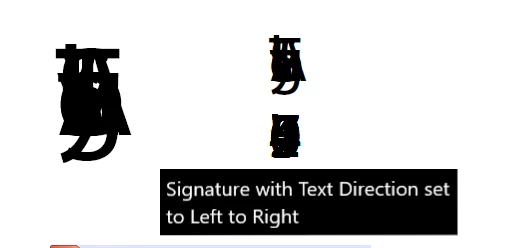
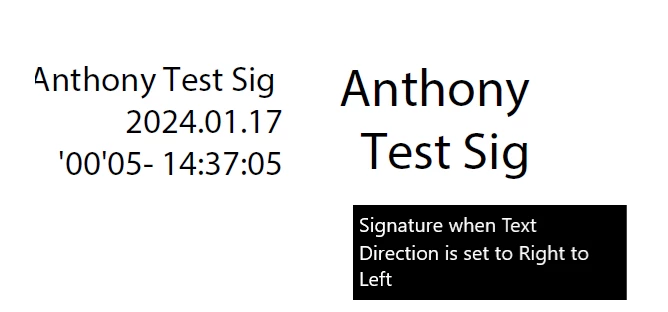
When he goes to use his Digital Signature, it appears with all the Letters in the Name and Date field stacked/jumbled on top of each other. Creating a new signature shows the same issue.
What I've been messing with is the Text Direction... When set to Auto or Left-to-Right, it shows jumbled, but when you set it Right-to-Left, the characters all appear correctly. This leads me to believe this isnt a Font issue like I've seen suggested in other posts.
I do not work with Adobe in my position, so I do not know much about its inner working. Any guidance would be appreciated in trying to solve this issue, as my user can not sign important documents until this is fixed, and I do not want to just tell him "Leave it Right-to-left" as I feel like that is ignoring the issue. 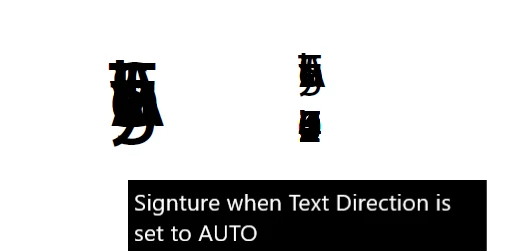


 AdChoices