Participant
June 23, 2022
Answered

Digital Signature issue

  • June 23, 2022
  • 1 reply
  • 742 views

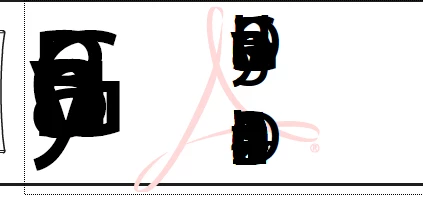
What is going on with my signature?

Have to uninstall Adobe and reinstall to have it fixed.

Same issue appears again after rebooting. Thanks


This topic has been closed for replies.
Correct answer Amal.

Hi Garry


Hope you are doing well and sorry for the trouble.


By default MyriadPro-Regular font is used for signing. The issue might arise if the font which is used for signing is present under C:\Windows\Fonts but is a shortcut linking to other software's cache.

So, let's try out a few steps and check the behavior:

  1. Please check if the same font is present under C:\Windows\Fonts
  2. If present,  Is it a font shortcut?
  3. Uninstall the MyriadPro-Regular font from the Windows Fonts directory (C:\Windows\Fonts ) and see the behavior.
  4. Install the Adobe provided MyriadPro-Regular font into the Windows Fonts directory and check the behavior.

    If it still doesn't work: please try cleaning Local app data cache here  %LOCALAPPDATA%\Adobe\Acrobat\<track> and reboot the computer once and check.


Let us know how it goes.


Regards

Amal

1 reply

Amal.
Amal.Correct answer
Legend
June 28, 2022

Hi Garry


Hope you are doing well and sorry for the trouble.


By default MyriadPro-Regular font is used for signing. The issue might arise if the font which is used for signing is present under C:\Windows\Fonts but is a shortcut linking to other software's cache.

So, let's try out a few steps and check the behavior:

  1. Please check if the same font is present under C:\Windows\Fonts
  2. If present,  Is it a font shortcut?
  3. Uninstall the MyriadPro-Regular font from the Windows Fonts directory (C:\Windows\Fonts ) and see the behavior.
  4. Install the Adobe provided MyriadPro-Regular font into the Windows Fonts directory and check the behavior.

    If it still doesn't work: please try cleaning Local app data cache here  %LOCALAPPDATA%\Adobe\Acrobat\<track> and reboot the computer once and check.


Let us know how it goes.


Regards

Amal

Garry2022Author
Participant
June 30, 2022

Thanks a lot.

It appears to be solved following your instructions.