


Participant
May 30, 2023
Answered

Disable "Always send files as a link (sign in required)" with registry key

  • May 30, 2023
  • 2 replies
  • 3379 views

Hi,


Within an organization we manage we would like to disable the above mentioned setting across the whole infrastructure. 


I know this is doable by selecting this setting below and saving it, but this sometimes reverts itself and users have to manually do this every time they create a new sessions as it also doesn't save with our current configuration of the workspace. Therefore we would like a registry key that can also disable this specific setting.
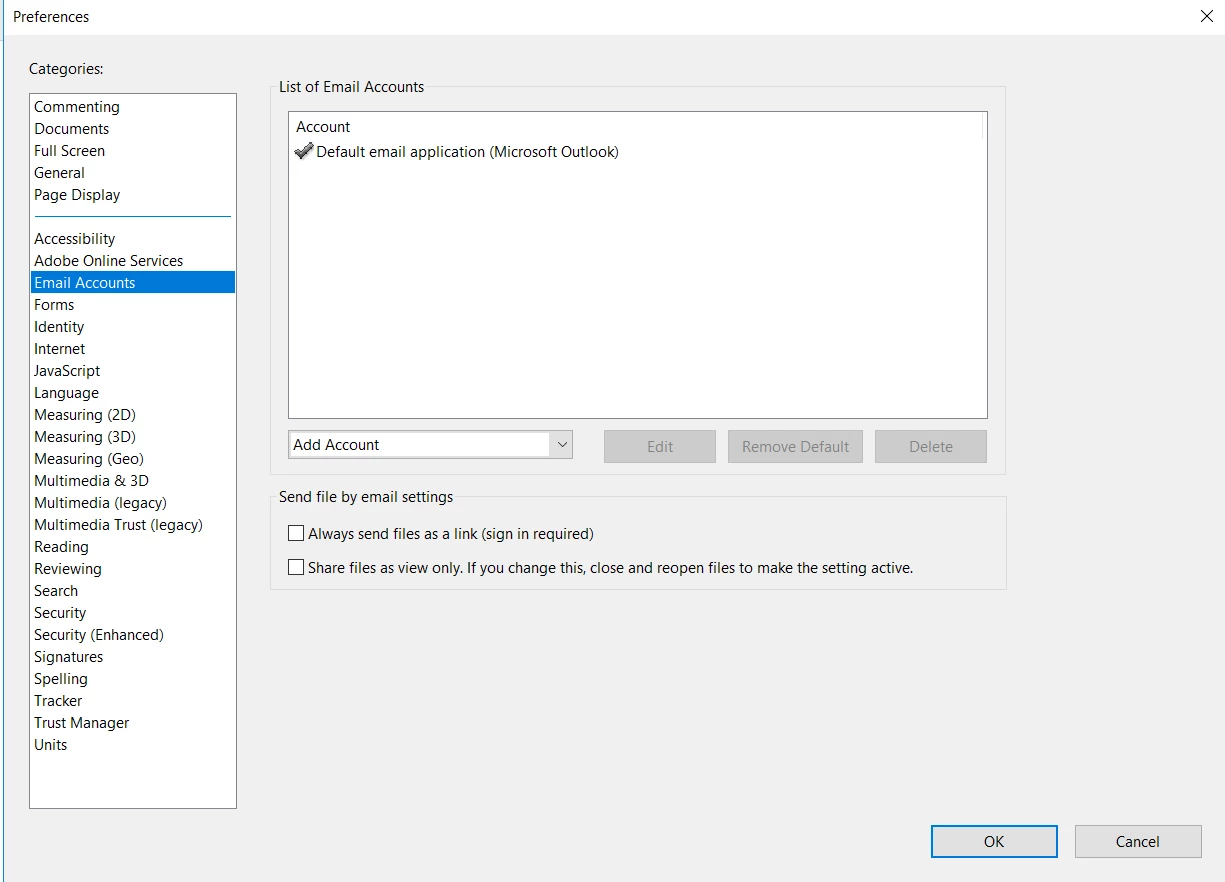
My question then is, is there a registry key that can modify this setting in any way?

This topic has been closed for replies.
Correct answer Scott28683709si91

This is the fix!!!!! In our environment that registry key did not exist in HKEY_CURRENT_USER so we created it in HKEY_LOCAL_MACHINE. If you have to add it, it should be a Reg DWORD 32 bit key with a value of 0. Once set Acrobat won't even ask about the link and simply attaches the file. Huge thank you to @Hanz11 

2 replies

Participant
June 23, 2023

hi RikBraam,

I had the same problem. I changed the following registry key: Computer\HKEY_CURRENT_USER\SOFTWARE\Adobe\Adobe Acrobat\DC\UnifiedShare\bLastAttachLinkMode
Just set the value to 0 and it should work.

Scott28683709si91Correct answer
Participant
October 11, 2024

This is the fix!!!!! In our environment that registry key did not exist in HKEY_CURRENT_USER so we created it in HKEY_LOCAL_MACHINE. If you have to add it, it should be a Reg DWORD 32 bit key with a value of 0. Once set Acrobat won't even ask about the link and simply attaches the file. Huge thank you to @Hanz11 

Meenakshi_Negi
Legend
May 30, 2023

Hi RikBraam,


Thank you for reaching out.


Currently, we do not have information if this can be disabled permanently.

We will check with the team for the registry key and update you with the information.

We appreciate your patience.


Thanks,

Meenakshi

Participant
November 2, 2023

Hello Meenakshi,

since today Acrobat steals our data and put it on their cloud. Can you please tell me how we "the customer" gave Adobe the right to do this ? This is IT-terrorism in my holy opinion.

Adobe has not the right to decide where a company stores their data.


Who can i call ASAP about this at Adobe ? Best would be a contact that our legal-team can contact cause this is more than serious for us. 

Thank you for your help

Michael Heel