


GL_2026
Participant
May 5, 2026
Question

Disable "Share as a link. Anyone on the Internet with this link can access."

  • May 5, 2026
  • 2 replies
  • 206 views

Hi all,


Please advise where it comes from and how to disable it permanently. 
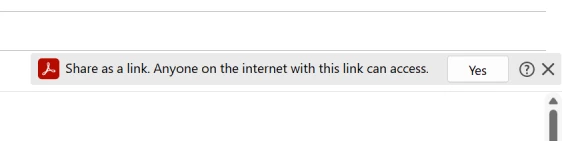
Thank you.

    2 replies

    Amal Jaiswal
    Community Manager
    Community Manager
    May 7, 2026

    Hi there 


    Please refer to the screenshot below:


    If the option is still missing, please reachout to your IT admin at work to create a case via their Admin console and someone from the enterprise team will get in touch with them.

    ~Amal

    Amal Jaiswal
    Community Manager
    Community Manager
    May 6, 2026

    Hi ​@GL_2026 

    Thanks for reaching out, and sorry for the trouble.

    The prompt you're seeing comes from Acrobat's default sharing behavior in the new Acrobat experience.  You can change this so Acrobat sends the file as a regular attachment instead.

    • Open Acrobat and go to Preferences (Ctrl,Cmd+K).
    • In the left panel, select Email Accounts.
    • Uncheck Send link in attach to email (Sign-in required) (in older builds this option is labeled Always send files as a link).
    • Click OK and restart Acrobat.


    If you want to keep using link sharing in some cases but control the audience, when you click Share you can select Only invited people can access instead of Anyone with the link, this requires recipients to sign in with the email address you invited.


    Let us know how it goes. 


    ~Amal


    GL_2026
    GL_2026Author
    Participant
    May 6, 2026

    Hi ​@Amal Jaiswal 

    Is the Acrobat - Preferences - E-Mail Accounts there is no Send Link in attach to email setting.

    This is what users have.


    Please advise what needs to be disabled to get rid of this.