Question
Disabling SharePoint Integration not working - Adobe Acrobat DC
I'm using Adobe Acrobat DC v22.003.20282 and have tried the registry key solution with no success.
\HKEY_LOCAL_MACHINE\SOFTWARE\Policies\Adobe\Adobe Acrobat\DC\FeatureLockDown
Created cSharePoint added dword32 key bDisableSharePointFeatures value=1
The prompt to check in is still displayed when closing a report that was pulled up for printing.
If you select no, it keeps coming up. If you select yes, I get this screen.
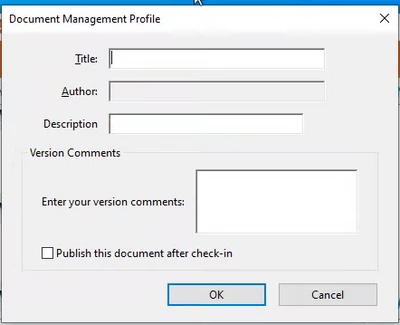
Is this coming from Adobe?
 AdChoices