Disappearing Markup
Good morning,
I work as an estimator and use Acrobat Pro to markup my construction drawings. Recently, our company purchased the pro version of Acrobat and now I've run into a certain "diappearing markup" problem.
The following is an example of the markup I do in Acrobat:
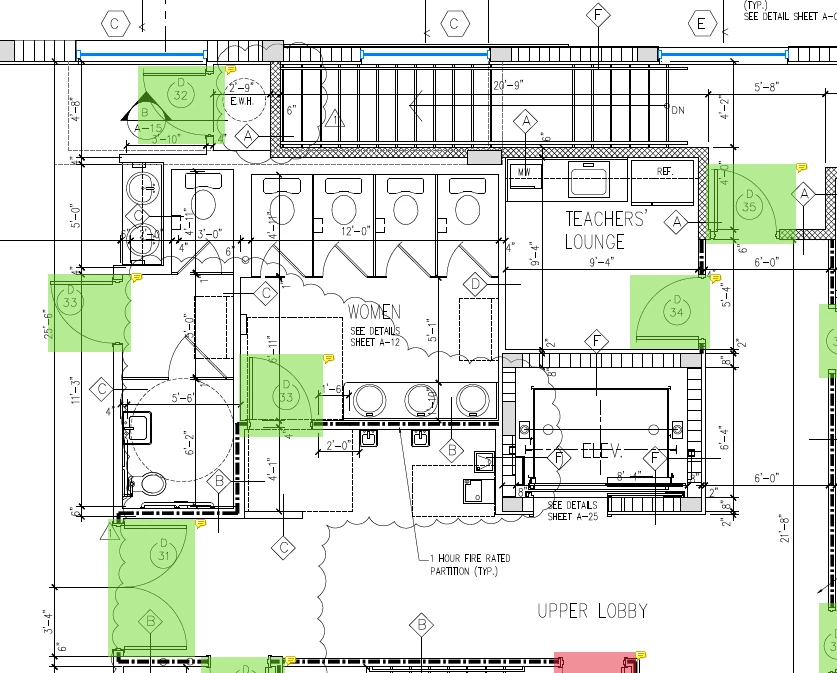
Now, I'm not sure how to replicate the results, but every so often if I click one of the markup boxes (which I create using the comments toolbar), and then click out of the box, the box will disappear. It can be made to appear again if I find it and click it in the comments section, but once again, it disappears if I click out of it. Furthermore, once this problem begins, every other comment box I click disappears, and if the file is saved after this problem starts, then the hidden boxes remain hidden if the file is repopened again.
This problem did not occur when using the free version of Acrobat.
This problem has occured on a few differnet files (jobs) now.
If the file is saved and Acrobat is restarted, the boxes remain hidden.
This seems to be a common issue that has been occuring since 2016 after searching for answers in the community, none of which have been resolved by the Adobe team.
Please help resolve this issue.
 AdChoices