Inspiring
February 3, 2025
Answered

Display filename instead of Layout x in Acrobat 9?

  • February 3, 2025
  • 2 replies
  • 1436 views

I use an old version of Adobe Acrobat at home, and it's driving me nuts that it always displays every document by a generic "Layout #..." instead of using the filename as the layout name. I never know what I'm working on. All the instructions say to change the preference in the Document/Open settings under preferences, but no such option is available there. Is something wrong with my installation? Was no such option available in Acrobat 9.5? Is the option hidden somewhere else in that version?
Correct answer Brad @ Roaring Mouse

That's not an option in Acrobat 9. At least not in mine.


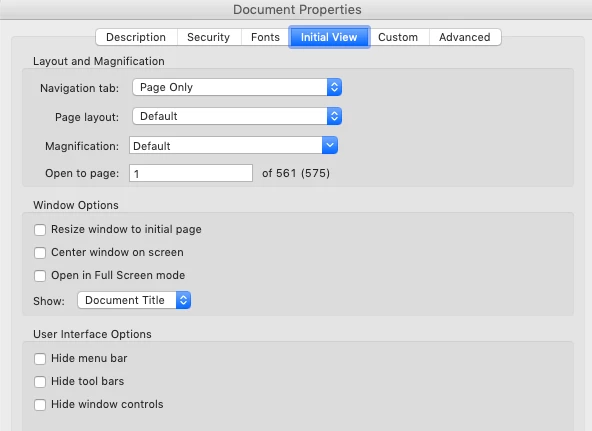
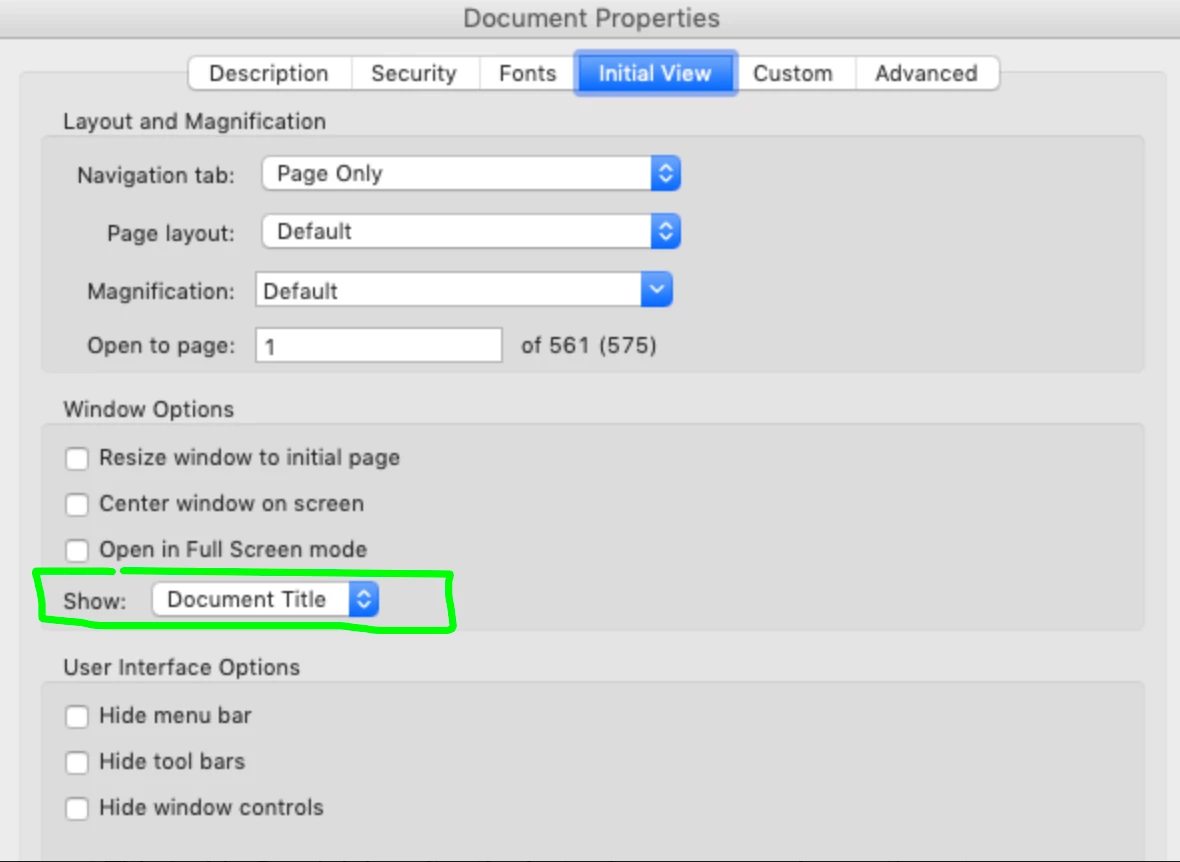
Yes, it's right there: Window Options > Show > Document Title is selected. Change it to File Name.

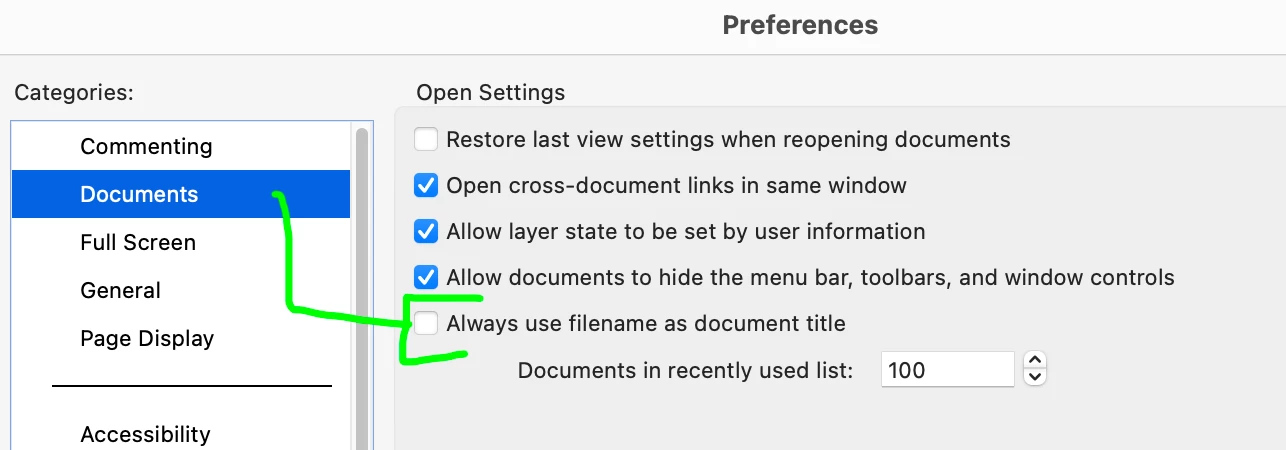
You have to change that setting (and Save the file for it to take effect) for each of your files. More recent versions of Acrobat added a general setting under Preferences > Documents  to Always use filename as document title, but Acrobat 9 definitely didn't have that. I think it was added some time after Acrobat XI.

Are you by chance saving from Quark? That's the only program I know that uses the term "Layout #" as Document Title. You have the option to modify that Document Title inside Quark (also after the fact, where you can change the Title in the PDFs Document Properties to match the File Name).


fyi: Word also has the option (when saving a PDF) to add a Document Title. This would also supercede the filename when opening in older Acrobat vesions


2 replies

Brad @ Roaring Mouse
Community Expert
Community Expert
February 4, 2025

I have never heard of this behavioir even back when Acrobat 9 was a thing. What System are you on?

If you open the Document Properties of the file, is the file name correct there?

v9 is very old and probably won't work corrcetly on anything Windows 8 or newer.

jfrazeAuthor
Inspiring
February 4, 2025

It's Mac Mojave. That's actually normal behavior for Acrobat, but there's normally a preference to tell it to use the file name instead of the layout #. That's missing in my Acrobat 9, and I'm not sure if it wasn't available in earlier versions, or if my installation is glitched somehow. Yes, the filename does show up in Document Properties. Still gets confusing when I have multiple files open, especially when I'm working with multiple versions of the same document.

Brad @ Roaring Mouse
Community Expert
Community Expert
February 4, 2025

What are you creating the PDFs from?

Also. check in Document Properties, Initial View, about halfway down, does it affect things if you select File name vs Document name?

If you are exporting from InDesign, check your Accessibility settings on Export for the same setting

try67
Community Expert
Community Expert
February 3, 2025

If you don't see this option then try clearing the Title field under the document's Properties, in the Description tab.

Of course, it would be better to change this at the root, in the application that's creating these files, if you can.

jfrazeAuthor
Inspiring
February 3, 2025

The filename is created at the root, in the application that created the file. It only ever shows up as "Layout ..." in Acrobat. That's the whole point... I open files that actually have unique and easily identified names, but Acrobat doesn't actually use that name, it decides on its own to refer to everything simply by a layout number, so I can't see the filename any more. I can change it individually for each file after I open it, under Document Properties, but that's a huge additional bother when I'm opening a number of similar files, and I shouldn't have to. In every other version of Acrobat I use, I can tell Acrobat in preferences to use the filename instead of a layout number, but my old Acrobat 9 doesn't seem to have that option.