
Encre de Chine
Participant
November 26, 2023
Question

display issues CAD pdf on iPad

  • November 26, 2023
  • 2 replies
  • 1062 views

I transferred several drawings made into pdf by the supplier.

They open perfectly on a laptop, and directly in mail too.

Whan saved to acrobat reader (premium subscription, version 23.10.01) details from the CAD are missing.

original:
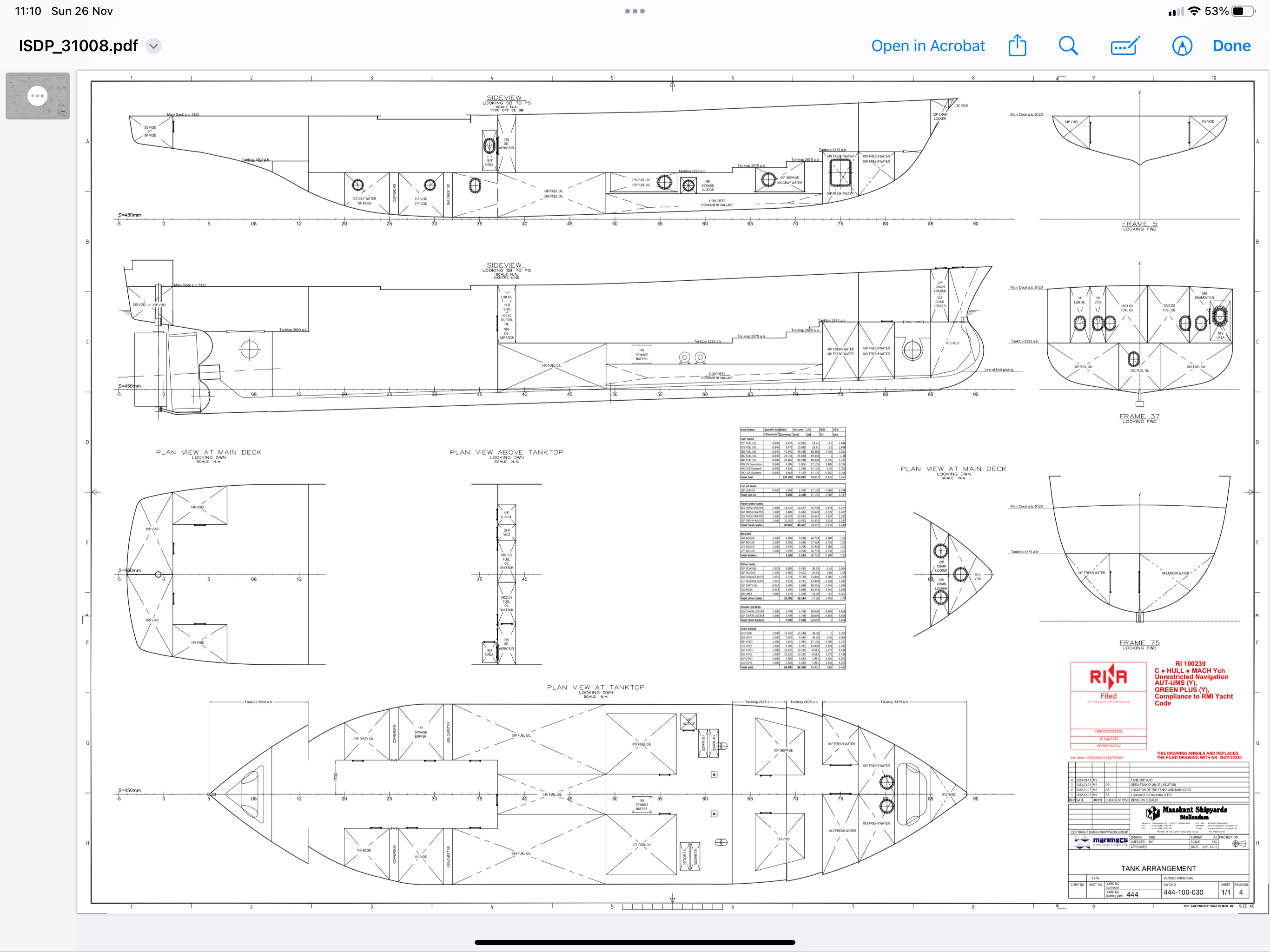
 and result in acrobat
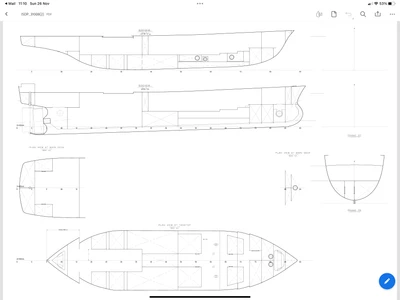
 

Any hint appreciated.


This topic has been closed for replies.

2 replies

Luke Jennings3
Community Expert
Community Expert
November 26, 2023

Check your page display preferences, "Use overprint preview" should be set to Always. Also, "Show large images" should be on. CAD pdfs often have many layers, some of them may be turned off, if there are layers, you should see a pancake icon on the left, click on it to show layer visibility. Download Adobe Reader (a free viewer) how does the pdf look there? If it's OK, try resetting your Acrobat preferences.

Edit, also see this related thread:

https://community.adobe.com/t5/acrobat-discussions/items-missing-when-printing-pdf/td-p/12852335


Encre de Chine
Participant
December 4, 2023

Thanks Luke.

Unfortunately the issue is on the Ipad version of the reader, not the laptop one.

I have searched crazy for a similat setting in the ipad version, no luck.

I fear the only way is to export or print flat copies of all the drawings from my full acrobat version on the laptop... and that means a shitload of files 😞

Luke Jennings3
Community Expert
Community Expert
December 4, 2023

Try flattening the layers on a copy of one of your pdfs, either by saving as an optimized pdf- File> Save as other> Optimized pdf (see screen shot below) or using a preflight profile- Tools> Print Production> Preflight. If this produces a pdf that views correctly on an ipad, you can use the Acrobat Action Wizard to create an action that can include either fix, and can be easily applied to a folder full of pdfs. Note, flattening the layers cannot easily be un-done, so make copies if you want to preserve the layered versions, which may have important details on the hidden layers.

Abambo
Community Expert
Community Expert
November 26, 2023

How did you create the PDF file? It's not exactly recommended, but for the test, could you take the PDF on the laptop and create a new PDF (by printing to the virtual PDF printer). You will need to do that on a Windows PC.

(it may be that the save as option on macOS works also!).

ABAMBO | Hard- and Software Engineer | Photographer
Encre de Chine
Participant
December 4, 2023

I did not create the files, a naval architect did.

Some turn out good on the ipad, some not... and as you mention, there is no fast way to print a flat copy on the mac 😞


Abambo
Community Expert
Community Expert
December 4, 2023
quote

I did not create the files, a naval architect did.


By @Encre de Chine

Are you the customer or are they your customers?

ABAMBO | Hard- and Software Engineer | Photographer