stefw19067
Participating Frequently
October 24, 2018
Answered

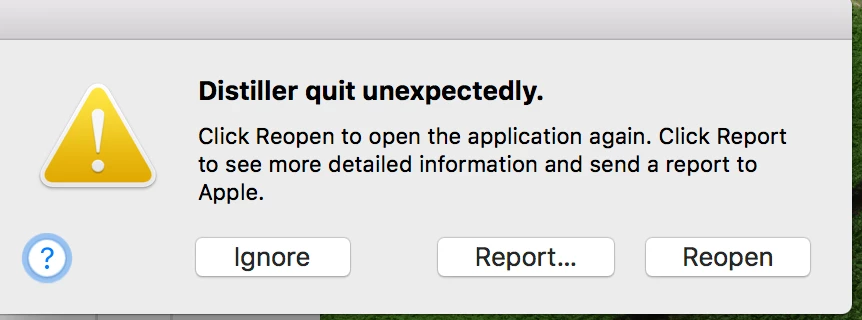
Distiller Crashing - MAC

  • October 24, 2018
  • 10 replies
  • 9665 views

90% of the time it crashes My computer is updated to the most current CC version, the problem started with the previous CC update. Has anyone had this problem also?

This topic has been closed for replies.
Correct answer Dov Isaacs

Today, Adobe release an update to Acrobat 2015, Acrobat 2017, and Acrobat DC in which the bug in the previous update is fixed. Let Acrobat update itself and the problem should be resolved.

          - Dov

10 replies

Participant
August 4, 2020

Hi Mr Dov Isaacs

Even when I used latest version Acrobat 2017 and Acrobat DC still always hang/not working, always need to delete my adobe preference and restart my mac ... please help

Dov Isaacs
Legend
August 4, 2020

For better or worse, I am not Adobe Technical Support and I have no way of debugging or examining your particular configuration. Please contact Adobe Technical Support directly for assistance. This is probably not a manifestation of the problem described earlier in the thread after making sure that you have all Acrobat 2017 updates applied as well as MacOS updates applied. (Note, I am not dismissing the fact you are experiencing an issue, but for better or worse, sheltering-at-home on a Windows system and without expertise in that particular problem, I personally cannot assist you!)


- Dov Isaacs, former Adobe Principal Scientist (April 30, 1990 - May 30, 2021)
Participant
October 10, 2019

Sure would like to use distiller. Same issue. Immediately crashes upon launch. Someone, please email me the patch. This should have been fixed years ago. WTF, Adobe?

Legend
October 10, 2019
It has been said that this is fixed. (As of April 2019). A patch, written for the old version, would be useless if you are up to date. What version of Acrobat, exactly, do you run today?
Participant
October 10, 2019
I have a monthly subscription, so it's always the latest version. If this doesn't need a patch, then something else is very wrong.
Legend
May 15, 2019

Katia, same question. Please tell us what version you run today, exactly. If you don't know how to find out, please let us know so we can help you get that information.

katial18205527
Participant
May 15, 2019

AnandSri
Legend
May 15, 2019

Hey Katial,

Please install the latest patch available 19.012.20034 Planned update, May 14, 2019, for Acrobat. Download the update from help menu>select check for updates. https://www.adobe.com/devnet-docs/acrobatetk/tools/ReleaseNotesDC/index.html

Reboot the machine and check.

Thanks,

Anand Sri.

katial18205527
Participant
May 15, 2019

My distiller still crashing...

Dov Isaacs
Dov IsaacsCorrect answer
Legend
April 9, 2019

Today, Adobe release an update to Acrobat 2015, Acrobat 2017, and Acrobat DC in which the bug in the previous update is fixed. Let Acrobat update itself and the problem should be resolved.

          - Dov

- Dov Isaacs, former Adobe Principal Scientist (April 30, 1990 - May 30, 2021)
katial18205527
Participant
April 9, 2019

Same problems... could you send me the patch, please?

Participating Frequently
April 8, 2019

I am having the very same issue. Please email the patch.

Thank you,

Kathleen

Inspiring
April 5, 2019

Good Afternoon can  I get a email with the patch in it as well we are having the same issue.

thanks

Brian

Participant
March 14, 2019

I am having the same issue when running multiple PS files through the distiller.  Can I have the patch emailed to me as well please?

Meenakshi_Negi
Legend
March 25, 2019

Hi Nikkig, and Vivm,

I did send you a private message with the details.

Hope you have checked your inbox.

Let us know if you need any help.

Regards,

Meenakshi

Participant
March 26, 2019

Hi Meenakshi

I did receive your email and have downloaded the installer – but to be honest, although it certainly looks legit, it seemed too good to be true so I’ve been wary of installing it!

Kind regards

--

Viv

Adorobat
Participating Frequently
November 13, 2018

Hi stefw19067,

As mentioned, Acrobat distiller is crashing on your mac machine, could you try clearing cache for your user account as suggested on the following forum thread and check if that helps: Distiller crashes immediately with "Error Couldn't start up Distiller"

Also, the issue may be related to the fonts as discussed in the following forum thread ( see post#13,14)

distiller stopped working

Also, could you confirm Acrobat version and Mac OS version you are using on the machine? To check the version: Identify the product and its version for Acrobat and Reader DC

Could you share the steps you are taking causing distiller to show the message mentioned above?

Let us know if you need any help.

Shivam

Known Participant
February 26, 2019

Hi there

We are having the same sort of issue here.

As a final QC check we save our PDFs to .ps (Postscript) and distill them using the Press Ready settings. This has worked faultlessly for many years. Last week, we had one file that kept crashing Distiller and in the end I had to create many .ps files, distill them and reassemble them in Acrobat, before sending to the printer.

Today, we have another file crashing Distiller.

I think it is is something to do with the latest version of Distiller (19.010.20091), as we were able to distill two other similar files last week - before the update - without any issues.

I have tried the above suggestions (clearing cach file and checking fonts). I have also tried restarting my Mac in Safe Mode and restarting. Nothing has worked.

My colleague has the same Mac set up as I and we are both experiencing the same issues:

MacBook Pro 15 inch (2017)

Mac OS X 10.13.6

2.8GHz Core i7

16GB memory

Intel HD Graphics 630 1536 MB

Thanks

Matt

Known Participant
February 27, 2019

Update:

I called Adobe support this morning and they suggested that I uninstall and reinstall Acrobat.

It has not fixed the issue, unfortunately.

Any other help would be much appreciated.

Thanks

Matt