Participating Frequently
June 30, 2023
Question

do not allow users to use the browser to open pdf files

  • June 30, 2023
  • 2 replies
  • 457 views

tôi sử dụng adobe acrobat để tạo file pdf, và tôi muốn người dùng chỉ được sử dụng adobe acrobat reader hoặc foxit reader...(không sử dụng chrome, edge, firefox...) như ảnh ở dưới, thì tôi cần cài đặt ở đâu.
Tôi xin chân thành cảm ơn sự giúp đỡ.
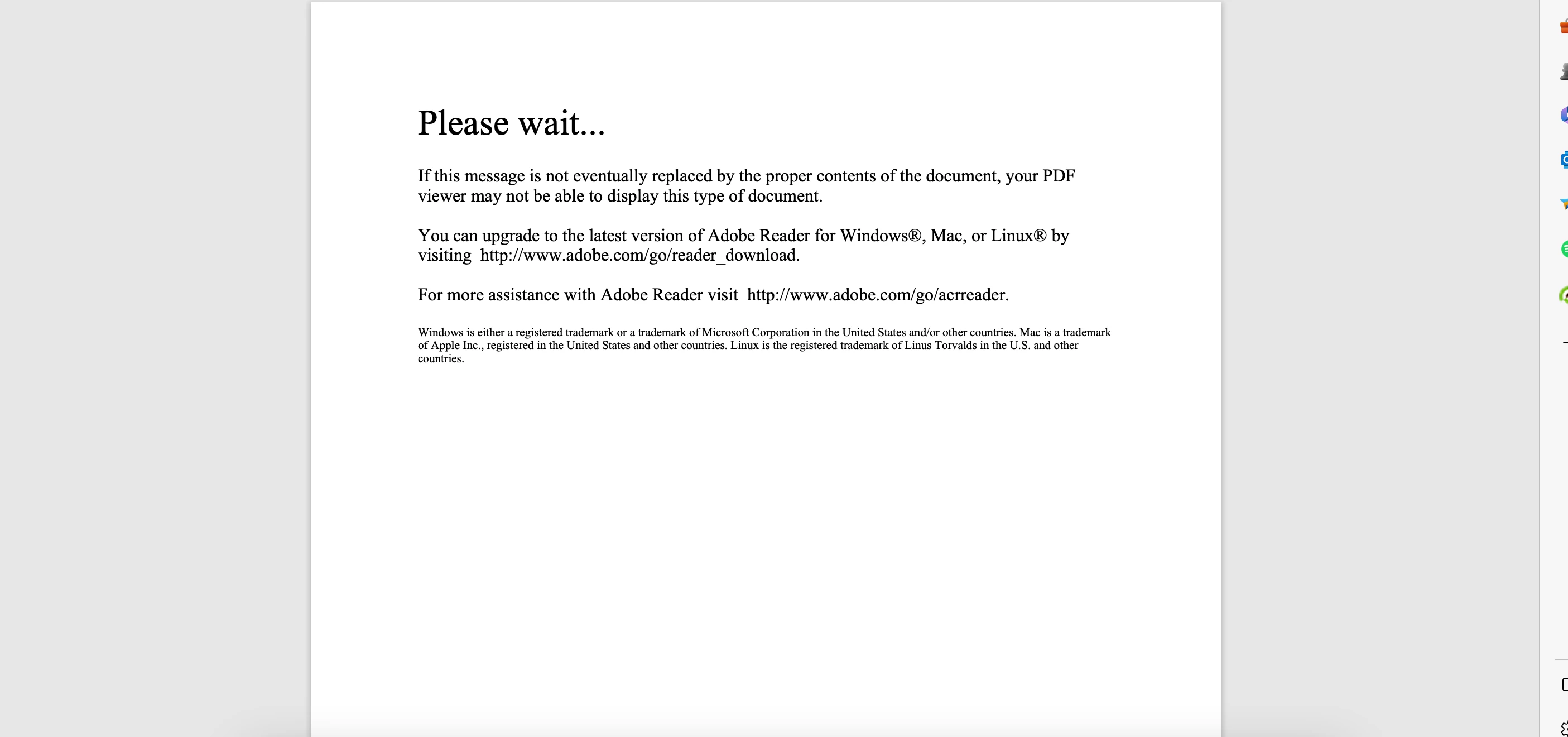
This topic has been closed for replies.

2 replies

JR Boulay
Community Expert
Community Expert
June 30, 2023
Participating Frequently
June 30, 2023

sorry i don't use english:
i use adobe acrobat to create pdf files, and i want the user to only use adobe acrobat reader or foxit reader...(don't use chrome, edge, firefox...) like the picture below, i need to install where to put.
I really appreciate the help.

Bevi Chagnon - PubCom.com
Legend
June 30, 2023

Hi Trung @TRUNG LE30508150z3r9, You can't control how your users will open the file and what software they will use.


But you can advise them to 1) Download the PDF file to their computer (right-click and save the file to their computer), and 2) recommend that they use Adobe Acrobat PDF Reader or FoxIt to open and view the PDF. Give them links to where they can download the free versions:


On our websites, we write out our guidance next to the link for downloading the PDF so that they can't miss reading it.


And don't worry about your English: the translator on this Adobe website is very good and we're able to communicate with people from all around the world. Nice use of technology!


|    Bevi Chagnon   |  Designer, Trainer, & Technologist for Accessible Documents ||    PubCom |    Classes & Books for Accessible InDesign, PDFs & MS Office |