Inspiring
April 27, 2025
Answered

Does Acrobat have a 'return from link' button?

  • April 27, 2025
  • 3 replies
  • 675 views

My many PDFs (which are about linguistics) have a great many links to example sentences that had been mentioned at earlier points in the PDF. As far as I am aware, though, Acrobat has no button for users to press when they want to return to where they were when they pressed the link to see a sentence illustrated elsewhere. So I have to tell them to remember to always press ALT + LEFT-ARROW. when they want to go back. But if they forget this instruction, they will be lost. Could I be missing a 'Go badk' button provided by Acrobat to simply go back to where they were before?

 

Correct answer JR Boulay

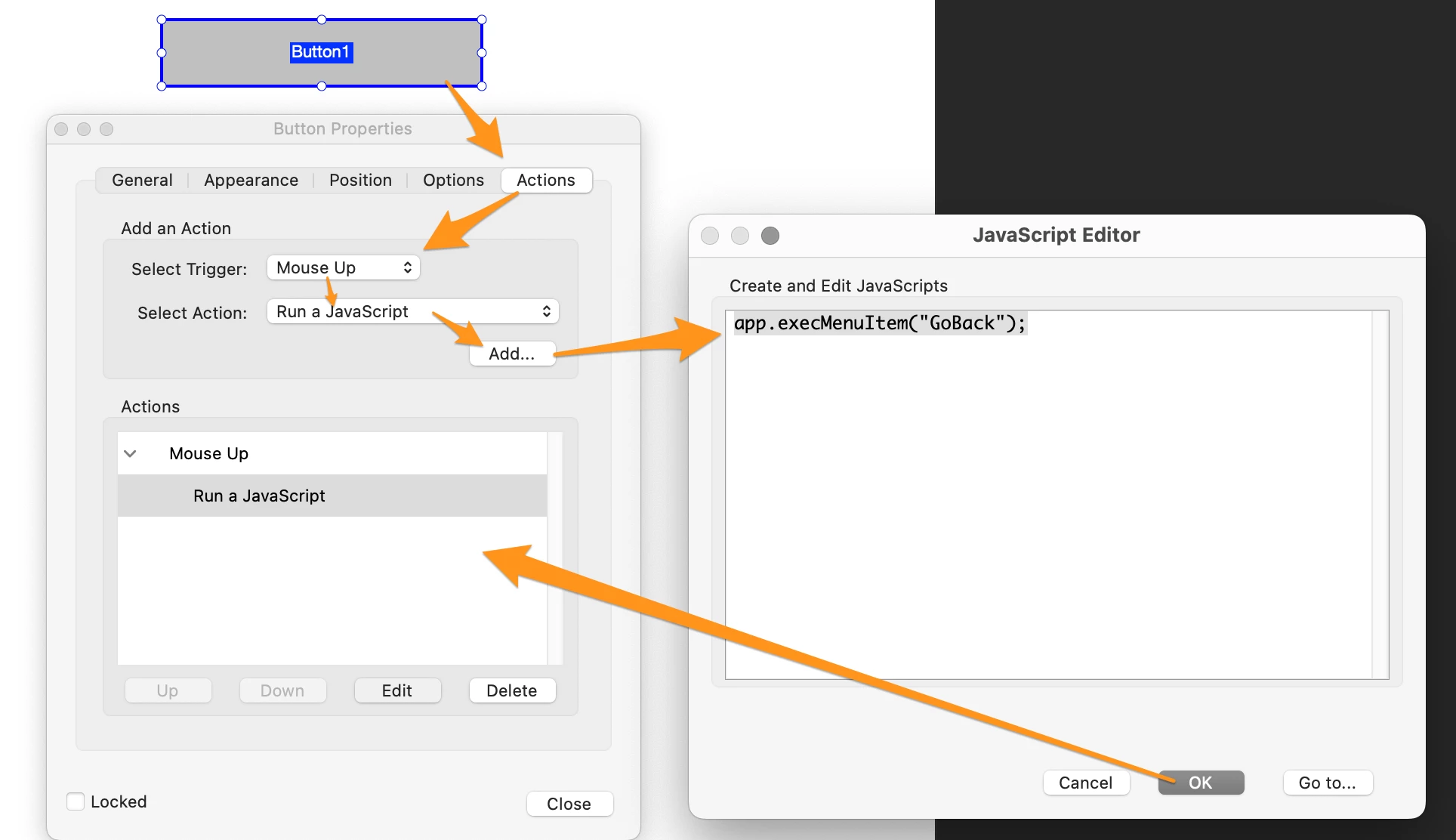
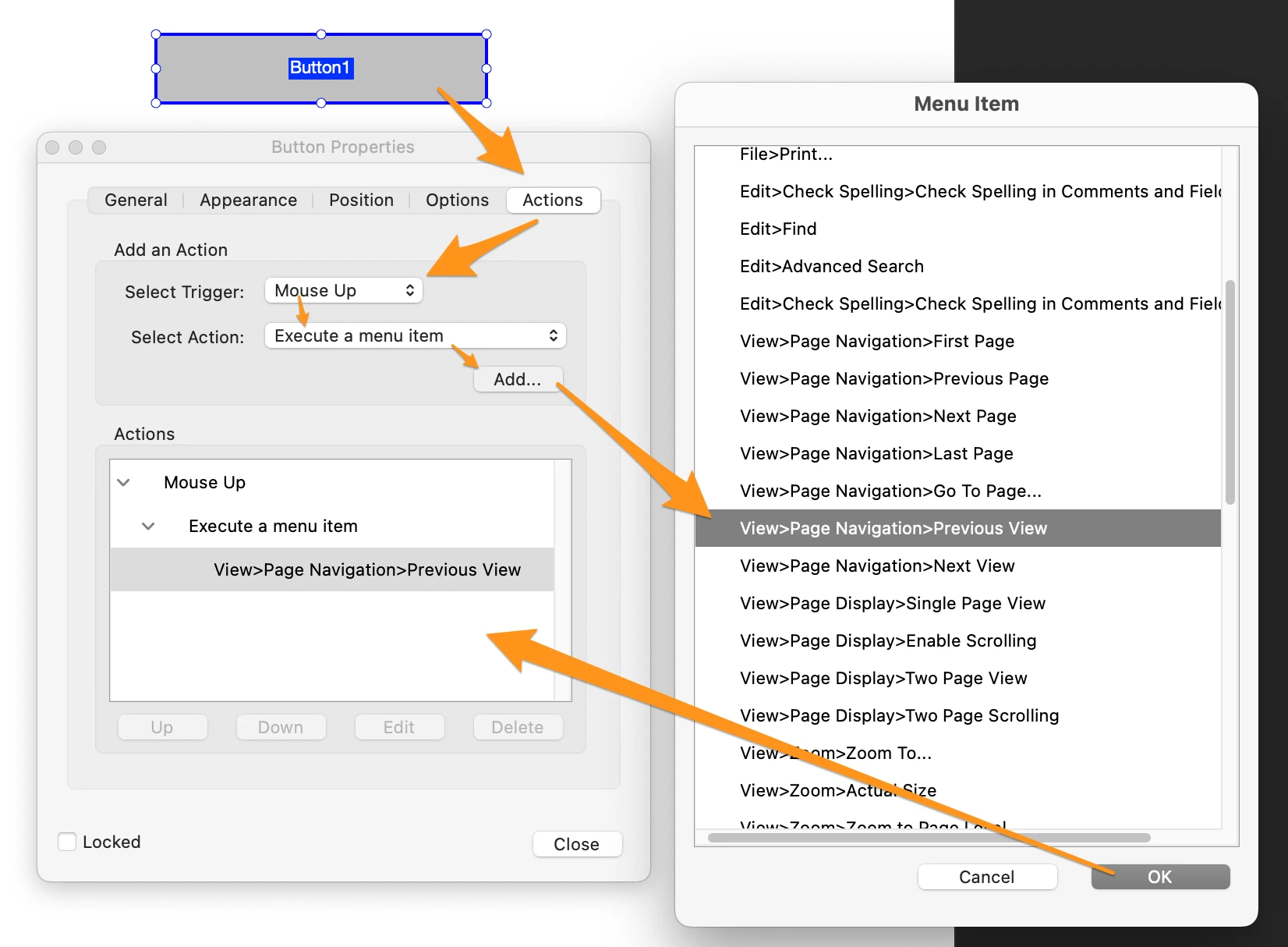
You must create a button using "Execute a menu item" action or using "Run a JavaScript" action.


Execute menu item:


Run a Javascript

app.execMenuItem("GoBack");

3 replies

JR Boulay
Community Expert
Community Expert
April 28, 2025

It's also available as a button in the toolbar (right-clic to customize it).


Acrobate du PDF, InDesigner et Photoshopographe
try67
Community Expert
Community Expert
April 27, 2025

It does exist, but only in Acrobat, not the free Reader, unfortunately.

try67
Community Expert
Community Expert
April 29, 2025

(I stand corrected... It is available in Reader, if you use the old UI)

JR Boulay
Community Expert
JR BoulayCommunity ExpertCorrect answer
Community Expert
April 27, 2025

You must create a button using "Execute a menu item" action or using "Run a JavaScript" action.


Execute menu item:


Run a Javascript

app.execMenuItem("GoBack");

Acrobate du PDF, InDesigner et Photoshopographe