
Participant
April 7, 2018
Answered

Double-sided printing

  • April 7, 2018
  • 1 reply
  • 1683 views

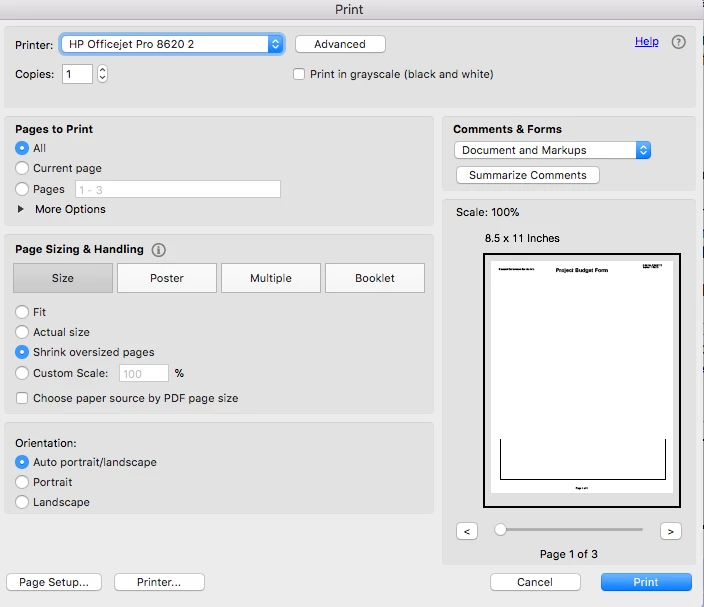
There is no way I have found to turn off double-sided printing. Advice on this forum I've found has been to unclick a print option under size that does not exist. I have updated to the most recent version and still nothing. Help! See image of my print dialogue box
This topic has been closed for replies.
Correct answer Abambo

The problem is a buggy HP printer driver.

You need to go to Printer... and change the R/V option there. There is no other possibility, as HP does not tell the OS about its capabilities.

1 reply

Abambo
Community Expert
AbamboCommunity ExpertCorrect answer
Community Expert
April 7, 2018

The problem is a buggy HP printer driver.

You need to go to Printer... and change the R/V option there. There is no other possibility, as HP does not tell the OS about its capabilities.

ABAMBO | Hard- and Software Engineer | Photographer
Participant
April 16, 2018

What is the R/V - I have an Epson printer and same issue.

Abambo
Community Expert
Community Expert
April 16, 2018

Recto/Verso. Sorry about that. It's the same as double-sided.

ABAMBO | Hard- and Software Engineer | Photographer