Participant
January 5, 2022
Answered

dpi in pdf

  • January 5, 2022
  • 2 replies
  • 12494 views

How can I check and possibly change the dpi of images in a pdf file using Adobe Acrobat Pro? I'm using Windows 11

This topic has been closed for replies.
Correct answer Luke Jennings3

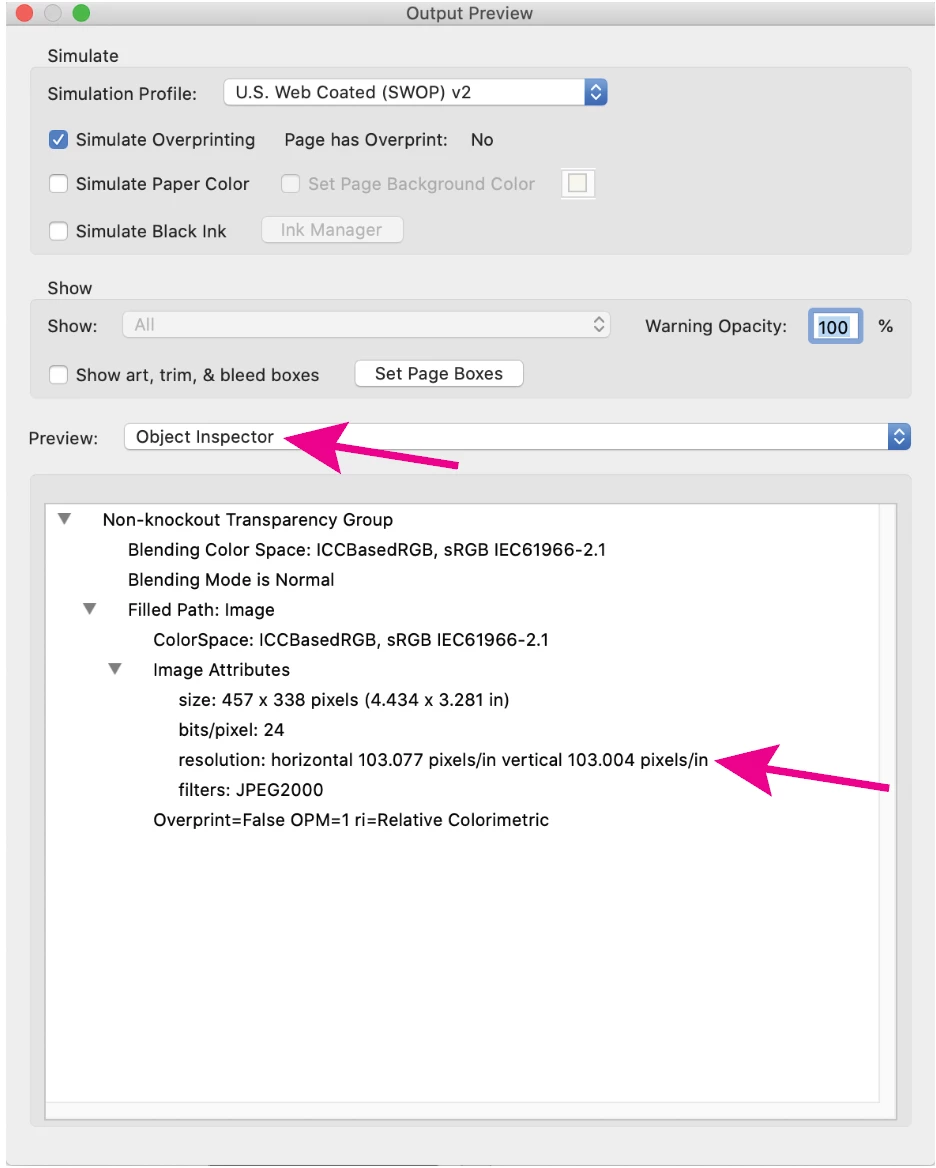
Another option is to go to Tools> Print Production> Output Preview, change the Preview: to Object Inspector, click on an object. You can open the image in Photoshop (Tools> Edit pdf> Edit using:> Photoshop) where you can  change the dpi, or optimize the pdf to downsample all images, File> Save as other> Optimized pdf.
2 replies

Dave Creamer of IDEAS
Community Expert
Community Expert
January 5, 2022

This is what I call a "desperation mode" process:

Right click on the image. (It should open in Photoshop; if not, check your Acrobat preferences.)

In PS, turn on resample and adjust the resolution. 

Save--it will update in the PDF.

Repeat as necessary.


If you add too much resolution this way, you will soften the image. You can try running some Smart Sharpen, but nothing will make it as good as having enough resolution to begin with. However, I look it as better to have a slightly soft image than a pixelated image. 

I've attached a PDF comparing a high-res, a pixelated, and an up-sampled image. 

David Creamer: Community Expert (ACI and ACE 1995-2023)
Document Geek
Community Expert
Community Expert
January 5, 2022

Do you want to increase or decrease the resolution? If decrease, you can optimize the PDF.


If increase, there is no way to do that in Acrobat.


To check the resolution, use Preflight.


Luke Jennings3
Community Expert
Luke Jennings3Community ExpertCorrect answer
Community Expert
January 5, 2022

Another option is to go to Tools> Print Production> Output Preview, change the Preview: to Object Inspector, click on an object. You can open the image in Photoshop (Tools> Edit pdf> Edit using:> Photoshop) where you can  change the dpi, or optimize the pdf to downsample all images, File> Save as other> Optimized pdf.