
Participant
May 25, 2020
Question

Drawing Markups and Automatic Cross-Referencing

  • May 25, 2020
  • 1 reply
  • 1151 views

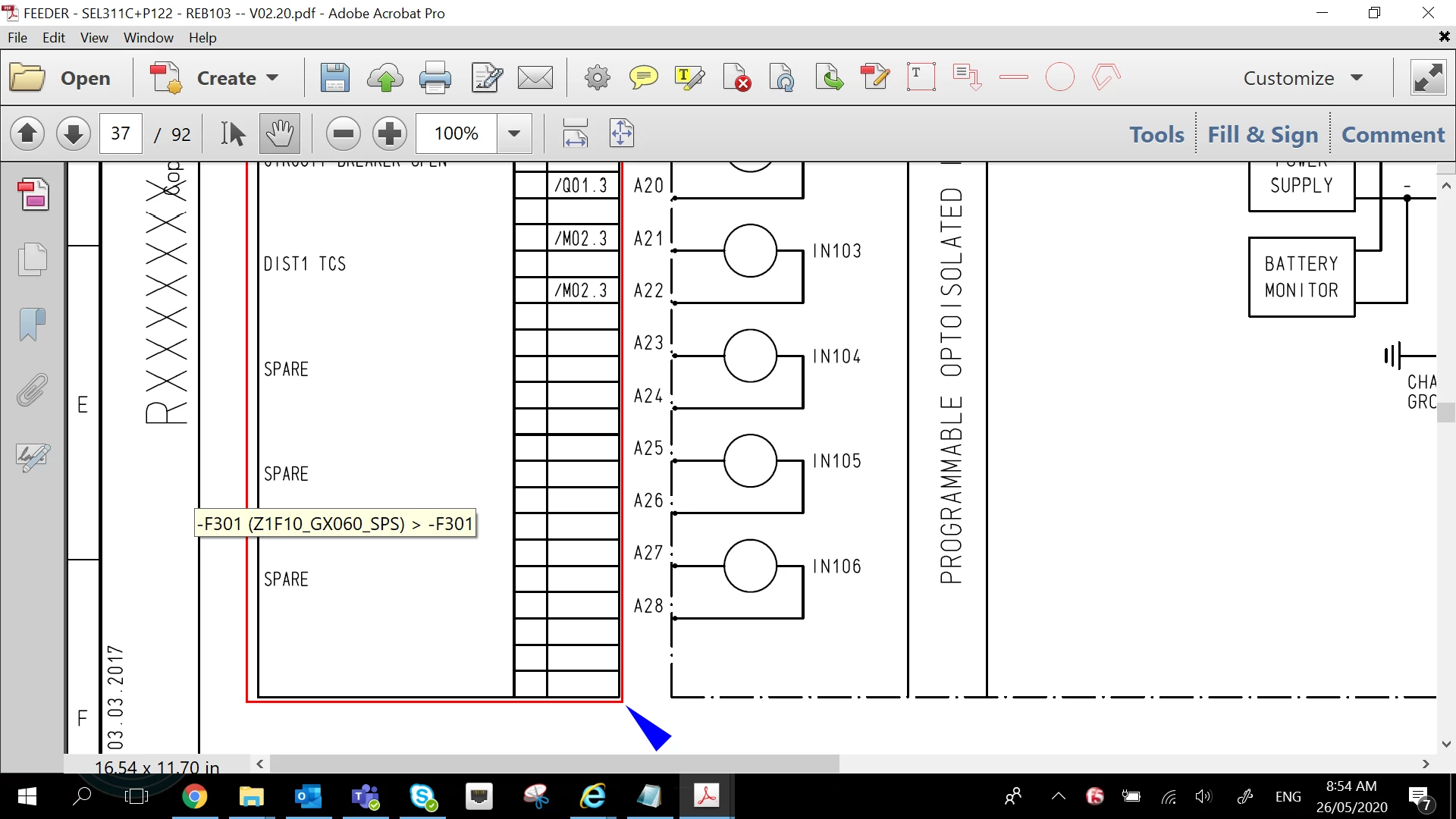
I am doing some mark ups on some engineering drawings and for some reason it will automatically highlight in a red rectangle a section of the pdf, at the bottom corner of this rectangle will be a blue triangle. Clicking on the red rectangle will make it automatically jump to another part of the document where a similar red rectangle will be highlighted, clicking again will take you to another automatically highlighted section and so on ad infinitum. How do I remove this? I want to edit the document behind these automatically selected references but can't because using the hand tool will automatically select the rectangle. I cannot access the pdf document behind it.

In short I want to remove this rectangle and blue triangle which automatically references another part of the document.
This topic has been closed for replies.

1 reply

Document Geek
Community Expert
Community Expert
May 26, 2020

Hide the comments and then you should be able to edit the PDF.

Participant
May 26, 2020

Sorry but I need the comments, thats why I'm doing that markups. All I want to remove is this feature where Adobe selects a section of the PDF and then everytime you click on this section it takes you to the next page on the PDF where there is a similar name. It's like it's running an automatic cross referencing feature which I can't control. Hiding the comments defeats the purpose of me marking up the PDF in the first place.

Document Geek
Community Expert
Community Expert
May 27, 2020

I've never seen that behaviour before in all my years of working with PDFs. Can you share the file so I can take a look at it?