billyg20049126
Participant
July 29, 2017
Answered

Drop Down Box HELP!!

  • July 29, 2017
  • 1 reply
  • 7892 views

I'm pretty new to Adobe Acrobat and here is my issue. I cannot find the answer to this anywhere!!

I'm creating a drop down box on a form.  I need it to show a list of options but when selected, Insert a number in its place.

Example:    Drop down selection:  "Driver  was wearing a seat belt"   When selected in inserts "1" into the box

                                                      "Driver was not wearing a seat belt"    Inserts "2" into the box.

I know this is a formula but I dont know where to start.  Any help please!!??
This topic has been closed for replies.
Correct answer Cari Jansen

Not sure I totally understand what it is you want to achieve. But...

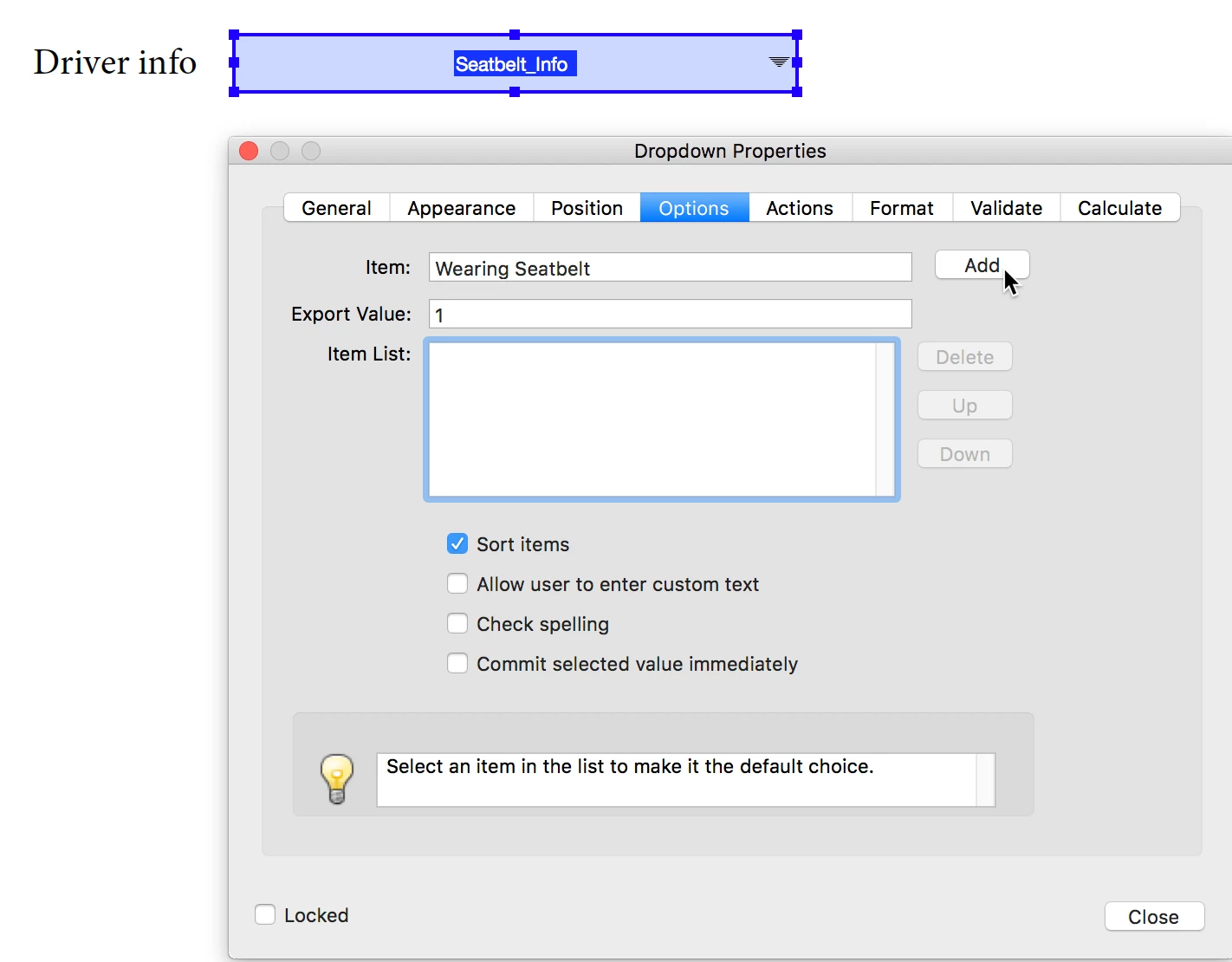
You can assign export values when creating the dropdown list:

  1. Right-click the Field, and select Properties
  2. Click Options tab, and when you Add list items also set their Export Value.

If you want that export value to displayed somewhere, create a second field.

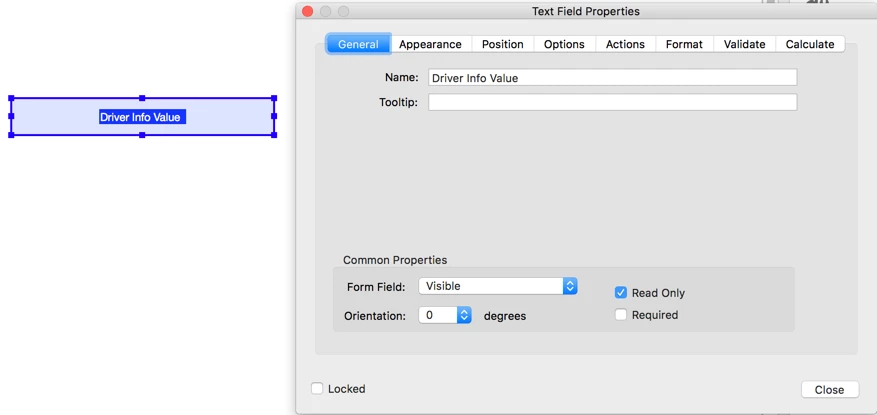
  1. Right-click the Field and select Properties.
  2. Click General tab, and set field to Read Only
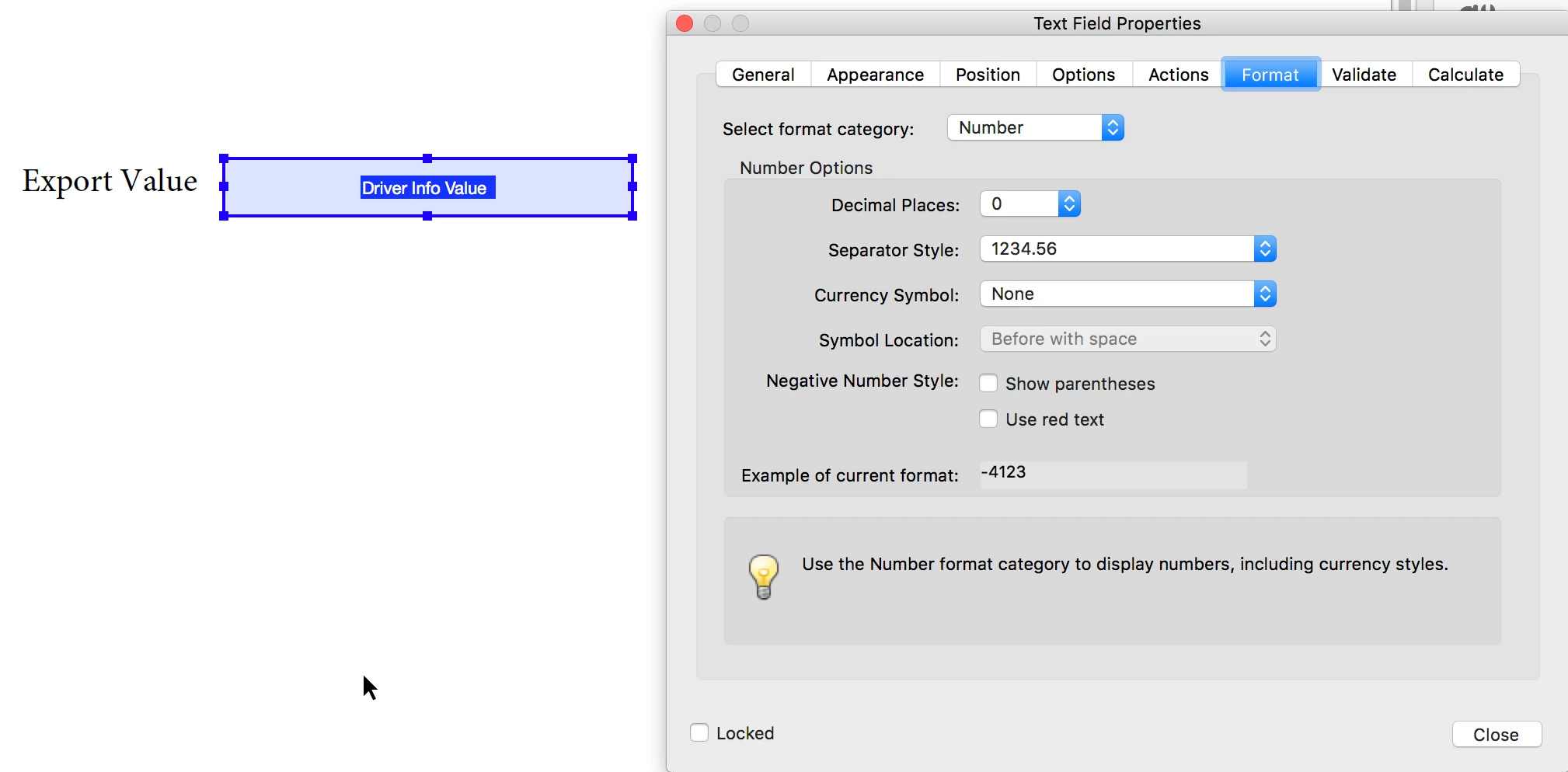
  3. Click Format tab, and select Number in the Select Format Category
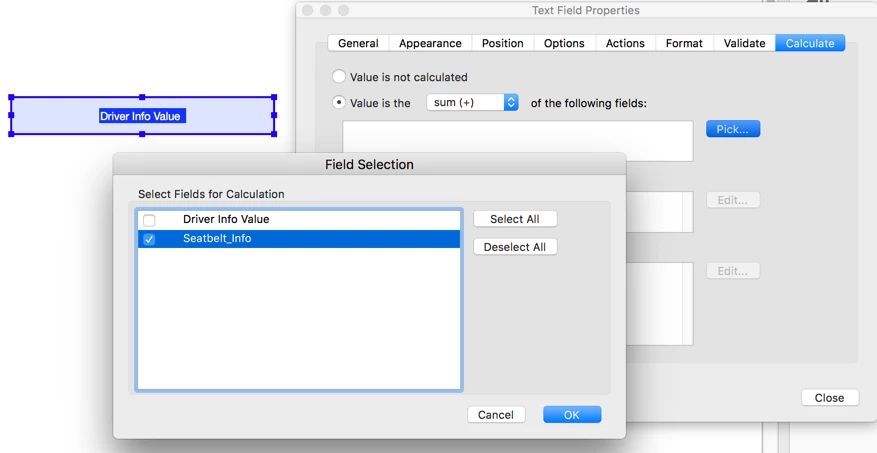
  4. Click Calculate tab, and select Value is the sum ( + ), click Pick and select the dropdown field that sets the values. Click OK, and click Close.
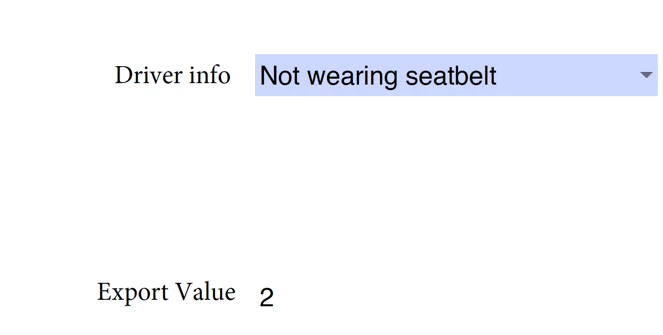
  5. Click Preview to test the form. When you select one of the dropdown menu items, the export value is displayed the second field.

1 reply

Cari JansenCorrect answer
Legend
July 30, 2017

Not sure I totally understand what it is you want to achieve. But...

You can assign export values when creating the dropdown list:

  1. Right-click the Field, and select Properties
  2. Click Options tab, and when you Add list items also set their Export Value.

If you want that export value to displayed somewhere, create a second field.

  1. Right-click the Field and select Properties.
  2. Click General tab, and set field to Read Only
  3. Click Format tab, and select Number in the Select Format Category
  4. Click Calculate tab, and select Value is the sum ( + ), click Pick and select the dropdown field that sets the values. Click OK, and click Close.
  5. Click Preview to test the form. When you select one of the dropdown menu items, the export value is displayed the second field.
Participant
December 12, 2018

Is there a way to add "other" on the dropdown menu so the customer is able to put in their own text?

I thought by checking "Allow user to enter custom text" would make it work, but it does not.

Thank you

try67
Community Expert
Community Expert
December 12, 2018

Yes, if you add a separate text field and show/hide it based on the selection in the drop-down.